What’s in This Article
- Before You Start: Know Which RAV4 System You Have
- How to End Navigation on Toyota RAV4: Quick Steps
- Route Deletion vs Navigation Cancellation
- Different Ways to Cancel Navigation in Your RAV4
- How to Fix Navigation Cancellation Problems
- User Experiences: What Worked for Other RAV4 Owners
- Other Ways to Stop or Pause Guidance
- Tips for Easier Navigation Management in Your RAV4
- Frequently Asked Questions
Need your Toyota RAV4 to stop giving turn-by-turn directions? The fix depends on your model year and multimedia system, but the goal stays the same: end active route guidance, not just remove a destination.
On many older Toyota navigation units, you can press the DEST button and choose the cancel option. On newer Toyota multimedia systems, use the map screen or destination information screen to end active navigation. Some systems also support the voice command “Cancel route”, while older systems may respond to “Cancel navigation”.
Quick Answer
To end navigation on your Toyota RAV4, open the map or route guidance screen and select the option that ends active navigation. If your RAV4 has a DEST button, press it and choose Cancel. You can also press the steering-wheel voice button and say “Cancel route” or “Cancel navigation”, depending on your system.
Key Takeaways
- Cancel active navigation if you want all turn prompts to stop.
- Delete a destination only when you want to remove a stop from a route.
- Use voice commands when you need a safer hands-free option.
- Check your model year because Toyota changed screen labels across systems.
- Update your multimedia software if the screen or voice command stops responding.
Before You Start: Know Which RAV4 System You Have
Estimated time: 30 seconds to 2 minutes.
Before you tap anything, look at your RAV4 screen and identify the system style. Older systems often use buttons or labels such as DEST, Route, Delete, or Cancel. Newer Toyota multimedia systems may show a map icon, a route card, or an active-navigation end icon.
Toyota’s newer multimedia manuals describe an option on the route guidance screen that ends active navigation. They also describe a destination information screen with a cancel or end active navigation option. If your screen does not match one set of steps, use the method that matches your display.
Warning: Do not search through menus while driving; use voice control, stop safely, or ask a passenger to help.
How to End Navigation on Toyota RAV4: Quick Steps
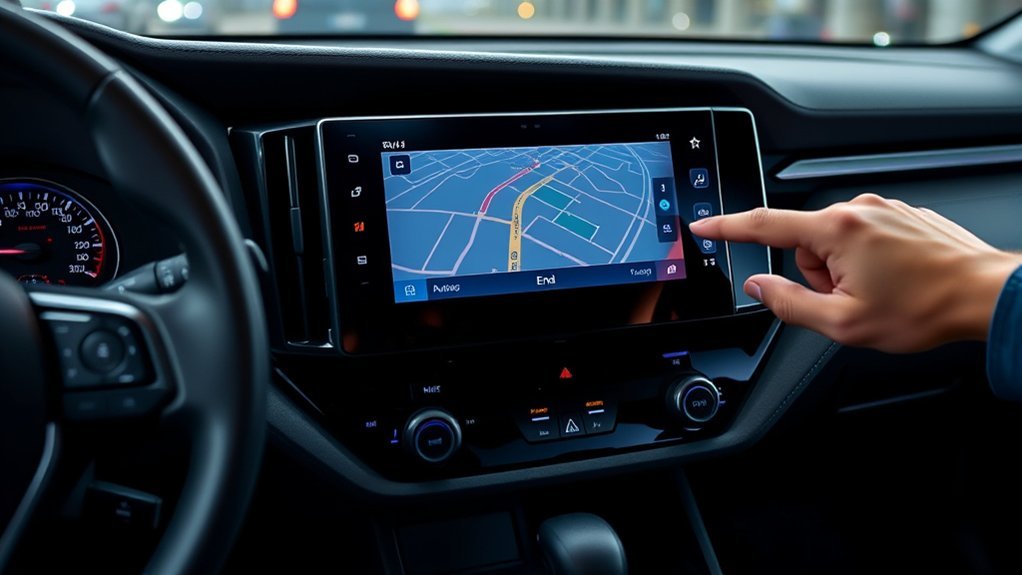
Use these steps first because they match the most common RAV4 navigation layouts. The exact wording may vary by market, model year, and software version.
- Open the map or route guidance screen. Tap the map area if your route card or guidance panel does not show.
- Look for an end, stop, cancel, or route option. Newer systems may show an icon that ends active navigation.
- Tap the cancel or end active navigation option. Confirm the choice if your screen asks for confirmation.
- Use the DEST button on older systems. If your unit has DEST, press it and choose the cancel option.
- Use voice control when available. Press the steering-wheel talk button and say “Cancel route”. Try “Cancel navigation” if your system uses that phrase.
- Check that the prompts stopped. The map can stay open, but turn-by-turn voice guidance should stop.
Route Deletion vs Navigation Cancellation
You need to know the difference between deleting a destination and canceling navigation. These actions can look similar, but they do not always do the same job.
Route Deletion Explained
Route deletion usually removes one destination or stop from the route. On newer Toyota multimedia systems, Toyota describes a process for deleting a destination when multiple destinations have been set.
If you only delete a stop, your system may still guide you to another stop or keep the route active. Use route deletion when you want to remove a waypoint, not when you want to stop all guidance.
Navigation Cancellation Process
Navigation cancellation ends active guidance. That means the system should stop turn-by-turn directions, route prompts, and route guidance alerts.
For a full stop, choose the option that ends active navigation or cancels the route. If your RAV4 supports voice commands, use “Cancel route” as the first command.
User Experience Differences
Many drivers get confused because the map can remain visible after guidance ends. That does not mean navigation still runs. It only means the map screen stays open for normal driving.
Use this quick comparison:
| Action | Best Use | Effect on Voice Guidance |
|---|---|---|
| Delete Destination | Remove a stop or waypoint | May continue if another route remains active |
| Cancel Route | End the active route | Stops route guidance |
| Mute Guidance | Keep the route but silence prompts | Silences voice but keeps navigation active |
Different Ways to Cancel Navigation in Your RAV4
Your Toyota RAV4 may give you more than one way to stop route guidance. Start with the screen method, then use voice control if you need a hands-free option.
- Map screen method: Open the active route screen and tap the option that ends active navigation.
- Destination screen method: Tap the destination information area and choose the cancel or end navigation option.
- DEST button method: Press DEST on older systems and select the cancel option.
- Voice method: Press the talk button and say “Cancel route” or “Cancel navigation”.
- Mute method: Tap the mute option if you want to keep the route but stop voice prompts.
Use mute only when you still want the route on screen. Use cancel or end active navigation when you want the system to stop the route fully.
How to Fix Navigation Cancellation Problems
If your RAV4 will not stop guidance, follow a simple troubleshooting order. Start with the safest and easiest fixes first.
| Problem | What to Try |
|---|---|
| Voice prompts continue | Cancel the active route instead of deleting only one destination |
| Voice command fails | Try “Cancel route,” then try “Cancel navigation” |
| Screen option does not respond | Stop safely, restart the vehicle, and try again |
| Apple CarPlay or Android Auto keeps guiding | Stop guidance inside the phone map app |
| Menus look different | Check your model-year multimedia manual |
Toyota offers multimedia software updates through over-the-air updates on equipped vehicles and USB updates for eligible systems. Check Toyota’s update portal or your vehicle settings if your display freezes, lags, or misses menu options.
Pro tip: If Apple CarPlay or Android Auto started the route, cancel the route inside Apple Maps, Google Maps, or Waze.
User Experiences: What Worked for Other RAV4 Owners
RAV4 owners often report different steps because Toyota has used different multimedia systems across model years. Some older owners prefer the DEST button. Others use the route menu, destination card, or voice command.
Owner feedback points to one clear lesson: match the method to your screen. If your display shows Route, Delete, Pause Guidance, or End, choose the option that stops the active route rather than only clearing a destination.
Older systems may keep recent destinations saved after you cancel a route. That saved history does not mean navigation still runs. It only lets you choose the same destination again later.
Other Ways to Stop or Pause Guidance
You may not always need to cancel the full route. Sometimes you only need to pause voice prompts or switch to a phone map app.
- Mute voice guidance: Use this when you want the route to stay active without spoken prompts.
- Pause guidance: Use this if your system offers it and you may return to the route.
- Start a phone-map route: Toyota notes that when a new route starts in Apple CarPlay or Android Auto, built-in Toyota route guidance may stop.
- Unplug or disconnect the phone: Use this only if CarPlay or Android Auto causes the navigation issue.
Do not rely on turning the vehicle off as your main method. The route may still appear in recent destinations or reopen based on your system settings.
Tips for Easier Navigation Management in Your RAV4

Good navigation habits make your RAV4 easier to use. Learn the voice command, keep your software current, and keep your map screen clean.
Voice Command Efficiency
Voice commands help you keep your hands on the wheel and your eyes on the road. Press the talk button on the steering wheel, wait for the prompt, and say “Cancel route”.
If the system does not respond, say the command more clearly and reduce cabin noise. If your RAV4 uses an older command set, try “Cancel navigation”.
Route Deletion Process
Use route deletion when you have more than one stop and want to remove only one of them. On newer Toyota multimedia systems, you can open the destination information screen, choose Edit stops, delete the stop, and save the change.
Do not use route deletion as your only step when you want all guidance to stop. Cancel active navigation instead.
POI Icon Management
Points of Interest (POI) icons can help you find fuel, food, parking, and other places on the map. Too many icons can also make the screen harder to read.
Use your map settings to show only the POI categories you need. Toyota voice command guides also list commands that show POI category icons on supported systems.
Frequently Asked Questions
How do I turn off navigation in my RAV4?
Open the map or route guidance screen and choose the option that ends active navigation. On older systems, press DEST and choose the cancel option if your screen has that button.
Why does my RAV4 keep talking after I delete a destination?
You may have deleted only one stop instead of canceling the whole route. Go back to the active route screen and choose the cancel or end navigation option.
What voice command stops Toyota navigation?
Try “Cancel route” first because Toyota voice command guides list that command for route guidance. If your older system does not respond, try “Cancel navigation”.
Does muting navigation stop the route?
No. Muting voice guidance only silences spoken prompts. The route can still stay active on the map until you cancel it.
Why does navigation look different in my RAV4?
Toyota has used different navigation and multimedia systems across RAV4 model years and regions. Check your model-year owner’s manual if your screen labels do not match a guide.
Can Apple CarPlay or Android Auto cause navigation confusion?
Yes. Your phone map app and the built-in Toyota navigation system can both provide guidance. Cancel the route in the app that started the directions.
Safety Disclaimer: This article gives general driving and vehicle-use information only. Always follow traffic laws, use your owner’s manual, and avoid operating the screen while driving.
Conclusion
The main point is simple: cancel active navigation when you want your Toyota RAV4 to stop route guidance. Deleting a destination, muting guidance, and canceling the route can produce different results.
Use the map screen, destination information screen, DEST button, or voice command that matches your RAV4 system. If the feature still acts strangely, check your multimedia software and your model-year manual.
Once you know where the cancel option lives, you can stop guidance fast and keep your attention where it belongs: on the road.
References
- 2024 Toyota RAV4 Owner’s Manual — Toyota Owners, 2024
- 2026 Toyota Multimedia Owner’s Manual — Toyota Motor Sales, U.S.A., 2026
- Toyota Audio Multimedia System Updates — Toyota Owners, 2026
- Toyota Audio Multimedia System Updates Portal — Toyota, 2026
