Does Toyota RAV4 Have Navigation? Built-In, Phone, and Aftermarket Options
What’s in This Article
- Which Navigation Option Is Best for Your Toyota RAV4?
- Comparing Toyota RAV4 Built-In Navigation and Smartphone Apps
- Navigation Features Across RAV4 Models
- Accessing Navigation Features in Your RAV4
- Top Smartphone Apps for Toyota RAV4 Navigation
- User Experiences With RAV4 Navigation Options
- Best Aftermarket Navigation Solutions for Your RAV4
- Frequently Asked Questions
- Conclusion
Your Toyota RAV4 may have navigation, but the answer depends on the model year, trim, and connected services. Some RAV4 trims include built-in navigation or cloud-based navigation, while many drivers use Apple CarPlay or Android Auto with phone apps like Google Maps, Apple Maps, or Waze. This guide explains each option, where it works best, and what to check before you pay for a service or buy an aftermarket unit.
Quick Answer
Yes, many Toyota RAV4 models can use navigation, but not every trim has built-in navigation. Most newer RAV4 models support Apple CarPlay and Android Auto, so you can use phone-based navigation on the center screen. If your RAV4 supports Toyota Drive Connect, cloud navigation may also be available with an active trial or paid subscription.
Key Takeaways
- Check your RAV4 trim and model year before assuming it has built-in navigation.
- Use Apple CarPlay or Android Auto if you want simple, familiar navigation from your phone.
- Review Toyota Drive Connect details before paying for cloud navigation or traffic features.
- Choose aftermarket navigation only after you confirm fitment, steering wheel controls, and backup camera support.
- Keep your phone cable, app, and vehicle software updated for the best navigation experience.
Which Navigation Option Is Best for Your Toyota RAV4?
The best navigation option for your Toyota RAV4 depends on how you drive and what your trim supports. If your RAV4 does not have a factory navigation app, phone-based navigation gives you the easiest path. Apple CarPlay and Android Auto let you use maps you already know.
Built-in navigation can feel more integrated, especially when it works with the vehicle display and connected services. But it may need an active service plan for cloud navigation, live traffic, or destination search. Check your Toyota account, trial status, and owner’s manual before you pay for any service.
Aftermarket navigation can help older RAV4 models, but fitment matters. Before you buy a new head unit, confirm it works with your RAV4’s dash, backup camera, microphone, steering wheel controls, and vehicle settings.
Note: Toyota feature names, app support, trials, and subscription details can vary by model year, trim, region, and active connected services.
Comparing Toyota RAV4 Built-In Navigation and Smartphone Apps
Choosing between built-in navigation and smartphone apps comes down to ease, cost, and update quality. Built-in systems may work well when your RAV4 has the right package and an active service plan. Smartphone apps often feel easier because they update often and use live data from your phone.
Here’s a quick comparison:
| Feature | Built-In Navigation | Smartphone Navigation Apps |
|---|---|---|
| User Interface | Depends on model year and Toyota software | Familiar if you use the same phone app daily |
| Real-Time Traffic | May need an active connected service | Usually included through the app |
| Integration | Works through the vehicle system when equipped | Works through Apple CarPlay or Android Auto |
| Learning Curve | Can take more time to learn | Usually quick if you know the app |
| Cost | May include trial or subscription terms | Often free, aside from phone data use |
Many RAV4 owners use smartphone navigation because it feels quick and reliable. Built-in navigation still makes sense if you prefer Toyota’s system and want a vehicle-based option.
Navigation Features Across RAV4 Models
Navigation features vary across Toyota RAV4 model years and trims. Some higher trims and option packages may include built-in navigation or access to Toyota’s connected navigation services. Entry and mid-level trims often rely more on phone projection through Apple CarPlay or Android Auto.
For example, a 2022 RAV4 XLE may not have a preinstalled navigation app. In that case, you can connect your phone and use Google Maps, Apple Maps, or Waze through the infotainment screen. That setup gives you turn-by-turn directions, traffic data, and voice prompts from your phone.
Before you buy a used RAV4, open the infotainment menu and check the actual navigation options. Trim badges alone may not tell the full story because packages and connected service status can change what the vehicle offers.
Accessing Navigation Features in Your RAV4
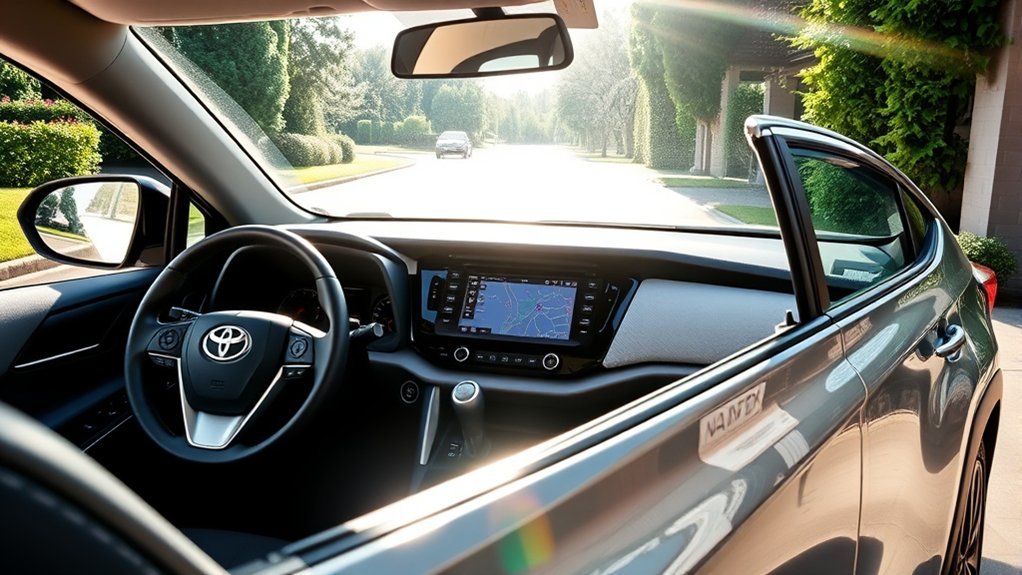
You can access navigation in your RAV4 in three main ways. Your vehicle may have built-in navigation, phone-based navigation, or a Toyota connected service. The right choice depends on your infotainment system and your active service plan.
Built-In Navigation Options
Some RAV4 trims and packages include built-in navigation or Toyota cloud navigation. If your vehicle has this feature, look for navigation, map, or destination options in the infotainment menu. You can also check your owner’s manual or Toyota account for connected service details.
Built-in systems may let you save a home address, favorite places, and common destinations. Some features may need an active trial or subscription, especially if they use live traffic or cloud search. Review the terms before relying on those features for daily use.
Phone App Integration
Phone app integration gives most RAV4 drivers the simplest navigation setup. Connect your phone through the USB media port or wireless connection if your model supports it. Then open Apple CarPlay or Android Auto and choose your preferred maps app.
Google Maps, Apple Maps, and Waze can show live traffic, route changes, and voice guidance. You can also use voice commands, which helps you keep your eyes on the road. Use a good cable if your RAV4 needs a wired connection.
Pro tip: If CarPlay or Android Auto fails, try a different data cable before you reset the whole infotainment system.
Subscription Service Details
Toyota Drive Connect may unlock cloud-based navigation, live destination help, and related connected features on supported RAV4 models. Availability depends on your model year, trim, region, trial status, and account setup. Pricing and plan names can change, so confirm them through Toyota before you subscribe.
Remote Connect is a different connected feature set that may let you control some vehicle functions from your phone. It does not mean your RAV4 automatically has built-in navigation. Check each service separately so you know what you’re paying for.
Top Smartphone Apps for Toyota RAV4 Navigation
Smartphone apps work well in many Toyota RAV4 models because they stay familiar and update often. With Apple CarPlay or Android Auto, you can view routes on the vehicle screen and hear prompts through the speakers. These apps also make it easy to search for fuel, food, parking, and alternate routes.
- Google Maps: A strong all-around choice for live traffic, business search, and route options.
- Apple Maps: A simple choice for iPhone users who want clean directions and voice control.
- Waze: A good option if you want driver-reported alerts, road hazards, and traffic changes.
Pick the app that fits your phone and driving style. If you drive in rural areas, test your app before a long trip and consider downloading offline maps when the app supports it.
User Experiences With RAV4 Navigation Options
RAV4 owners often choose phone apps because they already know how those apps work. They also like frequent updates, live traffic, and quick destination search. Built-in systems can still help drivers who prefer a vehicle-based screen and do not want to depend on phone battery life.
Built-In Navigation Limitations
Built-in navigation can feel less flexible than phone apps. Some systems require connected services for the best features, and older map data can make directions less helpful. You may also need time to learn the menus.
Another issue is availability. A RAV4 may support phone projection but still lack a built-in navigation app. That difference can confuse buyers who expect every large infotainment screen to include factory navigation.
Preference for Mobile Apps
Many drivers prefer mobile apps for three clear reasons:
- Use live traffic: Apps can update routes when traffic slows your trip.
- Keep familiar controls: You already know your phone’s maps app and voice assistant.
- Reduce extra costs: Many navigation apps work without a separate vehicle subscription.
Mobile apps also make switching cars easier. Your saved places, search history, and routes stay with your phone.
Community Navigation Insights
RAV4 owner discussions often show mixed feelings about factory navigation. Some drivers like the clean vehicle integration, while others prefer mobile apps because they update more often. The strongest choice usually depends on how much you value Toyota integration versus phone-based convenience.
If you’re shopping for a used RAV4, test navigation before you buy. Pair your phone, open a route, check voice prompts, and confirm that the screen responds well.
Best Aftermarket Navigation Solutions for Your RAV4

Aftermarket navigation can help if your RAV4 has an older infotainment system or lacks phone projection. Brands such as Pioneer, Kenwood, and Alpine offer head units with navigation support, touchscreen controls, Bluetooth, Apple CarPlay, and Android Auto. The right unit depends on your RAV4 model year and dash layout.
Before you buy, check these fitment points:
- Dash fit: Confirm the screen size and mounting kit match your RAV4.
- Camera support: Make sure the unit can work with your backup camera.
- Steering wheel controls: Check whether you need an adapter to keep button controls.
- Audio features: Confirm compatibility with factory speakers, amplifiers, and microphones.
- Installation cost: Include harnesses, trim kits, adapters, and labor in your budget.
A professional installer can help you avoid wiring issues and lost factory functions. This matters most if your RAV4 has advanced factory audio or vehicle settings inside the original screen.
Warning: A poorly installed head unit can affect audio, camera, steering controls, or vehicle settings, so verify compatibility before installation.
Frequently Asked Questions
How Do I Get Navigation on My Toyota RAV4?
Start by checking your infotainment menu for a navigation or map option. If your RAV4 does not include built-in navigation, connect your phone and use Apple CarPlay or Android Auto. You can also review Toyota Drive Connect if your model supports cloud navigation.
Which RAV4 Models Have Navigation?
Navigation availability depends on the model year, trim, package, and connected service status. Higher trims often offer more navigation features than base trims. Always check the window sticker, owner’s manual, or infotainment menu for your exact RAV4.
Does Toyota Make You Pay for Navigation?
Toyota may require an active trial or paid connected service for certain navigation features, such as cloud navigation or live traffic. Some RAV4 models can still use phone-based navigation through Apple CarPlay or Android Auto without a separate Toyota navigation plan.
Can You Add Navigation to a Car That Doesn’t Have It?
Yes, you can add navigation through a compatible phone app or an aftermarket head unit. Phone-based navigation is usually the easiest option. Aftermarket systems can work well, but you need to confirm fitment and factory feature support first.
Why Is Navigation Not Showing on My RAV4 Screen?
Your RAV4 may not include built-in navigation, or your connected service may not be active. If you use phone projection, check your cable, phone settings, app permissions, and infotainment connection. Restarting the phone and vehicle screen may also help.
Conclusion
Your RAV4 can use navigation in more than one way, but your best choice depends on your exact model and trim. Start with the option you already have, such as Apple CarPlay, Android Auto, built-in navigation, or Toyota Drive Connect. If those options do not meet your needs, compare aftermarket systems with care before you buy. A clear setup helps your RAV4 guide you with less stress on every trip.
References
- Toyota Audio Multimedia and Connected Services — Toyota
- Android Auto Help — Google
- Apple CarPlay — Apple