To adjust the clock in your Toyota RAV4, press the “Apps” button on the Entune display. Go to the “Setup” menu, select “General,” then choose “Clock.” Here, you can adjust the time zone and enable Daylight Saving Time for automatic changes. Don’t forget to activate Auto Adjust by GPS for precise updates. If you encounter sync issues, check settings and consider performing a reset. Want tips on keeping your clock accurate? There’s more to explore!
Understanding the Importance of Accurate Clock Settings in Your RAV4
Accurate clock settings in your Toyota RAV4 might seem like a minor detail, but they play a significant role in your driving experience. Keeping your time accurate is essential, especially during shifts like Daylight Savings Time. You want to guarantee you arrive on time for appointments and events, preventing any confusion that could lead to tardiness. The Entune system in your RAV4 offers an impressive feature: Auto Adjust by GPS. This simplifies maintaining the correct time, automatically syncing your clock with the exact time zone as you drive. However, it’s still wise to manually check and adjust your clock occasionally. This way, you can confirm you’re in the right time zone and account for any local variations. Regularly verifying your clock not only enhances your overall driving experience but also assures you stay in sync with your personal devices, liberating you from the stress of time mismanagement.
Step-by-Step Guide to Adjusting Your Clock Settings
To adjust your RAV4’s clock, you’ll start by accessing the Entune display settings. From there, you can tweak your time zone options and take advantage of the GPS auto-adjust feature for the most accurate time. Let’s walk through these steps to guarantee your clock is always right on time.
Accessing Entune Display Settings
Adjusting the clock on your Toyota RAV4’s Entune display is a straightforward process that can be completed in just a few steps. Start by pressing the “Apps” button on the left side of the Entune display to access the main menu. If a Connected Navigation service message appears, select “Okay” or check “Do Not Tell Me Again.” Next, navigate to the “Setup” button to open the settings menu. Within the Setup menu, find the “General” settings and select the “Clock” option. Don’t forget to check the box for Daylight Savings Time to enable automatic adjustments.
| Step | Action | Notes |
|---|---|---|
| 1 | Press “Apps” | Access the main menu |
| 2 | Select “Setup” | Open settings menu |
| 3 | Go to “General” | Find clock settings |
| 4 | Choose “Clock” | Modify time settings |
| 5 | Check Daylight Savings Time | Enable auto adjustments |
Adjusting Time Zone Options
When you want to guarantee your clock reflects the correct local time in your Toyota RAV4, adjusting the time zone settings is essential. Start by pressing the “Apps” button on the left side of the Entune display and navigate to the “Setup” menu. Once you’re in the Setup menu, select “General” and then choose “Clock” to access time zone adjustments. Go ahead and show your desired time zone from options like Central or Eastern, making sure it aligns with your location. Don’t forget to toggle the Daylight Savings Time option for automatic seasonal adjustments. For added convenience, consider enabling the Auto Adjust by GPS feature, especially if your trim level supports it, to keep your clock accurate effortlessly.
Utilizing GPS Auto-Adjustment
If you want your Toyota RAV4’s clock to stay accurate as you travel, utilizing the GPS auto-adjustment feature is a smart choice. I’m going to show you how to set it up easily.
| Step | Action |
|---|---|
| 1. Access | Press the Apps button on the left screen. |
| 2. Navigate | Go to the Setup menu and select General. |
| 3. Enable Feature | Check the Auto Adjust by GPS box. |
| 4. Confirm Time Zone | Verify your time zone is correct. |
This feature automatically updates your clock based on your location. Just remember, Daylight Saving Time needs manual adjustment. Enjoy your liberated journey with precise timing!
Time Zone Adjustment Steps for Your Toyota RAV4
To keep your Toyota RAV4’s clock accurate, you’ll need to adjust the time zone settings through the Entune display. Start by pressing the Apps button, then navigate to the Setup menu. Once there, select the Clock option at the top of the screen to update your current time zone settings. It’s crucial to choose the correct time zone—Central, Eastern, or whichever applies to you—to guarantee your clock settings reflect the right time.
For enhanced GPS accuracy, consider enabling the Auto Adjust feature, which automatically updates your clock based on your geographical location. This guarantees that your RAV4’s time remains accurate, no matter where your adventures take you. Remember these time zone tips to help you stay punctual and enjoy your drive without the stress of incorrect time settings.
Enabling Daylight Saving Time Adjustments for Convenience

Now that your time zone settings are accurate, enabling Daylight Saving Time adjustments in your Toyota RAV4 can enhance your driving experience. Start by accessing the Entune display; press the Apps button and navigate to the Setup menu. Within this menu, select General settings, then Clock. Here, you’ll find the option to check the box for Daylight Savings Time, allowing your RAV4 to automatically adjust the clock as needed.
For ideal clock accuracy, make certain the Auto Adjust by GPS option is enabled. This won’t specifically account for Daylight Saving Time, but it helps with time management based on your location. Remember to regularly verify your time settings, especially during the changes into and out of Daylight Saving Time. By taking these steps, you’ll maintain accurate navigation and scheduling, making your journeys more convenient and enjoyable.
Fixing Clock Sync Issues in Your Toyota RAV4
If your RAV4’s clock isn’t syncing properly, you’re not alone—many owners face this issue. To troubleshoot, start by checking the Daylight Saving Time option and ensuring the Auto Adjust by GPS feature is enabled. If that doesn’t work, you might need to manually select your time zone or reset the Entune system for a fresh start.
Common Sync Problems
When your Toyota RAV4 clock isn’t syncing correctly, it can be frustrating. Common clock display issues often stem from time format discrepancies. First, check that the Daylight Saving Time option is enabled in the Clock settings of your Entune display. Make sure the Auto Adjust by GPS feature is active, as it allows for automatic time adjustments based on your current location. If the clock still shows the wrong time, manually select your time zone. Don’t forget the importance of regular software updates for your Entune system; outdated software can cause syncing problems. If you continue facing issues, try disconnecting and reconnecting the vehicle’s battery to reset the system and eliminate lingering sync issues.
Troubleshooting Steps Explained
To resolve clock sync issues in your Toyota RAV4, start by checking a few key settings. Your clock display is essential for accurate digital timekeeping, so make certain these are set correctly:
- Daylight Savings Time: Make sure this option is enabled in the General menu.
- Auto Adjust by GPS: Confirm this feature is activated for automatic updates based on your location.
- Manual Adjustments: Navigate to the Setup menu to select the correct time zone and adjust the time.
If issues persist, try resetting your Entune system by turning off the vehicle for a few minutes before restarting. For further assistance, consult your owner’s manual or reach out to your local Toyota dealership. Enjoy the freedom of precise vehicle technology!
Enable GPS for Automatic Time Adjustments
Enabling GPS for automatic time adjustments on your Toyota RAV4 enhances your driving experience by guaranteeing your clock remains accurate without any manual effort on your part. To get started, access the Entune display and navigate to the Setup menu. In the Setup menu, select General settings, then choose the Clock option to find the Auto Adjust by GPS feature. Activating this setting allows your vehicle to automatically adjust the time based on your current location. However, keep in mind that while GPS provides real-time adjustments, it won’t automatically account for Daylight Saving Time changes unless you enable that option too. For peak performance, verify your Entune system is updated. If you encounter any troubleshooting GPS issues, revisiting your GPS settings overview can help. With these adjustments, you can enjoy the freedom of accurate timekeeping on the road!
Additional Clock Features Available in Your RAV4
Your Toyota RAV4 comes packed with convenient clock features that enhance your driving experience. You can easily switch between a 12-hour and 24-hour format, catering to your preference. Plus, with the Auto Adjust by GPS feature, your clock stays accurate no matter where you are.
Auto-Adjustment By GPS
One handy feature in the Toyota RAV4 is the Auto Adjust by GPS function, which keeps your clock accurate as you travel through different time zones. With this feature, you can enjoy seamless journeys without worrying about time zone discrepancies. Just navigate to the Clock settings in the Entune display to activate it. Here are three benefits of using the Auto Adjust by GPS:
- Eliminates manual clock changes, giving you more freedom on the road.
- Guarantees accurate timekeeping, even with GPS reliability concerns.
- Simplifies adjustments for seasonal shifts with manual adjustment tips for Daylight Saving Time.
Now, you can focus more on the adventure ahead, knowing your clock is always in sync!
24-Hour Format Option
Whether you prefer a classic 12-hour clock or the precision of a 24-hour format, the Toyota RAV4 accommodates your preferences with ease. You can easily customize the clock display to suit your 24-hour preference by accessing the Clock option under the General settings in the Entune display’s Setup menu. This clock customization not only enhances your driving experience but also aligns with personal habits and regional standards. The military time format provides clarity, eliminating any ambiguity about the time. Plus, using the GPS feature can simplify adjustments when you travel across different time zones, ensuring your clock remains accurate. Embrace your freedom to choose the time format that works best for you!
Tips for Keeping Your Vehicle’s Time Accurate
To keep your Toyota RAV4’s clock accurate and avoid confusion, regularly checking and adjusting the time is crucial. Embracing effective time management strategies can enhance your driving experience, especially when you’re on the go. Here are some tips to guarantee your vehicle’s time stays precise:
- Utilize Auto Adjust by GPS: This feature updates your time automatically based on your location, but remember to manually set the correct time zone when traveling.
- Activate Daylight Saving Time toggle: This guarantees your clock adjusts for seasonal changes without any hassle.
- Consider a 24-hour format: If you have digital clock preferences, this format can simplify scheduling and navigation, reducing confusion.
What to Do If Your Clock Won’t Sync or Adjust Properly?
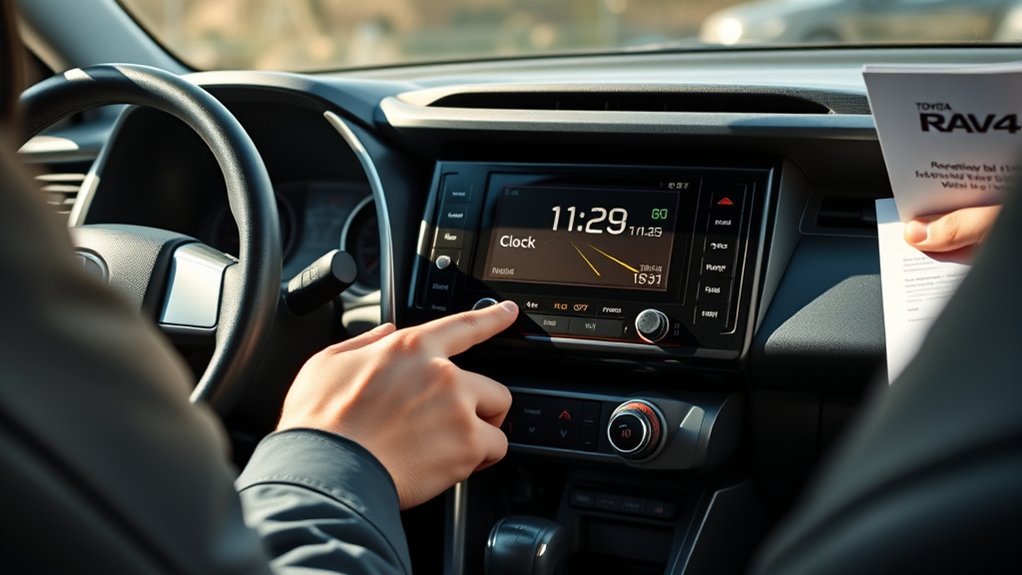
Maintaining an accurate clock in your Toyota RAV4 is important for smooth navigation and time management, but sometimes issues arise that prevent the clock from syncing or adjusting correctly. Start by checking the Daylight Savings Time option in the Clock settings under the General menu. This can often resolve time discrepancies. Next, verify the GPS auto-adjust feature is activated, as it helps align your manual settings with your actual location.
If you’re still facing syncing challenges, try resetting the Entune system. Simply power off your vehicle and restart it to refresh the software. Additionally, make certain your vehicle’s software is up to date, as outdated systems can lead to syncing issues. If all else fails, consult your owner’s manual or reach out to your Toyota dealer for assistance. These time accuracy tips can help you regain control over your clock display options and keep you on schedule.
Common Clock Adjustment Mistakes to Avoid
When adjusting the clock in your Toyota RAV4, it’s easy to make simple mistakes that can lead to frustration. Avoid these common pitfalls to guarantee your clock is accurate and functional:
- Neglecting Daylight Savings Time: Forgetting to update for Daylight Savings can throw off your clock twice a year.
- Incorrect Time Zone Selection: Always confirm your time zone. The wrong choice can lead to significant discrepancies.
- Forgetting GPS Auto-Adjust: Utilize this feature when traveling across time zones to simplify adjustments.
Don’t overlook switching between standard and military format; it can make a world of difference in clarity. Following these clock maintenance tips will help you stay liberated from time-related confusion. Remember, keeping your clock accurate is essential for a smooth driving experience.
Frequently Asked Questions
How Do I Change the Clock on My RAV4?
To change the clock on your RAV4, access the clock settings through the “Apps” button. You’ll easily adjust time settings for precise time adjustments, enhancing your vehicle customization experience while ensuring accurate time display.
How Do I Change the Time on My Toyota Dashboard?
To change the time on your Toyota dashboard, glide through the dashboard settings, select the time adjustments, and tweak the vehicle electronics. Embrace precision, ensuring your time is as smooth as your drive.
How Do You Set the Clock on a 2018 Toyota RAV4?
To set the clock on your 2018 Toyota RAV4, access digital clock settings through the Setup menu. Follow clock adjustment tips to guarantee accurate vehicle timekeeping, including confirming your time zone and enabling GPS auto-adjust.
How to Set the Clock on a 2016 Toyota RAV4?
To set the clock on your 2016 RAV4, access digital clock settings via the Menu. Utilize clock synchronization methods and adjust time zone settings to guarantee accuracy. Liberation from time confusion is just a few clicks away!
Conclusion
Now that you’ve mastered the art of clock adjustment in your Toyota RAV4, you’re practically a time wizard! Keeping your clock accurate is like having a superpower—no more being late for appointments or missing out on adventures! Remember, a perfectly synced clock can transform your driving experience from mundane to extraordinary. So, go ahead and make those adjustments; your RAV4 deserves to be on time, and so do you! Happy driving through time!