What’s in This Article
- Understanding Heads-Up Displays (HUDs) in the RAV4
- Factory vs Aftermarket RAV4 HUD Options
- Main Benefits of Adding a HUD to Your RAV4
- RAV4 HUD Compatibility by Model and Trim
- RAV4 HUD Buying Checklist
- How to Troubleshoot Common HUD Issues in RAV4s
- Installation Process for the CarTrimHome HUD
- Comparing Aftermarket HUD Options for RAV4 Owners
- What Users Say About RAV4 HUD Functionality
- Future RAV4 HUD Technology and What to Watch
Last updated: May 30, 2026
Want a heads-up display in your Toyota RAV4 without replacing the whole dashboard? You have two main paths: use a factory HUD on supported trims or add an aftermarket display made for your model year. This guide explains fit, setup, safety checks, common issues, and what to confirm before you buy.
Quick Answer
Yes, you can add a heads-up display to many Toyota RAV4 models. Some newer RAV4 trims offer a factory HUD, while several aftermarket kits support certain 2019-2025 RAV4 models. Before buying, confirm your exact model year, trim, drive side, windshield setup, and whether your RAV4 is a Prime or Plug-in Hybrid.
Key Takeaways
- You can add a HUD to many RAV4 models with a factory option or an aftermarket kit.
- Toyota offers factory HUD features on select newer trims, not every RAV4 model.
- Aftermarket fit depends on model year, trim, drive side, windshield angle, and wiring style.
- Some aftermarket listings exclude RAV4 Prime or Plug-in Hybrid versions, so check before buying.
- A HUD should never block your view, distract you, or replace safe driving habits.
Understanding Heads-Up Displays (HUDs) in the RAV4
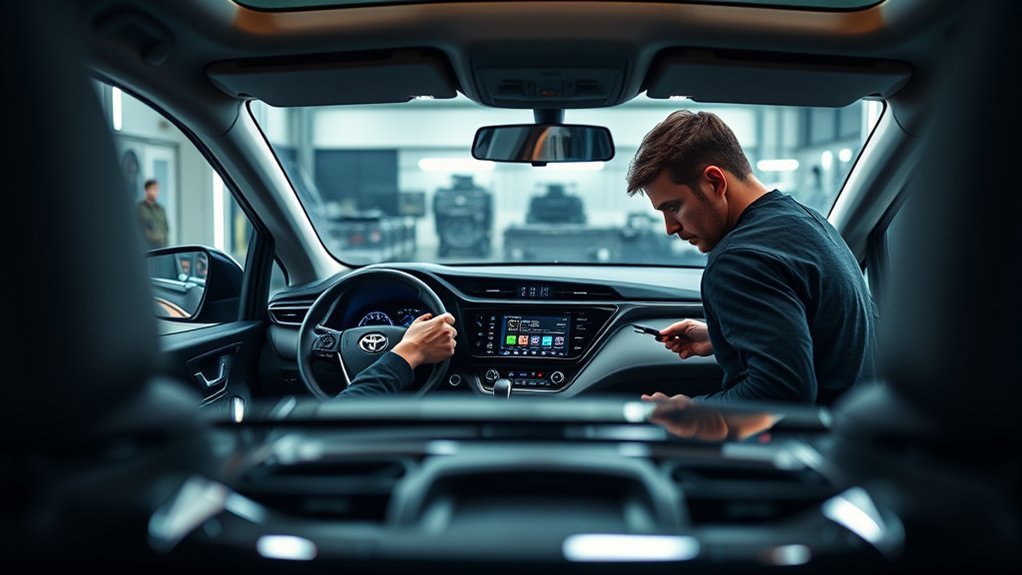
A heads-up display (HUD) puts key driving data near your forward view. In a RAV4, that data may include speed, basic warnings, compass direction, driver-assist status, or navigation prompts, depending on the system.
Factory HUDs project information onto the windshield. Many aftermarket HUDs use a small display unit, a reflective lens, or an On-Board Diagnostics II (OBD-II) connection to read vehicle data. The right choice depends on your RAV4 year, trim, and the type of information you want to see.
According to Toyota, the 2026 RAV4 Plug-in Hybrid offers an available HUD that can show speed, directions, and other key information on the windshield. Toyota USA Newsroom also says the 2026 RAV4 offers a HUD on the Hybrid Limited and PHEV XSE grades.
Factory vs Aftermarket RAV4 HUD Options
Your first choice is simple: factory HUD or aftermarket HUD. A factory HUD usually gives cleaner integration, but you only get it on supported trims and packages. An aftermarket HUD can cost less and work on more older models, but fit and feature quality can vary.
| Option | Best For | What to Check |
|---|---|---|
| Factory Toyota HUD | Drivers who want the cleanest built-in display | Trim, package, region, and model year |
| Model-specific aftermarket HUD | Drivers with supported 2019-2025 RAV4 models | Prime or Plug-in fit, left-hand-drive fit, and dash shape |
| Universal OBD-II HUD | Drivers who mainly want speed or basic engine data | OBD-II support, cable routing, brightness, and windshield reflection |
Toyota says the 2025 RAV4 Plug-in Hybrid XSE can include a 10-inch color HUD through the Weather and Premium Package. For 2026, Toyota lists a HUD on the Hybrid Limited and PHEV XSE grades in the U.S. lineup. Availability can change by country, so always check your local Toyota build page or window sticker.
Main Benefits of Adding a HUD to Your RAV4
Adding a HUD to your Toyota RAV4 can make basic driving information easier to read. It works best when it shows simple data and stays out of your main view.
- Faster speed checks: You can glance at speed without looking down at the gauge cluster.
- Less dashboard scanning: A good HUD can reduce how often your eyes move between the road and the dash.
- Useful navigation prompts: Factory systems and some add-on units may show simple turn or direction data.
- Cleaner long-trip awareness: Speed, compass, and alerts can stay visible during highway driving.
- Custom display options: Some units let you adjust brightness, units, warnings, or displayed data.
Warning: A HUD should help you glance less, not give you another screen to stare at while driving.
The National Highway Traffic Safety Administration (NHTSA) warns that any non-driving task can distract you and increase crash risk. A HUD can help only when it shows clear, limited information and does not pull your focus away from the road.
RAV4 HUD Compatibility by Model and Trim
RAV4 HUD compatibility depends on the exact system you choose. Some aftermarket listings support Toyota RAV4 model years 2019-2025, while some products list separate versions for 2019-2023 and 2024-2025. Many listings also warn that the product does not fit the Prime version.
That Prime warning matters because Toyota renamed the RAV4 Prime to RAV4 Plug-in Hybrid for the 2025 model year. If you own a Prime or Plug-in Hybrid, do not assume a standard RAV4 HUD kit will fit.
Note: A product that fits one RAV4 year or trim may not fit another because the dash, wiring, and display support can differ.
You should also check if the product fits left-hand-drive or right-hand-drive vehicles. A HUD designed for one dash layout may sit in the wrong place on the other layout. Poor placement can block the view or make the display hard to read.
RAV4 HUD Buying Checklist
Use this checklist before you order a HUD for your RAV4. It can help you avoid fit problems, return hassles, and unsafe placement.
- Match your model year: Confirm the listing covers your exact RAV4 year.
- Check your trim: XLE, Limited, Hybrid, Prime, and Plug-in models can differ.
- Confirm drive side: Left-hand-drive and right-hand-drive dashboards need different placement.
- Check power source: Some units use OBD-II, while others use a plug-in harness.
- Review display type: Some units reflect on the windshield, while others use a small screen or lens.
- Read return terms: Fit problems often appear only after you test placement in the vehicle.
- Check local rules: Some areas restrict stickers, films, or objects in the driver’s windshield view.
How to Troubleshoot Common HUD Issues in RAV4s
HUD problems usually come from settings, glare, placement, or app support. Start with simple checks before you move the unit or change wiring.
Fix HUD problems by checking visibility, settings, and fit before you assume the unit has failed.
- Check brightness: Raise or lower brightness until the display stays readable without glare.
- Review display settings: Make sure speed, alerts, or navigation prompts are turned on.
- Check app support: Do not assume Android Auto or Waze will send turn prompts to every HUD.
- Inspect cable routing: Keep wires away from pedals, steering parts, airbag areas, and sharp trim edges.
- Test at different times: Glare can change during sunrise, sunset, rain, and night driving.
- Review driver-assist display priority: Factory systems may show safety or steering-assist data before navigation prompts.
Do not turn off a safety feature just to make a HUD show more information. If a driver-assistance icon covers a prompt, review the display settings in your owner’s manual first.
Installation Process for the CarTrimHome HUD
CarTrimHome lists its RAV4 HUD as an aftermarket product for 2019-2025 RAV4 models, with separate year choices and a note that it does not suit the Prime version. The listing also describes the unit as easy to install. Treat those claims as seller information, then confirm fit against your vehicle before you start.
Easy Plug-and-Play Setup
A plug-and-play HUD should not require heavy dashboard changes. Still, you should read the included instructions, test the position before final placement, and avoid forcing trim pieces.
- Park safely: Turn off the vehicle and work in a bright, stable area.
- Test the location: Place the HUD where you can see it without blocking the road.
- Connect carefully: Follow the seller’s wiring guide and avoid airbag zones.
- Start the vehicle: Confirm the HUD powers on and reads basic data.
- Adjust the display: Set brightness, units, and warning levels before driving.
Minimal Wiring Required
Many aftermarket HUD kits keep wiring simple, but simple does not mean risk-free. Loose wires can distract you or interfere with pedals and steering. Keep every cable secure and out of moving parts.
If your HUD uses the OBD-II port, make sure the connector sits firmly and does not block your knees. Remove the unit and ask a qualified technician for help if warning lights appear after installation.
Optimal Positioning Considerations
Good placement matters more than style. Put the HUD where you can read it with a quick glance, but keep your clear road view first.
- Keep the HUD below your main line of sight.
- Avoid placing it where it blocks pedestrians, lane lines, signs, or mirrors.
- Check visibility in daylight, night, and wet weather.
- Avoid reflective films if local rules restrict windshield objects.
- Stop using the HUD if it creates glare or double images that distract you.
Comparing Aftermarket HUD Options for RAV4 Owners
RAV4 owners usually compare three types of aftermarket HUDs. Model-specific units aim to match the RAV4 dash. Universal OBD-II HUDs focus on simple data. Phone-based HUD apps may reflect on the windshield, but they often create glare and may tempt you to interact with your phone.
The CarTrimHome listing supports 2019-2025 RAV4 years and describes easy installation. HIGH FLYING lists a 2024-2025 RAV4 HUD and says the unit uses advanced nanotechnology to reduce unwanted reflections. Because those claims come from sellers, check real customer photos, return terms, and fit notes before you rely on them.
Universal HUDs can work well when you only want speed or basic engine data. They may not line up as cleanly as model-specific kits, and they may not show turn-by-turn prompts from your phone. Pick a unit based on the data you need, not just the product photos.
What Users Say About RAV4 HUD Functionality
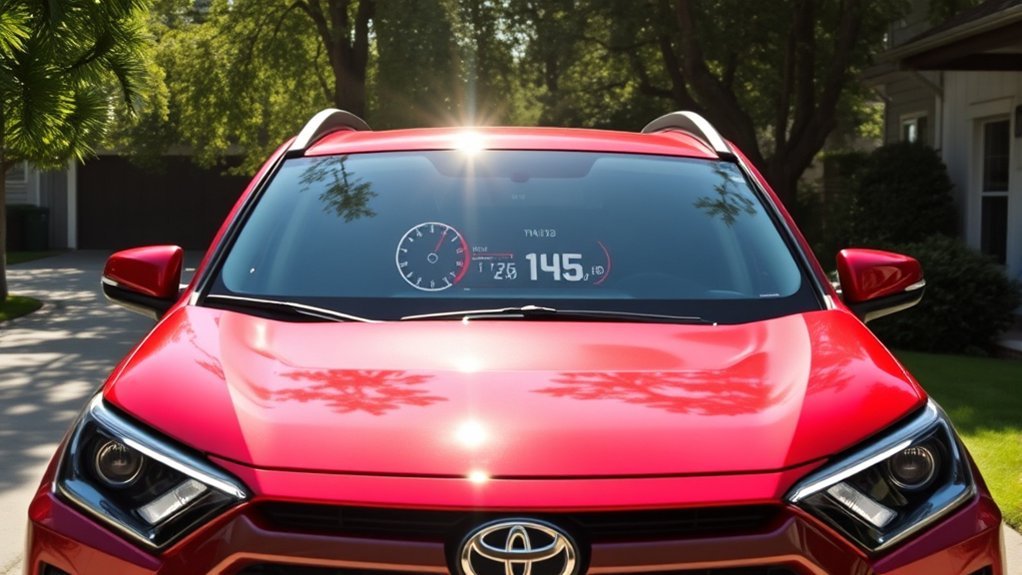
Owner feedback often praises HUDs for quick speed checks and cleaner long-trip awareness. Many drivers like seeing basic data without dropping their eyes to the instrument cluster.
Common complaints focus on glare, double reflections, awkward placement, and limited navigation support. Some owners also expect Android Auto or Waze prompts to appear on the HUD, then find that the unit only shows vehicle data.
- Factory HUDs usually integrate better with vehicle systems.
- Aftermarket HUDs work best when you only need simple driving data.
- Navigation support varies by unit, app, trim, and model year.
- Glare can change based on windshield angle and sun position.
- Owner reviews help, but they do not replace a fit check for your exact RAV4.
Future RAV4 HUD Technology and What to Watch
Toyota has already expanded HUD support on newer RAV4 trims. Toyota USA Newsroom says the 2026 RAV4 uses a standard 12.3-inch digital gauge cluster and offers a head-up display on the Hybrid Limited and PHEV XSE grades.
Toyota’s global newsroom also describes a newer angled HUD design with three display modes on the redesigned RAV4 in Japan. That kind of factory system points toward clearer, more flexible displays on higher trims.
Aftermarket brands will likely keep offering lower-cost add-ons for older RAV4 models. You should still treat each listing with care. Confirm fit, display clarity, return terms, and whether the unit works with your exact vehicle before you install it.
Frequently Asked Questions
Can you get a heads-up display on a RAV4?
Yes, you can get a HUD on some RAV4 models. Some newer trims offer a factory HUD, while aftermarket units support many 2019-2025 RAV4 models. Always check your exact trim and powertrain before buying.
What RAV4 years work with aftermarket HUD kits?
Some aftermarket listings cover 2019-2025 RAV4 models. Fit can still vary by trim, drive side, and powertrain. Prime and Plug-in Hybrid owners should pay close attention because many listings exclude those versions.
Can a head-up display be added to any vehicle?
You can add a universal HUD to many vehicles with an OBD-II port or a simple power connection. That does not mean every unit will fit well or show the data you want. Check compatibility, placement, and return terms first.
Will a RAV4 HUD show Android Auto or Waze directions?
Do not assume it will. Factory systems may show certain navigation prompts, but many aftermarket HUDs only show speed and vehicle data. App support depends on the vehicle system, the HUD unit, and the software setup.
Is a HUD safe to use while driving?
A HUD can help if it shows simple information and stays easy to read. It can distract you if it creates glare, shows too much data, or pulls your attention away from traffic. Stop using it if it blocks your view or makes you look at the display too long.
Safety Disclaimer: This article gives general car accessory information only. Follow your Toyota owner’s manual, local road rules, and the product instructions. Ask a qualified automotive technician for help if you are not sure how to install or route a HUD safely.
Conclusion
A HUD can make your Toyota RAV4 easier to read at a glance, but only if it fits well and stays out of your view. Start by checking whether your RAV4 has a factory HUD option or needs an aftermarket unit. Then confirm model year, trim, powertrain, drive side, and display placement before you buy. Choose a setup that keeps your focus on the road, not on another screen.
References
- 2026 RAV4 Plug-in Hybrid — Toyota, 2026
- Three…Two…One: Toyota Debuts Amazing All-New RAV4 — Toyota USA Newsroom, 2025
- The Next Adventure Begins: 2026 RAV4 Arrives this Winter — Toyota USA Newsroom, 2025
- New Name, Same Great Powertrain for the 2025 Toyota RAV4 Plug-in Hybrid — Toyota USA Newsroom, 2024
- Head Up Display HUD for Toyota RAV4 2019-2025 — CarTrimHome, accessed 2026
- HIGH FLYING Toyota RAV4 2024-2025 HUD Listing — Amazon, accessed 2026
- Distracted Driving Dangers and Statistics — National Highway Traffic Safety Administration, accessed 2026
- Head-Up Displays and Distraction Potential — U.S. Department of Transportation, 2022