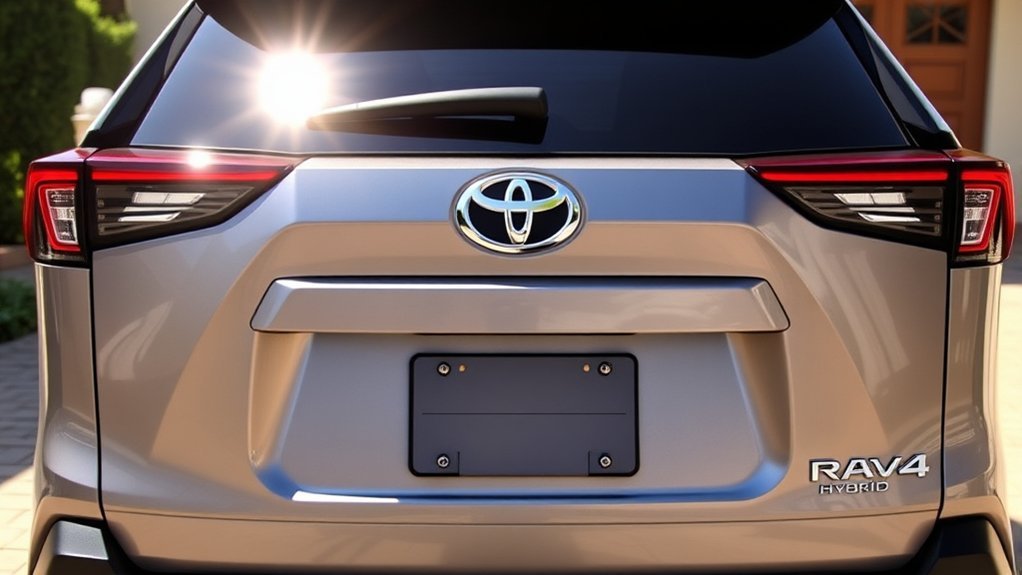
Backing out of a tight parking space is easier when you can see what is directly behind your SUV. Every U.S.-market Toyota RAV4 Hybrid model year has included a standard rear backup camera since the hybrid joined the lineup for 2016. What changes by year and trim is the type of guide lines, screen size, parking sensors, and availability of multi-camera features such as the Panoramic View Monitor.
Quick Answer
Yes. The Toyota RAV4 Hybrid has included a standard rear backup camera on U.S. models since its 2016 debut. The camera displays the area behind the SUV when you shift into reverse. Newer versions may add dynamic guide lines, parking sensors, Rear Cross-Traffic Alert, or a multi-camera Panoramic View Monitor.
Key Takeaways
- U.S.-market Toyota RAV4 Hybrid models have included a standard rear backup camera since the 2016 model year.
- Guide-line style varies. Depending on the year and equipment, the display may use fixed lines, projected-path lines, or dynamic lines that move with steering input.
- The standard rear camera is different from the Panoramic View Monitor, which combines several cameras to show more of the vehicle’s surroundings.
- Rear Cross-Traffic Alert is a separate warning system and does not replace the camera or the driver’s direct visual checks.
- The 2026 RAV4 lineup is electrified-only, using either a hybrid-electric or plug-in hybrid-electric powertrain, and includes a standard backup camera with dynamic guidelines.
- Equipment can still vary by market, trim, package, production date, and previous repairs, so check the exact VIN and window sticker when buying.
Is a Rear Backup Camera Standard in the Toyota RAV4 Hybrid?
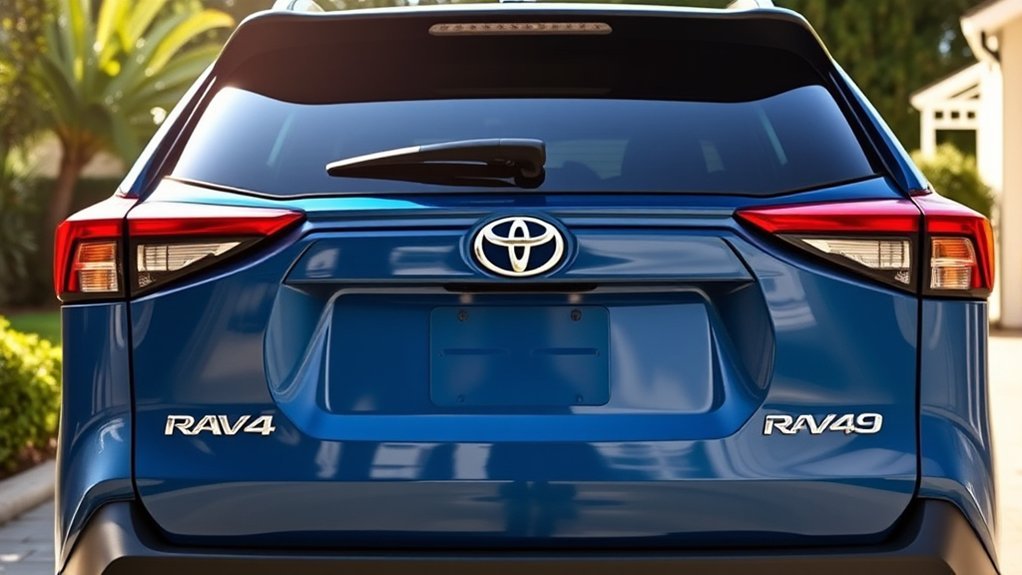
Yes. A rear backup camera has been standard on U.S.-market RAV4 Hybrid models since the hybrid debuted for the 2016 model year. When you select Reverse, the camera image appears on the center multimedia display and shows the area directly behind the SUV.
Toyota’s information for the 2016 RAV4 lineup describes the touchscreen as the display for the standard backup camera. Toyota also identified a standard rear backup camera on the 2017 RAV4 and subsequent model years.
The camera also aligns with the federal rear-visibility requirement. The U.S. Department of Transportation and National Highway Traffic Safety Administration require qualifying vehicles under 10,000 pounds manufactured on or after May 1, 2018, to have rear-visibility technology. The required field of view includes a 10-foot by 20-foot zone directly behind the vehicle.
Federal rear-visibility rules require qualifying new light vehicles manufactured on or after May 1, 2018, to display a specified area directly behind the vehicle.
For the current generation, Toyota lists the 2026 RAV4 with a standard backup camera and dynamic guidelines. The 2026 U.S. lineup has no gas-only version. Buyers can choose a conventional hybrid-electric vehicle, commonly shortened to HEV, or a plug-in hybrid-electric vehicle, commonly shortened to PHEV.
Warning: A backup camera is a supplemental visibility aid. It cannot show every person, animal, vehicle, curb, or object around the SUV. Look behind you, check both mirrors and blind areas, reverse slowly, and remain ready to brake.
Which RAV4 Hybrid Model Years Have a Backup Camera?
Every U.S.-market RAV4 Hybrid model year from 2016 onward has included a standard rear backup camera. The basic function has remained the same, but the display, guide lines, camera angles, and available parking technology have changed.
| Model years | Standard camera | What may vary |
|---|---|---|
| 2016–2018 | Standard rear backup camera | Fixed or dynamic guide-line presentation and availability of the Bird’s Eye View Camera on selected equipment |
| 2019–2025 | Standard rear backup camera | Screen size, projected-path lines, Panoramic View Monitor, parking sensors, and Rear Cross-Traffic Alert |
| 2026 | Standard backup camera with dynamic guidelines | 3D Panoramic View Monitor, parking assist, and Advanced Park availability by grade |
This model-year summary applies to U.S.-market vehicles. Equipment names and packages can differ in Canada and other regions. A replacement multimedia system, collision repair, imported vehicle, or modified tailgate can also affect the camera setup on a used RAV4 Hybrid.
What the RAV4 Hybrid Backup Camera Shows
The standard camera provides a live rear-facing image when the vehicle is in Reverse. The view normally covers the area behind the liftgate and rear bumper, but it is not a complete view of everything around the SUV.
- Rear image: Shows the main area directly behind the vehicle.
- Vehicle-width lines: Indicate the approximate width of the SUV, including space near its sides.
- Distance lines: Help the driver estimate how close the rear of the vehicle is to an object.
- Projected-path lines: Show the approximate path the vehicle may follow while reversing.
- Dynamic guidelines: Move in response to steering input on equipped models.
- Wide or overhead views: May be available through a more advanced multi-camera system.
Fixed vs. Dynamic Backup-Camera Lines
Fixed guide lines remain in the same position on the screen. They help estimate vehicle width and distance but do not respond to the steering wheel.
Projected-path or dynamic lines curve or move as you turn the steering wheel. They show an estimated reversing path, which can make it easier to line up the RAV4 Hybrid in a parking space.
All guide lines are estimates. The apparent distance can change with road slope, vehicle load, tire pressure, camera angle, and lens distortion. Stop and look directly when an object appears close.
What the Camera May Not Show
- Objects very close to the bumper or near its outer corners
- People or animals approaching from outside the camera’s field of view
- Objects hidden by a bike rack, cargo carrier, trailer, or other accessory
- Fine details in darkness, glare, heavy rain, fog, snow, or mud
- The true distance to an object when the ground is sloped
- Traffic approaching quickly from the sides
The wide-angle lens can make objects look farther away or differently shaped than they appear in a mirror. Use the display for support, not as your only source of information.
Backup Camera vs. Panoramic View Monitor vs. RCTA
Toyota uses several names for parking and visibility features. They work differently and should not be treated as interchangeable.
| Feature | What it does | Typical availability |
|---|---|---|
| Rear backup camera | Displays the area behind the RAV4 Hybrid when Reverse is selected. | Standard on U.S. RAV4 Hybrid models from 2016 onward. |
| Panoramic View Monitor | Combines front, side, and rear cameras to create wider views, including an overhead-style image for low-speed maneuvering. | Available or standard only on selected higher trims and packages. |
| Rear Cross-Traffic Alert | Uses sensors to warn about detected vehicles approaching from either side while the RAV4 is backing out. | Varies by year and equipment; standard with Blind Spot Monitor on certain configurations and standard across the 2026 lineup. |
| Parking sensors and Parking Assist | Detect nearby objects and provide audible or visual warnings. Some systems may reduce power or apply braking in specific conditions. | Available on selected trims and packages. |
| Advanced Park | Assists with certain parking maneuvers while the driver supervises the system. | Listed by Toyota on the 2026 Limited grade. |
| Digital rearview mirror | Displays a rear-facing camera image in the interior mirror while driving. | Separate feature offered on selected trims; it is not the same as the reverse camera. |
Toyota’s owner information describes the Panoramic View Monitor as an “if equipped” system that combines images from cameras at the front, sides, and rear. The resulting view can help during low-speed parking, but the system remains supplemental.
Note: Rear Cross-Traffic Alert does not create the camera image. It uses separate sensing equipment to warn about certain approaching vehicles, and it may not detect every cyclist, pedestrian, vehicle, or object.
How the Backup Camera Enhances Safety and Convenience
The RAV4 Hybrid’s camera reduces the rear blind area that mirrors alone cannot fully cover. It is most useful when backing out of a driveway, leaving a parking space, lining up between painted lines, or stopping near a wall or garage door.
When equipped, Rear Cross-Traffic Alert adds a different type of assistance. Toyota states that a 2025 RAV4 equipped with Blind Spot Monitor also has Rear Cross-Traffic Alert, which can provide visual and audible warnings when it detects vehicles approaching from either side while the RAV4 is backing out.
The camera can also help with small steering corrections. Dynamic lines show the projected path while you turn the wheel, making it easier to straighten the SUV before entering a narrow space.
A Safe Reversing Routine
- Walk around the vehicle when children, pets, low objects, or unusual obstacles may be nearby.
- Adjust your seat and mirrors before moving.
- Look over both shoulders and check the side mirrors.
- Select Reverse and scan the camera image without staring only at the screen.
- Reverse slowly while continuing to look around the vehicle.
- Stop immediately if the image freezes, disappears, or conflicts with what you see directly.
NHTSA explains that a backup camera helps the driver see behind the vehicle but is not a replacement for mirrors or turning around to look. That limitation applies even when the vehicle also has parking sensors or automatic braking support.
Real-World Benefits of the Backup Camera in the RAV4 Hybrid
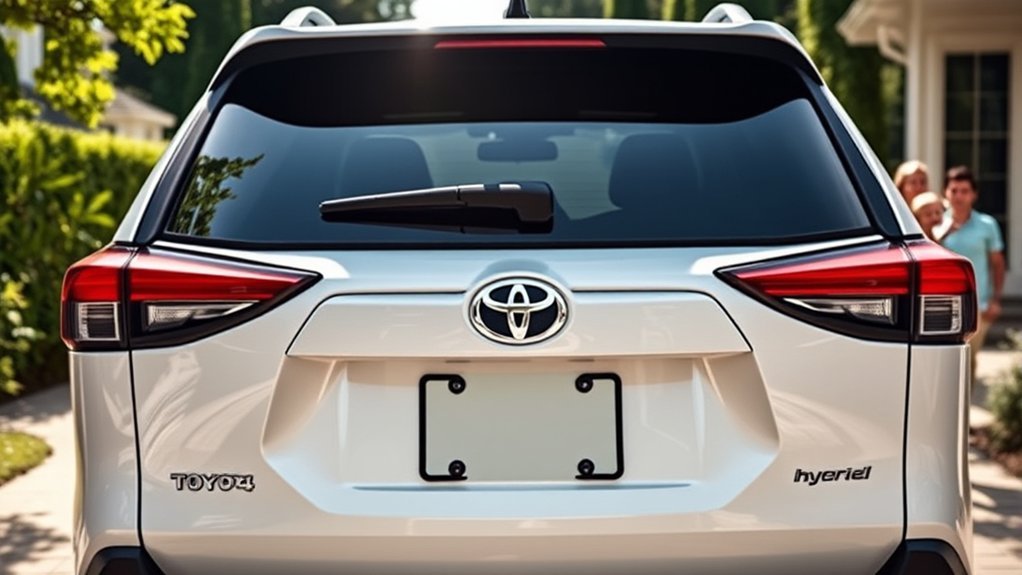
The camera is valuable during routine driving because it provides a consistent view even when the rear window is partly blocked by passengers, headrests, or cargo. It can also reveal low objects that may be difficult to see through the rear glass.
- Parking alignment: Vehicle-width and path lines help center the SUV between painted lines.
- Driveway exits: The rear image helps the driver inspect the immediate area before moving backward.
- Curb awareness: The display can help prevent the rear bumper from moving too close to a curb, post, or wall.
- Garage parking: Distance lines provide an extra reference when stopping near a garage door or stored items.
- Trailer-hitch alignment: The image may help position the vehicle near a trailer coupler, although the exact viewing angle varies and a spotter is still recommended.
- Tight spaces: Available overhead views and parking sensors can provide additional information around the vehicle’s corners.
The camera does not control the steering or brakes on a basic RAV4 Hybrid. Even when an equipped model provides parking assistance or automatic braking support, the driver remains responsible for checking the area and controlling the vehicle.
How Backup Camera Features Stack Up in Different RAV4 Models
The standard rear camera is the baseline feature. Equipment beyond that baseline changes more significantly between the fifth-generation 2025 RAV4 Hybrid and the redesigned 2026 RAV4.
| Feature | 2019–2025 RAV4 Hybrid context | 2026 RAV4 context |
|---|---|---|
| Rear backup camera | Standard; screen and guide-line presentation vary by year and trim. | Standard with dynamic guidelines. |
| Rear Cross-Traffic Alert | Availability varies; on the 2025 RAV4 it accompanies Blind Spot Monitor when equipped. | Listed as standard with Blind Spot Monitor. |
| Panoramic View Monitor | Available on selected higher trims or packages, including the 2025 Hybrid Limited’s available system. | Toyota lists a 3D Panoramic View Monitor on Limited, Woodland, and XSE. |
| Front and Rear Parking Assist with Automatic Braking | Available on selected trims or technology packages. | Listed on selected grades, including XLE Premium, Woodland, and SE equipment descriptions. |
| Advanced Park | Not part of the standard rear-camera system. | Listed by Toyota on the Limited grade. |
Before buying, review the exact window sticker or build sheet. Useful equipment phrases include “Backup Camera with Dynamic Guidelines,” “Blind Spot Monitor with Rear Cross-Traffic Alert,” “Panoramic View Monitor,” “Front and Rear Parking Assist with Automatic Braking,” and “Advanced Park.”
What Drivers Should Check Before Buying
A general trim guide cannot confirm every feature on a specific new or used RAV4 Hybrid. Packages, regional specifications, production changes, and previous repairs may create differences even between vehicles with the same trim name.
- Model year: The 2025 and 2026 RAV4s belong to different generations and use different infotainment and driver-assistance systems.
- Trim and package: Camera upgrades are often tied to technology, advanced technology, or premium equipment packages.
- Screen condition: Check for dead pixels, dim areas, discoloration, freezing, or delayed camera activation.
- Guide lines: Confirm that the lines appear and respond normally when the steering wheel is turned, when applicable.
- Camera lens: Inspect it for cracks, scratches, moisture inside the housing, loose mounting, or paint overspray.
- Rear repairs: Ask whether the liftgate or rear bumper has been replaced after a collision.
- Accessories: Check whether a bike rack, spare-tire carrier, cargo platform, or trailer equipment blocks part of the view.
- Warning systems: Test Rear Cross-Traffic Alert and parking sensors separately because they are not part of the camera image.
- Recall status: Enter the VIN in Toyota’s or NHTSA’s recall lookup before completing the purchase.
Pro Tip: During a test drive, reverse in a safe, open area in daylight and again in a shaded area. Check image clarity, startup speed, guide-line movement, brightness, warning sounds, and every available camera-view button.
Enhanced Camera Features in Premium Trims
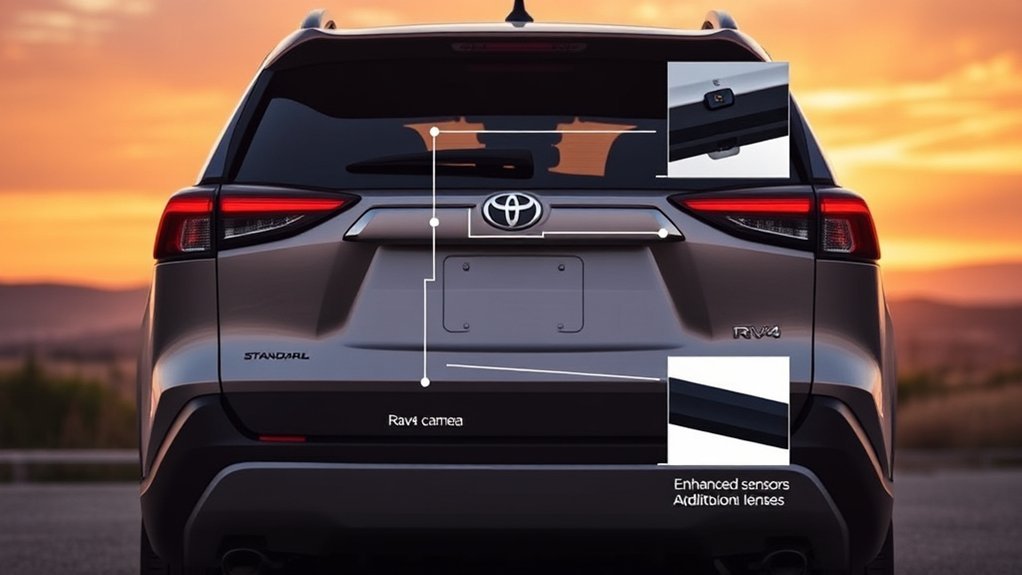
Premium RAV4 Hybrid trims may add more than the standard reverse view. The most significant upgrade is the Panoramic View Monitor, which combines several camera feeds to show more of the area around the SUV during low-speed maneuvering.
For 2025, Toyota describes a Panoramic View Monitor with a 360-degree overhead view as available on the Hybrid Limited. Other grades may receive parking sensors or automatic-braking support through specific packages.
For 2026, Toyota’s published grade information lists:
- Limited: 3D Panoramic View Monitor and Advanced Park, plus other advanced driver-assistance features.
- Woodland: 3D Panoramic View Monitor with Multi-Terrain Monitor.
- XSE: 3D Panoramic View Monitor.
- Selected other grades: Front and Rear Parking Assist with Automatic Braking, depending on the grade.
Some 2026 functions, such as Traffic Jam Assist, require an active trial or subscription. The standard backup camera itself does not require a connected-services subscription to display the normal reverse view.
Note: Advanced camera and parking systems can assist the driver, but they do not turn the RAV4 into a self-driving vehicle. The driver must supervise every maneuver and remain ready to steer or brake.
How to Check Your RAV4 Hybrid Backup Camera Settings
Available settings depend on the model year, multimedia system, and camera package. Some RAV4 Hybrids allow the driver to change guide-line views or screen brightness, while basic systems may offer few camera-specific adjustments.
- Park on level ground in a safe area.
- Turn on the vehicle and keep the brake pedal pressed.
- Select Reverse to display the camera image.
- Look for an on-screen settings or view icon, if equipped.
- Check the vehicle, display, parking-assist, or customization menus for related options.
- Compare the menu with the owner’s or multimedia manual for the exact model year.
Do not try to change settings while the vehicle is moving. If a menu option described in another article or video does not appear, the vehicle may use a different multimedia version or may not have that feature.
How to Clean the Camera Lens
If the image looks cloudy or blurry, inspect the exterior camera lens first. Water droplets, mud, dust, snow, road salt, wax, and dried soap can reduce image quality.
- Rinse away loose grit with clean water.
- Wipe the lens gently with a soft, damp cloth.
- Dry it carefully without rubbing hard.
- Do not use abrasive pads, sharp tools, or aggressive chemicals.
Toyota’s owner guidance warns that strongly rubbing the camera lens can scratch it and prevent a clear image.
Pro Tip: Wipe the rear camera lens when you clean the rear window, after driving on wet or salted roads, and before reversing at night in poor weather.
Troubleshooting RAV4 Hybrid Backup Camera Problems
Start with simple visual checks. Stop using the camera as a reversing aid and arrange service if the image repeatedly disappears, freezes, or provides a seriously misleading view.
| Problem | Likely checks | Next step |
|---|---|---|
| Blurry or cloudy image | Dirt, water, snow, wax, scratched lens, or moisture inside the camera housing | Clean the lens gently. Arrange inspection if the image remains cloudy or the lens is damaged. |
| Dark or washed-out image | Screen brightness, direct sunlight, headlights, darkness, rain, or dirty lens | Clean the lens, check display brightness, and compare performance in normal lighting. |
| No guide lines | Different view mode, disabled setting, system fault, or equipment that does not support movable lines | Review the multimedia manual and settings. Seek service if lines that previously appeared are now missing. |
| Lines look badly misaligned | Uneven ground, heavy cargo, low tire pressure, camera movement, or prior collision repair | Check tire pressure and load on level ground. Have the camera inspected if the error remains. |
| Black screen or frozen image | Temporary multimedia fault, wiring problem, camera failure, software issue, or recall-related condition | Park safely and restart once. If the problem returns, stop relying on the camera and schedule service. |
| Image appears tilted or crooked | Loose or shifted camera, liftgate damage, or incorrect installation after repair | Have a Toyota dealer or qualified repair facility inspect camera mounting and calibration. |
Recall note: On October 30, 2025, Toyota announced a noncompliance safety recall involving approximately 1,025,000 Toyota and Lexus vehicles in the United States, including certain RAV4s. Under some conditions, the backup-camera image may fail to display or may briefly freeze while the vehicle is reversing.
Toyota said dealers would update the Panoramic View Monitor system’s Parking Assist ECU software at no cost for involved vehicles. The recall does not apply to every RAV4. Check the exact VIN at Toyota’s recall page or NHTSA’s recall lookup.
Frequently Asked Questions
Does the Toyota RAV4 Hybrid have a backup camera?
Yes. Every U.S.-market Toyota RAV4 Hybrid model year has included a standard rear backup camera since the hybrid debuted for 2016.
Does the 2026 Toyota RAV4 have a backup camera?
Yes. Toyota lists a standard backup camera with dynamic guidelines on the 2026 RAV4. The 2026 lineup uses hybrid-electric or plug-in hybrid-electric powertrains and has no gas-only version.
Which RAV4 Hybrid model years have a standard camera?
U.S.-market RAV4 Hybrid models from 2016 onward have a standard rear backup camera. The screen, guide-line style, and optional multi-camera features vary by year and trim.
Is the backup camera the same as the Panoramic View Monitor?
No. The standard backup camera shows the main rear view. The Panoramic View Monitor uses front, side, and rear cameras to create wider views, including an overhead-style image around the vehicle.
Does Rear Cross-Traffic Alert use the backup camera?
Rear Cross-Traffic Alert is a separate sensing and warning feature. It can warn about certain vehicles approaching from either side while you reverse, but it does not create the rear-camera image.
Can you adjust the RAV4 Hybrid backup-camera lines?
Some model years and camera systems allow the driver to change the displayed guide-line mode. Other versions have limited adjustments. Check the multimedia manual and on-screen settings for the exact vehicle.
Why do the backup-camera lines look crooked?
Uneven ground, heavy cargo, low tire pressure, a loose camera, or previous rear-body repair can make the guide lines appear inaccurate. Check the vehicle on level ground and arrange inspection if the problem remains.
What should you do if the backup camera looks blurry?
Rinse away loose dirt and gently wipe the lens with a soft, damp cloth. If the image remains blurry, inspect the lens for scratches, cracks, or moisture and have the system checked.
Are there recalls affecting the RAV4 backup camera?
Certain RAV4s were included in Toyota’s October 30, 2025 backup-camera recall involving Panoramic View Monitor software. Recall eligibility depends on the VIN, so use Toyota’s or NHTSA’s official lookup.
Can a backup camera prevent every reversing accident?
No. A camera improves rear visibility but cannot show every hazard or replace direct observation. Check mirrors and blind areas, reverse slowly, and remain ready to stop.
Sources
- Toyota USA Newsroom — 2016 RAV4 Hybrid launch information — supports the standard-camera history.
- Toyota USA Newsroom — 2026 RAV4 launch and grade information — supports standard dynamic guidelines, HEV/PHEV powertrains, and advanced-feature availability.
- Toyota USA Newsroom — 2025 RAV4 equipment overview — supports Rear Cross-Traffic Alert, parking assist, and Panoramic View Monitor information.
- Toyota Owners — Panoramic View Monitor instructions — supports system functions, camera cleaning, and safety limitations.
- U.S. Department of Transportation and NHTSA — rear-visibility final rule — supports the May 1, 2018 compliance date and required field of view.
- Toyota USA Newsroom — October 30, 2025 recall notice — supports the backup-camera software recall details.
Conclusion
The rear backup camera is standard on every U.S.-market Toyota RAV4 Hybrid model year, beginning with the 2016 debut. It provides a useful view behind the SUV and may include fixed, projected-path, or dynamic guide lines depending on the year and equipment.
More advanced systems remain separate. A higher trim or package may add Rear Cross-Traffic Alert, parking sensors, automatic braking support, a Panoramic View Monitor, or Advanced Park. Verify those items on the exact window sticker rather than assuming they come with the standard camera.
Before buying a used RAV4 Hybrid, test the camera, inspect the lens, confirm that the image and guide lines work correctly, and check the VIN for open recalls. During every reversing maneuver, continue to look around the vehicle and use the camera only as an additional aid.