
To change radar distance on Toyota RAV4 models with adaptive cruise control, press the distance button on the steering wheel to cycle through the following-distance settings, which are usually long, middle and short. Choose a longer gap in heavy traffic, bad weather or at higher speeds. This guide covers the adaptive cruise control radar setting, not replacing the radar sensor. Controls differ by model year, so check your owner’s manual.
What Is Adaptive Cruise Control and How Does It Work in the RAV4?
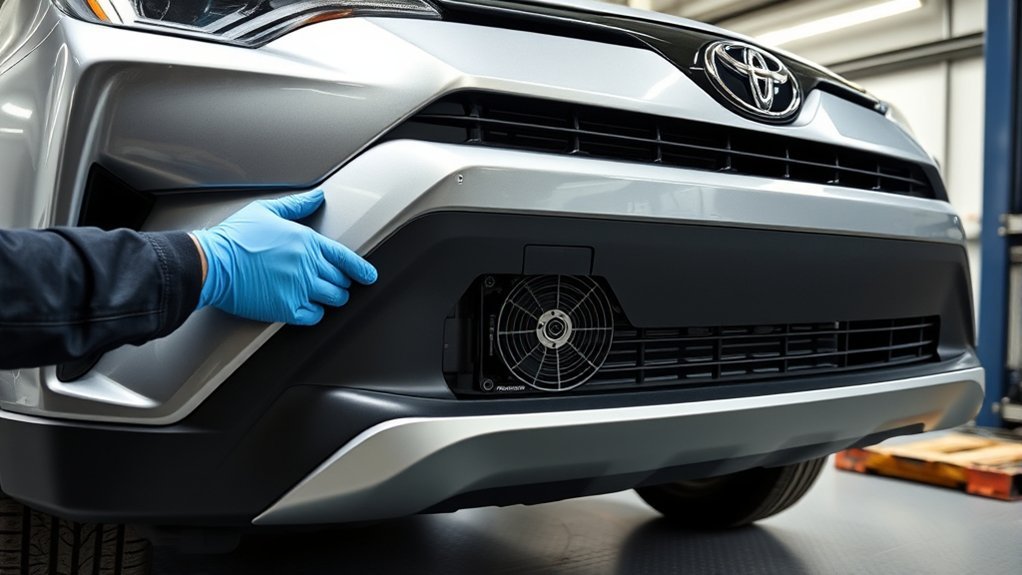
Adaptive cruise control uses a radar sensor and camera to keep a following distance from the vehicle ahead. It slows the car when a slower vehicle is ahead and returns toward your set speed when the road clears. It is a driver aid, so stay alert.
Essential Safety Tips for Using Adaptive Cruise Control
- Keep your hands on the wheel and be ready to brake.
- Use a longer gap in rain, snow and heavy traffic.
- Do not use it where conditions are poor or the road is winding.
Monitor Vehicle Distance Regularly
Check the distance display on the instrument cluster, and adjust it as traffic changes.
Adjust Speed When Needed
You can change the set speed with the RES/+ and SET/- buttons, or cancel with the brake pedal or the cancel button. To use regular cruise control, check your owner’s manual to see if your model allows switching.
Use Lane Assistance Features
On models with lane tracing assist, the car can help keep itself centered while adaptive cruise is on. Keep your hands on the wheel.
How to Change Radar Distance on Toyota RAV4
Press the distance button on the steering wheel to change the following gap. The instrument cluster shows the setting. The actual distance depends on your speed and the model year.
Distance Adjustment Button Functionality
Each press cycles to the next setting. Look at the instrument cluster to see which one is active.
Selecting Optimal Distance Setting
Use the long setting at highway speeds and in poor weather, and a shorter one only when traffic is calm and you are comfortable with it.
How to Use Lane Tracing Assist With Adaptive Cruise Control
Turn on adaptive cruise control, then turn on lane tracing assist if your model has it. It works on clear lane markings above a minimum speed given in your owner’s manual.
Adaptive Cruise Control Questions

These answers cover the radar sensor, its location and how to keep it working.
Conclusion: Maximizing Your RAV4’s Adaptive Cruise Control Features
Choose a distance setting that suits the conditions, keep the sensor clean and stay in control of the car.
Related reading:
- How to Change the Shock Absorbers on a Toyota RAV4
- How to Change a Coil Pack on a Toyota RAV4
- How To Access Toyota RAV4 Rear Radar Sensor
Frequently Asked Questions
Where Is the Radar Sensor on a RAV4?
It is normally behind the front emblem or grille area, and a camera sits near the rear-view mirror. Check your owner’s manual for the exact location.
How to Change Speedometer Display on Toyota RAV4?
Use the steering wheel buttons to open the display settings in the instrument cluster. Options differ by model year.
How to Turn off Radar Ready on RAV4?
Turn the cruise control system off with its on/off button. Check your owner’s manual if your model has a separate setting.
How to Clean a Toyota RAV4 Radar Sensor?
Wipe the sensor cover gently with a soft, damp cloth, and keep it free of snow, ice and mud. Do not stick anything on or over it.
Conclusion
Changing the distance setting takes one button press. Pick a gap that suits the conditions and always stay alert.