
If your tire inflator battery won’t charge, first assume the charger, cable, or port is the culprit and inspect for debris, bent pins, corrosion, or loose connections. Test the charger output with a multimeter and try a known-good cable and outlet. Check the pack for swelling, low resting voltage, or poor contact. You can try a full discharge then a controlled recharge or temporary external power to isolate the issue. Continue for safe tests, fixes, and replacement guidance.
Quick Answer: Why Your Tire Inflator Battery Won’t Charge
Quick Diagnosis: If your tire inflator won’t charge, the issue is usually a damaged USB cable or charging block (40% of cases), a dirty charging port, or a dead lithium battery cell.
- Try this first: Swap the charging cable with a known working one (like a phone charger).
- Inspect: If the unit still won’t charge, check the port for lint or debris.
- Replace: If the battery is swollen, leaking, or over 3 years old, it likely requires replacement.
Check the Charger, Cable, and Port First
After you’ve ruled out obvious battery failure or cell damage, check the charger, cable, and port next—loose or damaged connections are a frequent cause of no-charge symptoms. You’ll want to confirm the charging cable sits firmly in both the inflator and the power source; wiggle the connection while observing the device for intermittent response. Inspect the port visually and with a light for dust, bent pins, corrosion, or housing damage that can block contact. Examine the cable jacket for cuts, kinks, exposed wires, or heat damage; a compromised cable often delivers insufficient current even if it fits. If you have a spare charger that matches the inflator’s specifications, try it to isolate the problem to the original charger or cable. Where safe and available, verify charger output with a multimeter against the manufacturer’s voltage/current ratings. Fixing connectors or swapping a faulty cable is a fast way to get the inflator working again.
Test the Charger and Battery Safely
Start by verifying the charger output with a multimeter: set the multimeter to DC Voltage, place the red probe inside the connector tip (center pin), and hold the black probe against the outer metal barrel. Confirm the voltage matches the charger spec. Then check the battery voltage with the multimeter while the pack is seated securely, looking for low readings, swelling, or corrosion. If both readings are nominal but the inflator still won’t charge, get a professional to inspect the internal electronics.
[Products Worth Considering]

Additional Tips – The following incorrect operations may cause the multimeter not to show results: Firstly, the plugs of test leads are not fully inserted or not inserted into the correct sockets. Secondly, the manual rotary switch is not placed in the correct position. In addition, this meter can not test all AC Current and below 100mV AC Voltage. Please check the user manual carefully before measurement.

VERSATILE FUNCTIONALITY: Measures AC/DC voltage up to 600V, 10A DC current, 2MΩ resistance; additional features include continuity, diode test and battery test

UPGRADED MULTIFUNCTIONAL USB C POWER METER: Detects the charging status and process of your USB-enabled or type c-enabled devices. Supports QC3.0, QC2.0 and BC1.2. A Must Gadget checks the charging performance (charging speed and quality) of the output wall/car/solar panel chargers and USB charging cables. It can be also used to find the highest current of the Wireless Charger, and test capacity and electric energy of power bank.
Verify Charger Output
Eliminate the power source as the problem first. Use a multimeter: set your multimeter to DC Voltage (20V range). Plug the charger into the wall. Place the red probe inside the connector tip (center pin) and hold the black probe against the outer metal barrel. You should see a reading matching the label on the plug (usually 5V, 9V, or 12V). If you get 0V, the charger is dead. Inspect the charger and the inflator’s port for damage, bent pins, or debris that can break the connection. If the charger reads correctly but the battery still won’t take a charge, inspect the battery for corrosion or physical damage. Regularly verifying charger and battery performance prevents emergency failures.
Check Battery Voltage
With the charger output confirmed, check the battery voltage to determine whether the pack can accept a charge or needs replacement. Measure the battery across its terminals; a reading well below the rated voltage signals a failing battery pack. Inspect and clean battery contacts if you see corrosion or dirt to restore reliable connection. If the charger reads correctly but the battery stays low, plan to replace the battery.
Simple Home Fixes: Revive, Reset, or Bypass the Battery
Start by checking the battery voltage with a multimeter to confirm whether the cell is within a recoverable range. If the reading is low but not completely dead, try a full discharge followed by a complete recharge or a low-voltage trickle charge for lithium‑ion packs to reset the battery management system. If the battery still won’t hold charge, bypass it temporarily by powering the inflator from a compatible external source to verify the unit itself is functional.
Check Battery Voltage Again
Before you do anything else, measure the inflator’s battery voltage with a multimeter to determine whether it’s at or near its nominal rating; readings considerably below that indicate a deep discharge or failing cell. You want to see battery voltage close to the fully charged specification; if it’s substantially lower, the pack may not recover without intervention. If low, try charging with an appropriate external charger designed for the cell chemistry and monitor voltage rise and resting voltage after charge. You can also reset the unit by disconnecting the battery for a few minutes (if your model has a removable battery pack), then reconnecting to clear electronic faults. Check voltage periodically to catch decline early. These steps help you identify the problem and decide whether to repair or replace.
Bypass With 12V Car Adapter
If the internal battery is dead, check if your model supports pass-through power. Many inflators come with a 12V DC cable (cigarette lighter plug). Connect this directly to your car while the engine is running. Verify voltage and amperage in the tire inflator manual first. If the pump works normally on this external power, the motor is fine, and the internal battery or charging circuit is the culprit. This allows you to keep inflating tires in a pinch without risking electrical damage.
When to Replace the Tire Inflator Battery vs. Repair the Unit
When should you replace the tire inflator battery rather than try to repair the unit? If the battery shows swelling, leakage, or has been left uncharged for long periods, replace the battery—these are clear failure modes you shouldn’t attempt to salvage. If charging fails across multiple cables and outlets, the battery has likely reached end-of-life. Batteries typically last a few years; heavy use or age favors replacement over repair for reliability and safety.
Check warranty first—if covered, pursue manufacturer replacement rather than self-service. Compare costs: when a replacement battery approaches the price of a new inflator, buy the new unit. Also avoid repair when internal cells are damaged or when replacement requires specialized disassembly that compromises safety. Choose the path that restores dependable performance with minimal risk and expense, prioritizing safety, long-term reliability, and value.
[Products Worth Considering]

【PACKAGE INCLUDES】: You will receive 5pcs inflator hose set, including 1x 21''/54cm tire inflator extension tube, 1x Presta Valve Adaptor(American type to French type), 1x Ball Needle Adaptor, 2x Tapered Nozzles.
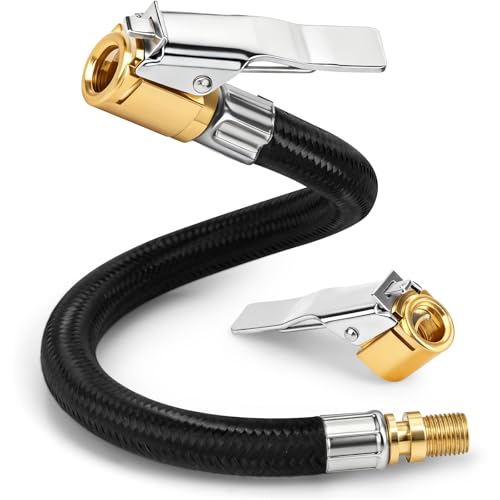
Upgraded Durable Material: Made with high-pressure woven fabric and equipped with solid brass quick-connect chucks for superior durability. The reinforced hose resists cracking and abrasion, ensuring long-lasting stability and reliable performance.

ADVANCED TRUEGAUGE SCREEN: This battery tire inflator includes updated sensor technology, capable of collecting pressure data from tire inflators at a frequency of 200 times per second. Its valid data rate is higher than 80%, which is 60% better than the market average. Wherever you go, accurate readings help you drive safely.
Where to Get Replacement Batteries, Parts, or Professional Repair
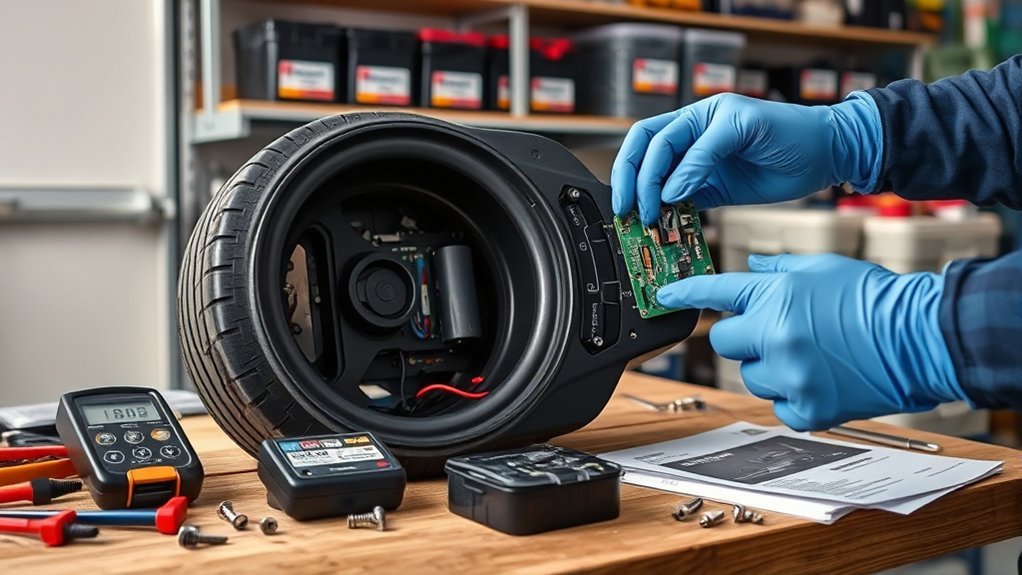
After you’ve decided replacing the battery is the best option, know where to find compatible batteries, parts, or a technician to handle the work. Start local: auto parts stores commonly stock replacement batteries compatible with many tire inflator models, so you can verify voltage ratings and specs in person. Use online retailers like Amazon or eBay to compare cell chemistry, capacity, and price across multiple sellers when you need wider choice or hard-to-find sizes. Check specialty electronics shops for exact-match cells or connectors if your model is uncommon.
If you’re unsure about compatibility or internal faults, seek professional repair; trained technicians can diagnose charging circuitry and replace cells or parts safely, though labor may cost more than swapping the unit. Always confirm voltage and spec alignment before installing. Buy from reputable sellers with return policies, demand correct specs, and opt for professional repair only when it preserves value or safety.
[Products Worth Considering]

✨Compatibility: Compatible replacement AC/DC adapter for Portable Automatic Tire Inflator Battery.


【PACKAGE INCLUDES】: You will receive 7pcs inflator hose set, including 1x 33''/84cm extend air pump hose, 1x Presta Valve Adaptor(American type to French type), 1x Ball Pump Needle Adaptor, 2x Tapered Nozzles, 2x Converting Nuts.
Frequently Asked Questions
Why Is My Tire Inflator Not Charging?
Your inflator likely won’t charge because of poor port contact, a faulty charger/cable, a degraded battery, or internal wiring damage. Start by testing the cable and cleaning the contacts before assuming the battery is dead.
How to Reset a Battery That Won’t Charge?
If your device has a removable battery, disconnect it for 10–15 minutes, clean the ports, and perform a soft reset if applicable (holding the power button for 10 seconds). Reconnect and monitor the charging status.
How to Reset a Portable Tire Inflator?
Disconnect power, remove the battery (if possible), wait 5–10 minutes, then reinstall. If your model has a dedicated reset button, press it while the unit is unplugged from mains power.
How Do You Get a Lithium Battery Out of Protection Mode?
You can often reset the Battery Management System (BMS) by connecting it to a compatible, high-quality charger. Monitor the voltage with a multimeter; if it doesn’t accept a charge, you may need to consult a professional, prioritizing safety over forced charging.
Conclusion
Most portable inflator battery failures are due to simple issues you can fix: nearly half of small-tool charging problems trace to bad cables or dirty ports. Start by checking the charger, cable, and port, then run a safe voltage test before attempting a reset or bypass. If capacity is down or cells fail, replace the battery; if the tool’s electronics are dead, repair or replace the unit. Keep a known-good charger and spare cable handy for fast troubleshooting.







Leave a Reply