Remote start availability on the Toyota RAV4 depends on more than the model year. The trim, multimedia or telematics package, original market, subscription status, and any dealer-installed or aftermarket equipment can all change the answer. The safest way to confirm the feature is to check the vehicle’s VIN, Toyota app, original paperwork, and installed hardware.
Quick Answer
Some Toyota RAV4s have remote start, but availability depends on the year, trim, audio or telematics equipment, market, and installed accessories. App-based Remote Connect appeared on certain 2019 RAV4 audio packages, while older vehicles may use a Toyota accessory or aftermarket starter. Check the VIN before assuming.
Key Takeaways
- There is no single model year when every RAV4 gained remote start.
- Toyota Remote Connect, Toyota accessory starters, and aftermarket starters are different systems.
- A Smart Key or push-button ignition does not automatically prove that remote start is enabled.
- Remote Connect trials and subscriptions vary by model year, equipment, and market.
- Never remotely run a gas engine in a garage or another enclosed area.
How Remote Start Works in the Toyota RAV4
The phrase “RAV4 remote start” can describe three different types of equipment:
- Toyota Remote Connect: A connected service that can let an equipped vehicle start or stop, lock or unlock, display its location, and report vehicle status through the Toyota app. Features vary by year and equipment.
- Toyota Genuine Remote Engine Starter: A physical accessory installed at the port or dealership on compatible vehicles. It normally uses the original keyless-entry or Smart Key fob and does not depend on a touchscreen size.
- Aftermarket remote start: A third-party system added by an installer. It may use the factory fob, a separate long-range remote, or a separate smartphone service.
These systems can look similar from the driver’s seat, but their operating range, subscription requirements, engine-run time, door-opening behavior, warranty coverage, and troubleshooting steps may be different.
Note: Push-button start, Smart Key, an 8-inch screen, or a Lock button on the fob does not by itself confirm remote-start capability. Verify the feature by VIN or by checking the original equipment and accessory records.
Which Toyota RAV4 Models Support Remote Start?
Toyota has offered remote-start capability in different forms over many years, so a simple yes-or-no answer based only on the badge or model year is unreliable.
| Model year or era | What to know |
|---|---|
| 2011–2015 | Toyota’s owner resources list a TVIP remote-engine-starter guide for these RAV4 years. This shows that Toyota accessory remote start existed before 2017, but it was not necessarily installed on every vehicle. |
| 2017 | Do not assume that every Limited has remote start. Toyota listed Smart Key and push-button start on upper grades, but those features alone do not prove that a remote engine starter was installed. |
| 2018 | The RAV4 was not included in Toyota’s U.S. model-year 2018 Remote Connect table. Therefore, owners should not expect the factory app-based service. A used vehicle may still have dealer-installed or aftermarket remote-start equipment. |
| 2019 | Toyota listed Remote Connect on RAV4 models with Entune 3.0 Audio Plus or Premium. It was not listed with the base Entune 3.0 Audio system. |
| 2020–2024 | Availability varies by year, trim, multimedia equipment, market, and connected-services enrollment. Check the Toyota app or ask a Toyota dealer to look up the VIN. |
| 2025 | Toyota’s Remote Connect matrix lists vehicle start and stop as available on the RAV4 if equipped. |
| 2026 | Toyota states that all U.S. grades receive a one-year Remote Connect trial. Available functions can still depend on the grade, and a paid subscription is required after the trial. |
Because Toyota equipment and connected-service packages differ by country, the information above applies mainly to U.S.-market vehicles. Canadian and other regional RAV4s may use different packages or trial terms.
How to Know if Your RAV4 Has Remote Start
At a Glance
| Time Required | 5–10 minutes |
| Difficulty | Easy |
| Tools Needed | VIN, key fob, smartphone, and vehicle paperwork or owner’s guide |
| Cost | Free to verify; subscription or installation costs vary |
- Enter the VIN in the Toyota app. Add the vehicle and check whether Remote Connect and a Start control appear. Complete any registration or connected-services activation prompts.
- Check Toyota’s owner resources. Select the exact model year and review the manuals and accessory guides available for that vehicle.
- Review the original documents. Look at the window sticker, purchase agreement, dealer accessory invoice, or build sheet for “Remote Connect,” “Remote Engine Starter,” or similar wording.
- Inspect for aftermarket equipment. A separate antenna near the windshield, an extra remote, an unfamiliar control module, or installation paperwork may identify a third-party system.
- Ask a dealer to check the VIN. A Toyota parts or service department can often identify original equipment and compatible Toyota accessories.
Pro Tip: When buying a used RAV4, ask the seller to demonstrate remote start before you complete the purchase. A listing that says “Smart Key” or “push-button start” is not enough.
How to Activate Remote Start in a RAV4
Warning: Never remotely start a gas engine inside a garage, carport with poor airflow, or another enclosed area. Make sure no child or pet is unattended inside or near the vehicle, and follow local anti-idling rules.
Using the Toyota Key Fob
A common Toyota remote-start sequence for equipped vehicles is:
- Press and release the Lock button.
- Press and release Lock again promptly.
- Press Lock a third time and hold it for about three seconds.
- Watch for the hazard lights to flash and the vehicle to start or activate its climate system.
This sequence does not enable remote start on an unequipped vehicle. Some Remote Connect-equipped Toyotas may also require an active connected-services trial or subscription for key-fob remote starting. Older Toyota accessory starters may operate independently of the app.
Using the Toyota App
- Install the latest Toyota app and sign in.
- Add the correct RAV4 using its VIN.
- Complete the connected-services registration and consent process.
- Confirm that the Remote Connect trial or subscription is active.
- Select the vehicle, choose the remote Start control, and follow the on-screen confirmation steps.
- Wait for the app to report whether the command succeeded.
The app depends on supported vehicle hardware, account registration, cellular coverage, and Toyota’s connected-services network. Poor coverage can delay or prevent a command even when the vehicle is properly equipped.
Climate-Control Behavior
Many Toyota remote-engine-starter systems use the temperature, fan, defroster, and other climate settings that were selected before the vehicle was turned off. Newer hybrid and plug-in-hybrid RAV4s may provide remote-climate controls that differ from conventional gas-engine starting.
Run time, restart limits, and what happens when a door opens vary by system. Some older Toyota accessory starters use a timed cycle and shut the engine off when the vehicle is unlocked or entered. Other systems support a takeover process that keeps the vehicle operating after the authorized key is detected. Follow the guide for the equipment installed in your RAV4.
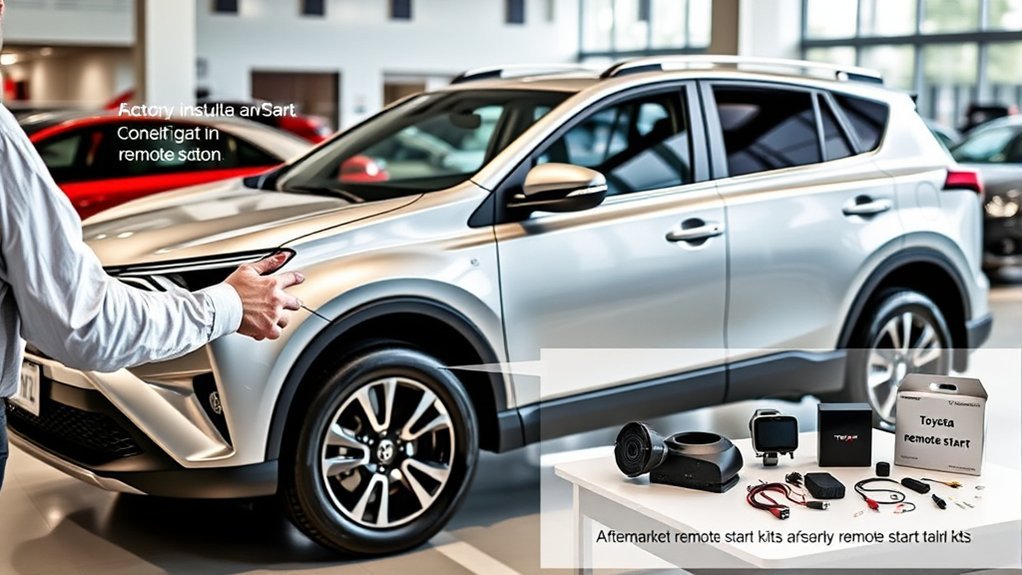
Factory, Toyota Accessory, or Aftermarket Remote Start
| System | Advantages | Possible drawbacks |
|---|---|---|
| Toyota Remote Connect | Toyota app integration, long-distance commands where cellular service is available, vehicle status information, and no separate remote. | Requires compatible equipment, account registration, network coverage, and usually a paid subscription after the trial. |
| Toyota accessory starter | Designed for compatible Toyota electronics and commonly operated with the original fob. | Limited fob range, model-specific compatibility, installation cost, and possible engine shutoff when unlocking or entering. |
| Aftermarket starter | Can add remote start to many older vehicles and may offer longer range, two-way confirmation, adjustable run time, or a separate app. | Installation quality varies, some systems need an extra subscription or remote, and poor wiring can cause electrical or security problems. |
Choose an installer who has experience with the exact RAV4 year, powertrain, key type, and immobilizer system. Hybrid and plug-in-hybrid vehicles require equipment specifically designed for their control systems.
How to Troubleshoot RAV4 Remote-Start Problems
Start with the checks that do not require removing trim or testing wiring.
| Check | What to do |
|---|---|
| Vehicle eligibility | Confirm the feature by VIN. Do not rely only on the year, trim badge, screen size, or Smart Key. |
| Remote Connect status | Open the Toyota app and verify that the vehicle is registered and the trial or subscription is active. |
| Vehicle condition | Place the vehicle in Park, turn the ignition off, close and lock all doors, and make sure the hood is fully latched. |
| Key-fob sequence | Press Lock twice, then press and hold Lock on the third press. Perform the sequence smoothly rather than pressing all three times at the same speed. |
| Key-fob battery and range | Try the normal lock and unlock functions. Replace a weak fob battery and test from closer to the vehicle. |
| Cellular connection | Move the phone or vehicle to an area with better coverage, reopen the app, and retry after a short wait. |
| Vehicle battery or warning lights | A weak 12-volt battery, check-engine light, or other stored fault may prevent remote operation. Have the vehicle tested if other electrical symptoms are present. |
| Aftermarket service mode | Check whether the system is in valet or service mode. Use the installer’s manual because the reset method differs by brand. |
If the feature previously worked but suddenly stopped, record any Toyota-app error message and note whether the normal lock, unlock, and push-button-start functions still work. This information can help a dealer or installer separate a subscription problem from a fob, battery, hood-switch, or control-module problem.
Pro Tip: Do not repeatedly attempt remote start when the vehicle has a warning light, weak battery, fuel smell, or unusual engine noise. Start with a normal inspection and diagnostic scan.
Frequently Asked Questions
How do I know if my RAV4 has remote start?
Enter the VIN in the Toyota app, check the connected-services screen, review the original window sticker or accessory invoice, and inspect for aftermarket equipment. A Toyota dealer can also check the VIN. Smart Key or push-button start alone does not confirm the feature.
What year did the RAV4 get remote start?
There is no single debut year for every type of RAV4 remote start. Toyota offered remote-engine-starter accessories for some RAV4s before 2017. App-based Remote Connect appeared on certain 2019 RAV4 multimedia packages and expanded in later years.
Does every 2017 RAV4 Limited have remote start?
No. Do not assume that remote start is standard because the vehicle is a Limited or has Smart Key. Check the VIN, build sheet, accessory records, and actual key-fob operation.
Do 2018 RAV4s have remote start?
The U.S. 2018 RAV4 was not listed for Toyota’s app-based Remote Connect service. However, a particular vehicle may have a Toyota accessory or aftermarket remote starter installed, so check the individual vehicle rather than relying only on the model year.
Does RAV4 key-fob remote start require a subscription?
It depends on the system. Key-fob starting tied to Remote Connect may require an active trial or subscription on some vehicles. A separately installed Toyota accessory or aftermarket starter may work without Toyota Remote Connect.
Why does my RAV4 shut off when I open the door?
Some remote-start systems shut the engine off when the vehicle is unlocked or a door is opened as an anti-theft measure. Other systems support secure takeover. The behavior depends on the model year and installed system.
Can a RAV4 Hybrid or Plug-in Hybrid use remote start?
Many newer RAV4 Hybrid and Plug-in Hybrid models support Remote Connect or remote-climate functions when equipped. The gas engine may not run continuously because the hybrid control system decides when the engine is needed. Verify the exact features through the Toyota app and owner’s manual.
What Toyota models have remote start?
Remote Connect or Toyota accessory remote start has been available on many Toyota cars, SUVs, trucks, and minivans. Availability is not always standard across an entire model line, so check the specific year, trim, equipment package, market, and VIN.
Conclusion
Many Toyota RAV4s can use remote start, but the model year alone does not provide a dependable answer. First identify whether the vehicle uses Remote Connect, a Toyota accessory starter, or an aftermarket system. Then verify the VIN, subscription status, operating sequence, and safety requirements. This approach is more reliable than assuming that every vehicle with the same trim or screen has identical equipment.
Sources
- Toyota RAV4 Manuals and Warranties — lists Toyota remote-engine-starter documentation for older RAV4 models.
- Toyota 2018 Connected Services Table — supports the 2018 Remote Connect availability discussion.
- Toyota 2019 Connected Services Table — shows Remote Connect availability by RAV4 multimedia package.
- Toyota 2025 Remote Connect Features by Model — confirms vehicle start and stop availability on equipped 2025 RAV4 models.
- Toyota 2026 RAV4 Product Information — provides current Remote Connect trial and feature information.
- Toyota Genuine Remote Engine Start — explains Toyota’s common three-step key-fob sequence.