
Toyota Rav4: How Does Toyota RAV4 Brake Hold Work

The Toyota RAV4’s Brake Hold feature allows you to release the brake pedal without the vehicle rolling, enhancing your comfort during stops. To engage, simply press the Brake Hold button when the car is at a complete stop; you’ll see a green HOLD icon on the dashboard. This feature automatically disengages when you press the gas pedal. Plus, it switches to the electric parking brake after three minutes to prevent overheating. Keep exploring to discover more about its benefits and usage tips!
What Is the Brake Hold Feature in the Toyota RAV4?
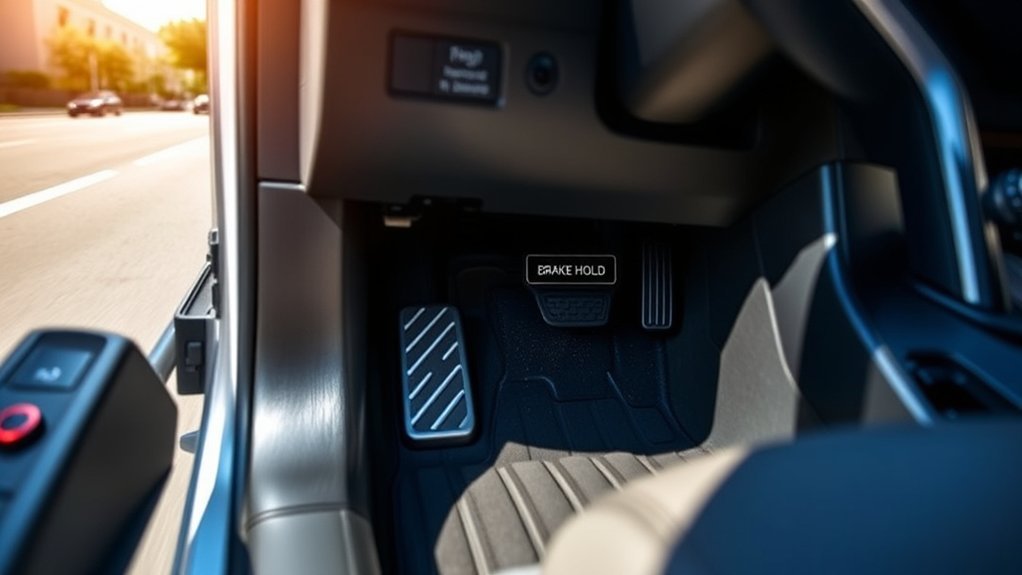
When you’re maneuvering through stop-and-go traffic, the Brake Hold feature in the Toyota RAV4 can be a game-changer. This innovative function allows you to take your foot off the brake pedal without worrying about rolling backward or forward. When activated, a green HOLD icon lights up on your dashboard, indicating that the system is engaged. The brake lights remain illuminated, signaling to drivers behind you that your RAV4 is stationary, complying with legal requirements.
Once you press the gas pedal, the Brake Hold automatically disengages, enabling smooth acceleration without any manual adjustments. It’s designed to ease your driving experience, especially in congested areas. Just remember, you must activate the Brake Hold feature each time you start your vehicle, and it can sustain engagement for about three minutes before shifting to the electric parking brake. Enjoy the freedom of seamless driving with this handy feature at your fingertips!
How to Activate and Deactivate Brake Hold?
To activate the Brake Hold feature in your Toyota RAV4, simply press the Brake Hold button while your vehicle is at a complete stop; you’ll see a green HOLD icon on the dashboard confirming it’s engaged. When you want to deactivate it, just press the Brake Hold button again, and the icon will turn off. Remember, this feature needs to be reactivated each time you start your engine, so keep that in mind before you hit the road.
Activating Brake Hold Feature
Activating the Brake Hold feature in your Toyota RAV4 is straightforward and enhances your driving experience, especially in stop-and-go traffic. To activate it, simply press the Brake Hold button, and look for the green HOLD icon on your dashboard; this shows the function’s engaged. Keep in mind that you’ll need to reactivate it each time you start your vehicle, as it automatically turns off when the engine shuts down. The Brake Hold allows you to release the brake pedal without fear of rolling backward or forward. When you press the gas pedal, it disengages, letting you move freely. For safety, if you’re stationary for about three minutes, it will shift control to the electric parking brake.
Deactivating Brake Hold Function
After you’ve enjoyed the convenience of the Brake Hold feature, knowing how to deactivate it is equally important. To deactivate the Brake Hold function, simply press the Brake Hold button again; this will extinguish the green HOLD icon on your dashboard, seamlessly shifting you back to normal brake operation.
| Step | Action |
|---|---|
| 1. Deactivate | Press the Brake Hold button |
| 2. Confirm | Check for the green HOLD icon off |
| 3. Safety First | Remember safety is paramount |
Additionally, if you press the gas pedal, Brake Hold will automatically disengage, allowing you to drive freely. Enjoy that sense of liberation, knowing you can control your vehicle’s behavior with ease!
How Brake Hold Simplifies Driving in Stop-and-Go Traffic
In stop-and-go traffic, the Brake Hold feature in your Toyota RAV4 enhances comfort by allowing you to release the brake pedal without worrying about rolling back or stalling. This means you can focus more on the road ahead rather than constantly shifting between the brake and accelerator. With less leg fatigue and improved concentration, driving in congested conditions becomes a more relaxed experience.
Enhanced Comfort During Stops
When maneuvering through stop-and-go traffic, the Brake Hold function in the Toyota RAV4 truly shines, offering drivers a welcome reprieve from the constant strain of holding down the brake pedal. By simply pressing the Brake Hold button, you can take your foot off the brake, greatly reducing leg fatigue. This feature is especially advantageous in hilly areas, where you can navigate without the anxiety of rolling backward. While engaged, the brake lights stay illuminated, signaling to drivers behind you that you’re stationary. The Brake Hold function automatically releases when you press the gas pedal, allowing for a smooth shift from a complete stop to acceleration, enhancing comfort and convenience during those frustrating traffic jams.
Improved Focus on Traffic
How can the Brake Hold feature in the Toyota RAV4 enhance your focus while maneuvering through stop-and-go traffic? The Brake Hold function activates when you press the brake pedal, keeping your vehicle in a stationary position. This allows you to release your foot without worrying about rolling, which is essential in heavy traffic conditions. A green HOLD icon confirms it’s engaged, minimizing leg fatigue during long stops. You can concentrate on observing your surroundings, including potential hazards like red light runners, without the distraction of constantly shifting between the brake and accelerator. When you press the gas pedal, the system smoothly disengages, improving driving comfort and ensuring a seamless shift from stop to go, enhancing your overall focus on the road.
Addressing Common Misconceptions About the Brake Hold Feature
Ever wondered what common misconceptions surround the Brake Hold feature in the Toyota RAV4? One frequent misunderstanding is that the Brake Hold will automatically deactivate when you restart your vehicle. In reality, you must be reactivated each time you turn it on. While the yellow Hold light indicates that the feature is engaged, some drivers worry about potential confusion for those behind them, as the brake lights remain illuminated. This is legally required, so rest assured. Additionally, keep in mind that the Brake Hold feature might struggle on steep gradients, which can be tricky for some users. If left engaged for too long—approximately three minutes—it will automatically shift to the electric parking brake. Understanding these nuances can enhance your driving experience, allowing you to utilize this feature with confidence and ease, ultimately liberating you from the stress of constant braking in stop-and-go traffic.
Effective Tips for Using Brake Hold in Various Conditions
While traversing various driving conditions, mastering the Brake Hold feature in your Toyota RAV4 can greatly enhance your comfort and control. In stop-and-go traffic, this feature alleviates leg fatigue by allowing you to take your foot off the brake without the risk of rolling back on inclines. To activate it, simply press the Brake Hold button after coming to a complete stop, and look for the green HOLD icon on your dashboard.
However, be aware of its limitations, especially on steep hills where it may not engage. For best use, remember to deactivate the Brake Hold before entering a car wash to avoid battery warnings or unintended braking issues. The feature will automatically release when you press the gas pedal but can also engage for up to three minutes before switching to the electric parking brake. Familiarizing yourself with these tips will help you fully enjoy your driving experience.
Maintenance Considerations for Brake Hold and Electric Parking Brakes
To maintain optimal performance of your Toyota RAV4’s Brake Hold and electric parking brake systems, regular attention to their usage and care is essential. Remember, the Brake Hold function needs reactivation every time you start your vehicle, so stay aware to engage it when needed. To enhance the durability of your electric parking brake, it’s wise to use it manually from time to time instead of relying solely on the electric function, which can lead to durability concerns.
Be cautious, as replacement costs for electric parking brakes can average around $900. Additionally, if the Brake Hold function remains active for over three minutes, it automatically switches to the electric parking brake to prevent overheating. Finally, consider how using the Brake Hold feature may affect your battery performance, especially in situations like automated car washes where behavior can vary. Proper maintenance guarantees your systems function effectively and saves you from unexpected expenses.
Frequently Asked Questions
How Does Toyota Brake Hold Work?
Toyota’s Brake Hold system keeps your vehicle stationary after braking, enhancing driving safety. Familiarize yourself with RAV4 features in the user manual, and follow maintenance tips to guarantee peak performance of this innovative vehicle technology.
What Is the Brake Hold System on a Toyota RAV4?
The Brake Hold system on your Toyota RAV4 is like a steadfast guardian, enhancing driving convenience. It offers safety features, minimizes fatigue, and requires activation each time, ensuring an effortless user experience and simple maintenance tips for longevity.
What Does the Hold Button Do on a Toyota RAV4?
The Hold button activates the Brake Hold functionality, letting you relax your foot in traffic. It’s a valuable Toyota safety feature that works with the electronic parking brake to enhance your RAV4 driving experience.
What Does the Hold Button Mean in My Toyota RAV4?
In your Toyota RAV4, the Hold Button activates the Brake Function, enhancing Vehicle Control and Driver Assistance. This RAV4 Technology improves safety, allowing you to relax during stops without constantly pressing the brake pedal.
Conclusion
In summary, mastering the Toyota RAV4’s Brake Hold feature can transform your driving experience, much like discovering a hidden treasure on an adventurous journey. By easily engaging and disengaging this function, you’ll navigate through traffic with newfound ease. Remember to take into account the unique conditions you face and keep up with maintenance to guarantee peak performance. So, embrace this innovative technology, and let the RAV4 take some of the stress out of your daily drives.



