
How to Unlock a Toyota RAV4 Without a Key Safely
What’s in This Article
- Understanding Common Causes of Lockouts in Your Toyota RAV4
- Immediate Steps When Locked Out of Your Toyota RAV4
- Hiring a Locksmith for Emergency Vehicle Access
- Safe and Legal Ways to Unlock Your RAV4
- Why Spare Keys and Backup Plans Matter
- Tech Solutions: Apps for Unlocking Your RAV4
- Preventing Future Lockouts: Maintenance Strategies
- Community Experiences: Learning From Lockout Stories
- Frequently Asked Questions
Getting locked out of your Toyota RAV4 can turn a normal day into a stressful one fast. The safest move is not to force the door or try risky tools. Start with legal options, such as a spare key, the emergency key in your fob, the Toyota app, roadside assistance, or a licensed locksmith.
Quick Answer
If you’re locked out of your Toyota RAV4, first check for a spare key or use the emergency mechanical key inside the fob. If your model supports remote lock control, try the Toyota app. If those options fail, call roadside assistance or a licensed locksmith and be ready to prove you own or use the vehicle legally.
Key Takeaways
- Use only legal access methods for a RAV4 you own or have permission to use.
- Check for a spare key, the emergency key in the fob, or Toyota app access first.
- Call a licensed locksmith or roadside assistance if safe DIY options do not work.
- Avoid forcing doors, using improvised tools, or breaking glass unless life or safety is at risk.
- Prevent future lockouts by keeping a spare key plan and replacing weak fob batteries early.
Understanding Common Causes of Lockouts in Your Toyota RAV4
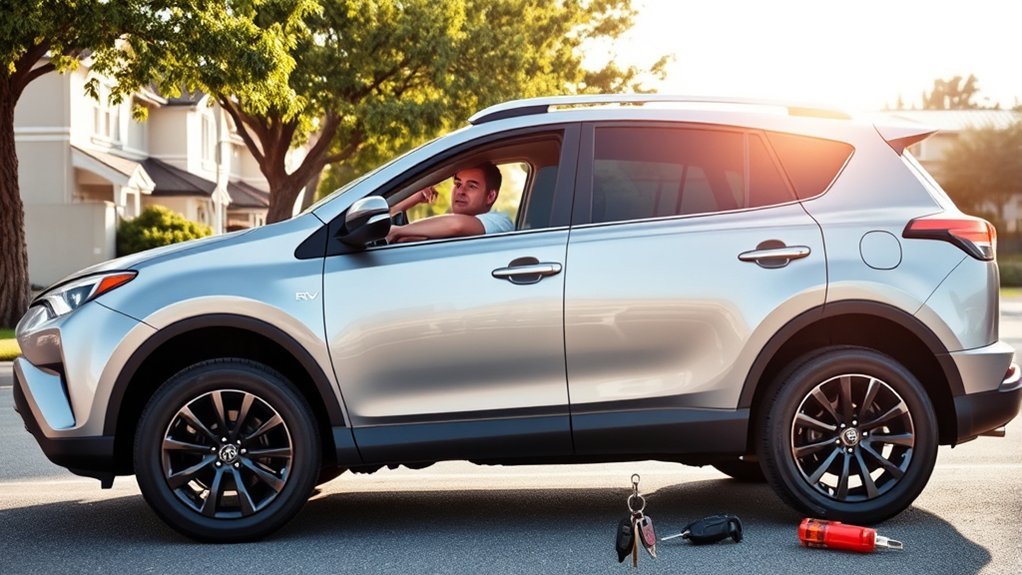
If you’ve ever found yourself locked out of your Toyota RAV4, you’re not alone. Many drivers deal with this problem after leaving a key fob inside the vehicle, losing a key, or dealing with a weak fob battery.
A dead key fob battery can make remote locking features fail. Some RAV4 owners also run into trouble when they forget where the emergency key sits inside the fob.
Mechanical wear can cause another problem. If the door lock cylinder sticks, the emergency key may feel hard to turn, even when you use the correct key.
Good habits lower your lockout risk. Check your key fob battery, test your door locks, and keep a safe spare key plan before you need it.
Immediate Steps When Locked Out of Your Toyota RAV4
Start by staying calm and checking your surroundings. If you’re in a parking lot, on a roadside, or in bad weather, move to a safer spot nearby before making calls.
Next, check for a spare key. Call a trusted family member or another driver on the account if they may have one.
If your RAV4 supports connected services, open the Toyota app and check whether remote lock control is available. App features vary by model year, trim, subscription status, and network connection.
If the app does not work, inspect your key fob for the emergency mechanical key. Many Toyota smart key fobs include a small release tab that lets you pull out the metal key.
Warning: Don’t force the door, pry the window, or use improvised lock tools because you can damage the vehicle or trigger security issues.
Hiring a Locksmith for Emergency Vehicle Access
When you can’t use a spare key, app access, or the emergency key, call a licensed automotive locksmith. A trained locksmith can unlock your vehicle with the right tools and less risk of damage.
Before work starts, ask for the total service cost, including call-out fees and after-hours charges. You should also ask whether the locksmith can handle Toyota smart key systems if you need key replacement.
Keep your ID and proof of vehicle ownership ready. A reliable locksmith may ask for registration, insurance, or another document before unlocking the RAV4.
Here are three reasons to hire a locksmith:
- Expert help: A professional uses proper access methods and reduces the chance of door, trim, or window damage.
- Fast service: Many locksmiths and roadside assistance providers offer emergency help during nights, weekends, and holidays.
- Better safety: A locksmith gives you a safer choice than forcing entry or trying tools that may damage the car.
Safe and Legal Ways to Unlock Your RAV4

Being locked out of your Toyota RAV4 can feel urgent, but your best options are simple and legal. Only try to unlock a vehicle you own or have clear permission to use.
Use a spare key first if you have one available. If your key fob battery has failed, remove the emergency metal key from the fob and use the driver’s door key cylinder.
The Toyota app may help if your RAV4 supports remote lock control and your connected services are active. You’ll also need a working phone, internet access, and a vehicle connection.
If these steps fail, contact roadside assistance or a licensed locksmith. Avoid breaking a window unless a person, child, or pet faces immediate danger and emergency services tell you to act.
Why Spare Keys and Backup Plans Matter
A spare key can save you from a stressful lockout. It also helps you avoid emergency service costs when you only need basic access.
Smart keys can cost more than older cut keys because they may need programming. Ask a Toyota dealer or qualified locksmith about the right spare for your model year.
Importance Of Spare Keys
A spare key gives you a simple backup when your main key goes missing or stays inside the RAV4. Keep it with a trusted person or in another secure place you can reach.
Here are three reasons a spare key matters:
- Faster access: A spare key can solve many lockouts without waiting for emergency help.
- Lower stress: A backup plan helps you act calmly when your main key fails or disappears.
- Better control: A planned spare protects you from risky choices, such as forcing the door or window.
Backup Plans For Lockouts
A good lockout plan includes more than one spare key. You should know who can bring a spare, which roadside service you can call, and where your ownership documents are.
Avoid hiding a key in an obvious place on the vehicle. Thieves know common hiding spots, so use a safer plan with a trusted person or secure key storage.
Check your key fob battery before it becomes weak. If the remote range drops or button presses feel unreliable, replace the battery soon.
Pro tip: Save your roadside assistance number and locksmith contact in your phone before a lockout happens.
Tech Solutions: Apps for Unlocking Your RAV4
Some Toyota RAV4 models support remote lock control through the Toyota app. This feature can help when your phone works, your account is active, and the vehicle has a data connection.
App access depends on your model year, trim, connected services plan, and local availability. Don’t rely on the app as your only backup.
Here’s how app-based access may help:
- Check remote lock control: Open the app and look for lock or unlock controls for your vehicle.
- Confirm the vehicle connection: Make sure your phone has internet access and the vehicle can receive the command.
- Use it as a backup: Treat app access as one option, not a replacement for a spare key.
If the app fails, call roadside assistance or a locksmith. Phone battery, poor signal, service limits, or account issues can block app-based unlocking.
Preventing Future Lockouts: Maintenance Strategies
To avoid future lockouts, build a simple maintenance habit around your keys and locks. Start by replacing weak key fob batteries before they fail.
Test the lock and unlock buttons from a normal distance. If the range gets shorter, or the fob works only sometimes, the battery may need replacement.
Test the emergency key in the driver’s door during a calm moment. Don’t wait until you’re stranded to learn where the key is or how it turns.
Keep a record of your spare key plan and share it with trusted family members. If you schedule routine service, ask the technician to check sticky locks or key-related warnings.
Community Experiences: Learning From Lockout Stories

Many RAV4 owners learn the same lesson after a lockout: one backup is not enough. A spare key, charged phone, and saved roadside assistance contact work better together.
Common lockout stories also show why forced entry creates problems. Scratched trim, bent weather seals, and broken glass can cost more than professional help.
Keep these lessons in mind:
- Use trained help: A locksmith or roadside service is safer than trying to force access yourself.
- Keep a basic backup: A cut emergency key can help with door access, even if it cannot start the vehicle.
- Watch fob warning signs: Weak range, delayed response, or repeated button presses can point to a low battery.
Frequently Asked Questions
How Do I Unlock My Toyota Without the Key?
You can unlock your Toyota by using a spare key, the emergency key inside the fob, or the Toyota app if your model supports it. If those options fail, call roadside assistance or a licensed locksmith.
How Do I Unlock My Car if I Locked My Keys Inside?
First, check whether someone can bring a spare key. If not, use app-based access if available, or call a locksmith who can unlock the car without damaging it.
How to Manually Open a RAV4 Door?
Look for the emergency metal key inside your smart key fob. Use that key in the driver’s door cylinder, then replace the fob battery if the remote stopped working.
How to Open RAV4 Trunk Without Key?
If the whole vehicle is locked, you usually need to unlock the cabin first through a spare key, emergency key, app access, or locksmith. Once inside, you can use the normal liftgate controls if the vehicle has power and the liftgate system works.
Can a Locksmith Make a New RAV4 Key?
Many automotive locksmiths can cut or program Toyota keys, but the service depends on your RAV4 model year and key type. Ask before they arrive so you know whether they can handle your smart key or transponder key.
Legal and Safety Disclaimer: This article is for informational purposes only and does not provide legal advice. Only unlock a vehicle you own or have permission to use, and contact emergency services if a child, pet, or person is in danger.
Conclusion
A Toyota RAV4 lockout is stressful, but safe choices can get you back inside without damage. Start with a spare key, emergency key, or Toyota app access if your vehicle supports it. If those options fail, call roadside assistance or a licensed locksmith and keep proof of ownership ready. After you regain access, set up a spare key plan so the same problem doesn’t catch you off guard again.
