
How to Use Sport Mode in Toyota Supra
Last updated: May 31, 2026
What’s in This Article
- What You Need Before You Use Sport Mode in a Toyota Supra
- Overview of Supra Driving Modes: Normal, Sport, and Coded Sport Plus
- Step-by-Step Guide to Activating Factory Sport Mode
- Customize Your Sport Mode Experience With Sport Individual
- How Sport Mode Changes Your Drive
- Use Stability Control Settings Safely
- Switching Modes With the Supra Command Dial
- Troubleshooting Common Issues With Sport Mode Activation
- Extra Tips to Enhance Your Driving Experience in the Toyota Supra
- Frequently Asked Questions
- Conclusion
Sport Mode can make your Toyota GR Supra feel sharper, but you need to know what your car can do from the factory and what requires coding. The key point is simple: factory Sport Mode is safe to use from the cabin, while coded Sport Plus settings need more care. This guide shows you how to use Sport Mode, adjust available settings, avoid risky coding mistakes, and keep the car easy to control on public roads.
Quick Answer
To use Sport Mode in a Toyota Supra, start the car, check that the road is safe, then press the Sport button on the center console. Factory Sport Mode sharpens the car’s response and changes the driving feel. Sport Plus is not a normal factory mode in Toyota’s public U.S. materials, so treat it as a coding-related option that may vary by car.
Key Takeaways
- Use the factory Sport button first before you consider any coding change.
- Normal mode suits traffic, rain, rough roads, and daily driving.
- Sport mode gives sharper throttle, steering, transmission, and suspension behavior, depending on your model.
- Coded Sport Plus settings may need BimmerCode and a compatible OBD adapter, but support can vary.
- Keep Vehicle Stability Control active on public roads unless your owner’s manual or a trained instructor says otherwise.
What You Need Before You Use Sport Mode in a Toyota Supra

You do not need an app or adapter to use the factory Sport Mode in your Toyota GR Supra. You only need the car, a safe driving area, and a basic understanding of how the Sport button changes the car’s response.
Estimated time: about 10 seconds for factory Sport Mode. Allow 15 to 30 minutes only if you plan to check optional coding settings with a supported app and adapter.
For normal use, start with these basics:
- Confirm the road is dry, open, and safe enough for sharper response.
- Keep both hands ready on the wheel before you switch modes.
- Use Normal mode in heavy traffic, rain, snow, or low-grip conditions.
- Read your owner’s manual before changing traction or stability settings.
If you want to explore coded options, use the correct name: BimmerCode, not “Beamer Coat.” BimmerCode lists the Toyota Supra J29/A90 2019+ as a supported vehicle, and it requires a compatible On-Board Diagnostics II (OBD-II) adapter for coding. OBDLink MX+ and OBDLink CX appear on BimmerCode’s supported adapter list, but you still need to check support for your exact phone, car, model year, and software version.
Warning: Do not code safety systems, video functions, traction control, or warning messages unless you understand the risk and can restore a backup.
Overview of Supra Driving Modes: Normal, Sport, and Coded Sport Plus
The Toyota GR Supra gives you a simple way to change the car’s feel. In Normal mode, the car feels smoother and easier to manage during daily use. This mode works best for city traffic, wet roads, long drives, and relaxed commuting.
Sport mode changes the car’s character. Toyota’s public GR Supra materials describe the car as using performance hardware such as Adaptive Variable Suspension and an electronically controlled rear differential. Earlier Toyota pressroom material also explains that the Supra’s adaptive suspension has Normal and Sport settings.
Sport mode can sharpen throttle response, steering feel, transmission behavior, suspension response, and exhaust character, depending on your model and equipment. You may feel the car react faster to small pedal inputs. That can feel fun on a clear road, but it can also feel too sharp in slow traffic.
Note: Sport Plus is best treated as a coded or market-specific setting, not a standard factory mode that every Supra can select from the Sport button.
If your car shows Sport Individual or a similar custom mode, use it to fine-tune the driving feel. If your car does not show that option, do not assume something is broken. Model year, market, trim, software, and coding status can all affect what you see.
Step-by-Step Guide to Activating Factory Sport Mode
Factory Sport Mode takes only a few seconds to use. Follow these steps before you drive harder, not while you already feel rushed or distracted.
- Start the car: Put the Supra in drive-ready state and let warning lights clear.
- Check the road: Choose a dry, open, legal, and low-traffic area.
- Press the Sport button: Use the Sport button on the center console to activate Sport Mode.
- Watch the display: Confirm the drive mode change on the instrument cluster or center display.
- Ease into the throttle: Press the accelerator gently at first because the car may respond faster.
- Return to Normal when needed: Switch back for traffic, rough roads, poor weather, or relaxed driving.
Do not use the Sport button as a shortcut to drive beyond the road conditions. Sport Mode changes response, but it does not add grip. Tires, road surface, speed, and driver control still matter most.
If you have coded a Sport Plus option, test it with extra care. Use a safe area, make one change at a time, and save a backup before you code. A coded mode can feel jumpier than factory Sport Mode, so it may not suit city driving.
Customize Your Sport Mode Experience With Sport Individual

If your Supra offers Sport Individual or a similar custom setting, use it to shape the car around your normal roads. You may be able to adjust items such as throttle feel, steering weight, suspension response, and transmission behavior. Available settings vary by year, trim, market, and software.
Pro tip: Change one setting at a time, then drive the same familiar road so you can feel what changed.
Adjust Throttle Response Settings
Throttle response controls how quickly the engine reacts when you press the accelerator. A sharper setting can make the car feel more alert. It can also make the car harder to drive smoothly in traffic.
- Open the drive mode menu: Use the Sport button or the Supra Command dial if your car supports the menu.
- Select the throttle setting: Choose a response level that feels smooth and controlled.
- Test gently: Start with light throttle before you use stronger acceleration.
- Save the setting: Store the setup only after you feel comfortable with it.
Use a milder throttle setting for daily streets. Save sharper response for clear roads, track events, or controlled driving areas.
Configure Suspension Preferences
Suspension settings can change how firmly the Supra reacts to bumps, body movement, and steering input. Toyota’s official materials describe the GR Supra’s Adaptive Variable Suspension as part of its handling package. If your car lets you adjust this setting, choose comfort for rough roads and a firmer setup for smooth, open roads.
Do not choose the firmest setting just because it sounds faster. A softer setting may give you better grip on uneven roads because the tires can stay more settled. Let the road surface guide your choice.
Set Default Startup Mode
Some owners use coding to change startup behavior, but factory behavior can vary. Before you try to set Sport Individual as a default mode, check your owner’s manual and confirm whether your car supports it from the normal menu.
- Open the driving mode settings from the center display if the option appears.
- Select the custom or individual mode only if your car offers it.
- Save your preferences through the display menu.
- Restart the car and confirm the car kept the setting.
If the setting does not stay saved, do not keep changing random coding values. Check a model-specific guide, consult a qualified Toyota or Supra specialist, or leave the startup mode stock.
How Sport Mode Changes Your Drive
Sport Mode changes how the Supra responds to your inputs. The car may feel more direct when you press the throttle, turn the wheel, or shift gears. On models with adaptive suspension, Sport Mode can also make the chassis feel firmer.
This sharper feel can make the Supra more enjoyable on a winding road. It can also expose rough pavement, tire wear, or poor road grip faster than Normal mode. Use Sport Mode as a tool, not as a default answer for every drive.
Enhanced Throttle Response
Throttle response feels like the biggest change for many drivers. In Sport Mode, the car can react more quickly when you press the pedal. That makes acceleration feel stronger, even when engine output has not changed.
Use smooth pedal pressure instead of sudden stabs. The Supra is a rear-wheel-drive sports car, so quick throttle inputs can unsettle the rear tires on dusty, wet, cold, or uneven pavement.
Customizable Driving Experience
Custom settings can help you balance comfort and response. For example, you may prefer sharper steering with a softer suspension setting for rough local roads. Another driver may prefer firm suspension and a calmer throttle.
The best setup depends on your roads, tires, weather, and skill level. Do not copy another owner’s settings without testing them carefully in your own car.
Use Stability Control Settings Safely
Vehicle Stability Control (VSC) and traction systems help the car stay more stable when grip drops. Toyota Europe has described traction and Vehicle Stability Control tuning on the GR Supra as part of the balance between agility and stability. That matters because the Supra has high torque, wide tires, and rear-wheel drive.
Keep stability systems active on public roads. Turning them down or off may increase wheel spin, oversteer, and loss of control. If you attend a track day, follow the event rules and ask an instructor before you change these settings.
If pop-up messages distract you, do not rush into coding them away. First, learn what the message means. A warning that feels annoying may still protect you from missing an important safety status.
- Know the icon: Learn the dashboard symbol before you change traction settings.
- Use the stock controls: Start with the factory button behavior described in your manual.
- Avoid safety coding: Do not remove warnings unless a qualified specialist confirms the change is safe and reversible.
Switching Modes With the Supra Command Dial
Toyota calls the center controller the Supra Command dial. Many owners also call it the iDrive-style knob because the cabin system shares BMW-style controls. Use this dial to move through display menus without reaching across the screen.
If your car shows custom drive mode settings, the Supra Command dial can help you adjust them while parked or stopped. Avoid digging through menus while driving. Set up your preferred mode before you pull away.
The safest habit is simple. Choose your mode first, drive smoothly, then switch back to Normal when traffic, weather, or road grip gets worse.
Troubleshooting Common Issues With Sport Mode Activation
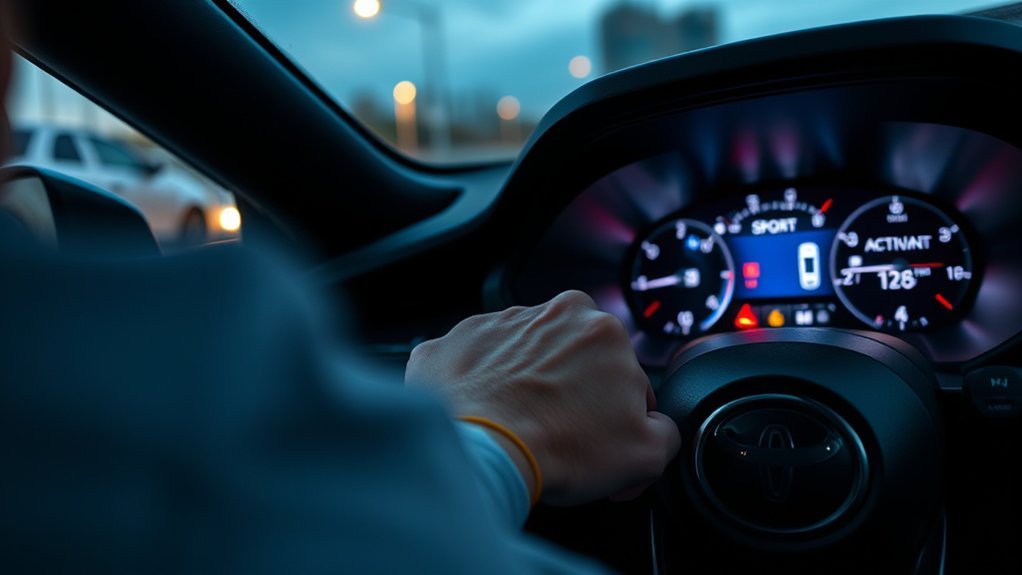
If Sport Mode does not behave as expected, start with the simple checks before you blame the car or the coding app. Many problems come from misunderstanding factory features, unsupported coding, or unsafe conditions.
- Confirm your model: Check your exact year, trim, market, and transmission.
- Read the owner’s manual: Match your display and buttons to Toyota’s instructions.
- Check for warning lights: Resolve active vehicle warnings before you test Sport Mode.
- Restart the car: Some display or mode issues clear after a normal restart.
- Undo recent coding: Restore your backup if the issue started after a coding change.
- Use a compatible adapter: If you code, confirm that BimmerCode supports your Supra and OBD adapter.
- Ask a specialist: Contact a qualified Toyota technician or Supra coding specialist if the issue remains.
Do not keep changing Electronic Control Unit (ECU) values to “see what works.” Random coding can create new faults, remove useful warnings, or make the car harder to diagnose later.
Extra Tips to Enhance Your Driving Experience in the Toyota Supra
Sport Mode works best when the rest of the car is ready. Tire pressure, tire age, brake condition, alignment, and road surface affect the drive more than a menu setting. Check these basics before you chase a sharper mode.
Use Sport Mode when you want a more alert feel, and use Normal mode when you want smoother driving. If your car feels jumpy, switch back to Normal before you decide something is wrong.
Here’s a quick reference table:
| Tip | Benefit | Maintenance Advice |
|---|---|---|
| Use factory Sport Mode first | Sharper response without coding | Review your owner’s manual |
| Set a custom mode only if supported | Better balance for your roads | Save one change at a time |
| Keep stability systems active | More control on public roads | Fix warning lights promptly |
| Check tires and brakes | More consistent grip and stopping | Inspect pressure, tread, and pads |
Small habits make the biggest difference. Choose the right mode for the road, keep the car maintained, and build speed only where it is legal and safe.
Frequently Asked Questions
How do you put a Toyota Supra into Sport Mode?
Start the car, check that the road is safe, then press the Sport button on the center console. Watch the display to confirm the mode change before you drive harder.
Do you need BimmerCode to use Toyota Supra Sport Mode?
No. You do not need BimmerCode for factory Sport Mode. You only need BimmerCode and a compatible OBD adapter if you plan to check or code supported hidden settings.
What does Sport Mode do in a GR Supra?
Sport Mode can sharpen throttle response, steering feel, transmission behavior, suspension response, and exhaust character, depending on your model. It makes the car feel more alert, but it does not create more road grip.
Can you drive in Sport Mode all the time?
You can use Sport Mode often if road and weather conditions suit it. Normal mode usually feels smoother in traffic, rain, rough roads, and relaxed daily driving.
Is Sport Plus standard on every Toyota Supra?
No. Toyota’s public U.S. GR Supra materials focus on Normal and Sport driving modes. Some owners discuss coded Sport Plus options, but support can vary by car, software, market, and coding tool.
Vehicle Safety Disclaimer: This article is for informational purposes only and does not replace your Toyota owner’s manual, professional service advice, or safe driver training. Consult a qualified Toyota technician or trained driving instructor before changing vehicle coding, traction settings, or stability control behavior.
Conclusion
The safest way to use Sport Mode in your Toyota Supra is to start with the factory Sport button and learn how the car reacts. Use Normal mode for traffic and poor grip, then use Sport mode when the road gives you enough space and control. Treat coded Sport Plus settings as optional, advanced changes that need research, backups, and model-specific support. Keep the car maintained, keep stability systems active on public roads, and let your skill grow with the car.
References
- 2026 Toyota GR Supra — Toyota Motor Sales, U.S.A., 2026
- It’s Back: 2020 GR Supra Ready for the Road — Toyota Pressroom, 2019
- Introducing Toyota GR Supra with Bespoke Manual Transmission for Driving Purists — Toyota Europe Newsroom, 2022
- Toyota Supra Supported Vehicles — BimmerCode
- OBD Adapters — BimmerCode
- OBDLink MX+ — OBD Solutions, 2026