
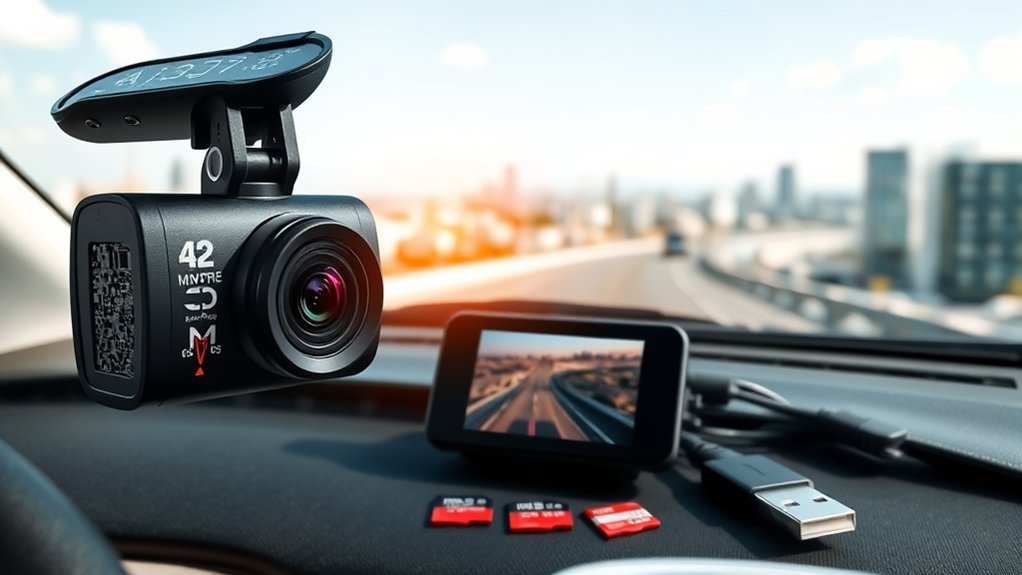
A dash cam works by continuously recording your driving through a mounted lens, automatically starting with your vehicle’s ignition. It uses G-sensors to detect collisions, locking critical footage during incidents. The recorded video is stored on a micro SD card, with loop recording ensuring that the oldest footage is overwritten when full. Some models also offer cloud storage and night vision. Explore how these features enhance safety and provide valuable evidence for drivers like you.
What Is a Dash Cam and Why You Should Consider Using One
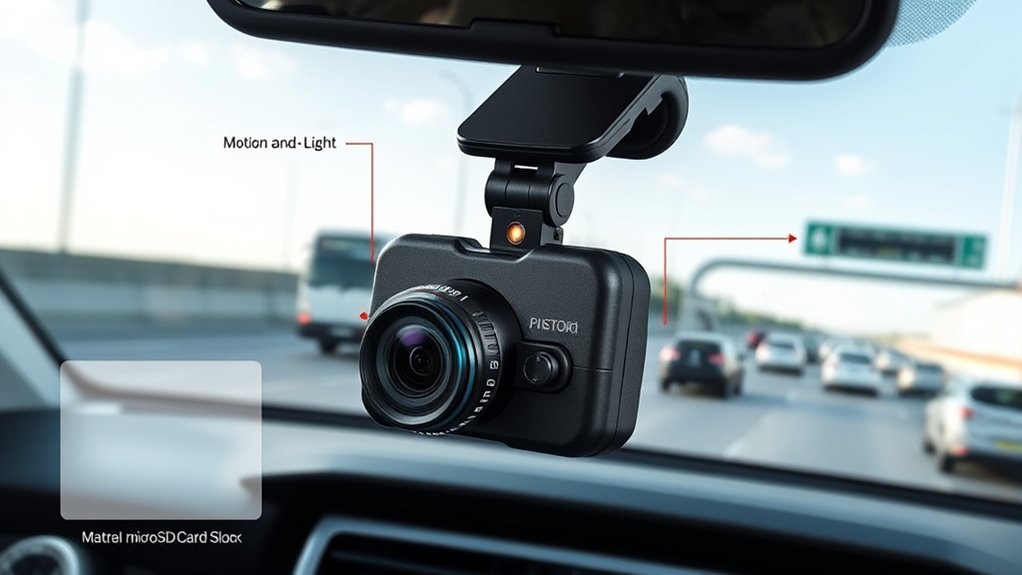
A dash cam is an important tool for any driver looking to enhance their safety and accountability on the road. This compact device mounts on your vehicle’s dashboard or windshield, continuously recording video footage of your driving activities and surroundings. Modern dash cams automatically start recording when you turn on the ignition, capturing real-time incidents and storing them in a loop to guarantee the most recent events are always available. Many models include built-in sensors that detect collisions or sudden braking, automatically saving vital footage to prevent overwriting during these moments. This capability provides valuable evidence in case of accidents or disputes with other drivers, leading to quicker resolutions and potentially lower insurance premiums. With storage capacities ranging from 16GB to 512GB, modern dash cams offer the flexibility to choose longer recording times and better quality footage, empowering you to drive with confidence and peace of mind.
[Products Worth Considering]

The dash cam adhesive pads packages includes 2pcs square 72mm(2.83") ,2pcs rectangular 36×72mm(1.42"×2.83" )and 2pcs round diameter 56mm(2.2") They can be easily cut to any size or shape, ensuring a perfect fit for multiple in-car applications.

Secure Mount Without Damaging Your Windshield: Use high-bond adhesive pads together with an optional electrostatic film to create a stable mount while helping keep your windshield clean and protected.
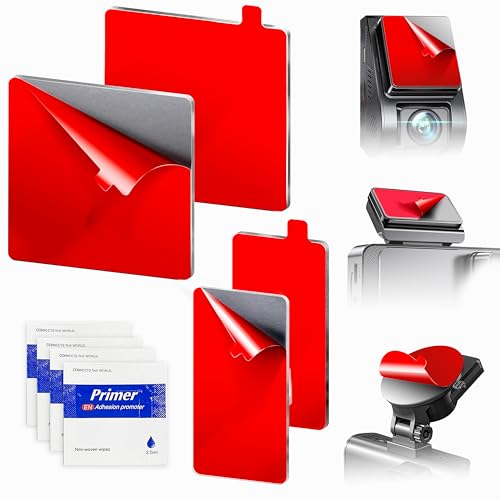
Stop Mounts from Falling in Hot Cars: Replace worn or failed adhesive with high-bond mounting pads designed to securely hold dash cams, GPS units, and phone mounts on flat glass, metal, or plastic surfaces. Not intended for rear-view mirrors.
How Dash Cams Record Video Footage
Understanding how dash cams record video footage is key to making the most of this technology. These devices capture real-time video while you drive, typically activating automatically with your vehicle’s ignition. Here’s how they work:
Dash cams automatically capture real-time video, providing essential documentation for every drive right from ignition.
- Video Footage: The camera lens records continuously, guaranteeing you never miss a moment.
- Micro SD Card: All recordings are stored on a micro SD card, which allows for easy access and transfer.
- G-Sensors: These sensors detect sudden changes, such as acceleration or impact, locking and saving the footage around the incident.
- Parking Mode: With motion detection, this feature records events happening around your vehicle while it’s parked for added security.
The continuous loop recording feature guarantees that once the storage is full, the oldest files are automatically overwritten, keeping your footage current and relevant. This combination of capabilities empowers you to have peace of mind on the road.
Essential Features of Dash Cam Technology
Dash cam technology offers a variety of essential features that enhance safety and security on the road. One key aspect is the recording capabilities, allowing you to capture critical dash cam footage during your journeys. With loop recording, your dash cam automatically overwrites the oldest files, ensuring that recent incidents are always preserved. Equipped with G-sensors, these devices detect sudden impacts or collisions, locking and saving footage before, during, and after an event to protect significant evidence.
Another invaluable feature is parking mode, which monitors your vehicle when it’s parked, activating recording through motion detection or G-sensors. This way, you can have peace of mind knowing your car is under surveillance. Most dash cams store video on microSD cards, with capacities that range from 16GB to 512GB. Advanced models may also offer night vision capabilities, enhancing recording quality in low-light conditions, ensuring you never miss a moment.
[Products Worth Considering]

4K+1080P Dual Dash Cam- Pelsee dash cam offers clarity with its single front camera, capturing exquisitely clear 4K videos at 3840*2160P/30fps through 170° wide-angle lens. It also boasts with rear camera capturing stunning footage in 1080P and 150° wide angle. This ensures you have top-notch evidence in any situation, giving you the confidence and clarity you need on the road.

Dual Dash Cam Front and Rear: Experience the security of dual recording with this advanced dash cam featuring a Full HD Front 1080p & Rear 720p camera sensor for crystal-clear footage. The 150° wide-angle front lens and 120° rear lens ensure comprehensive coverage of road conditions, safeguarding your drive from every angle.

【4K+1080P UHD 2160P Dual Dash Cam】 Experience your drive in breathtaking 4K UHD resolution with a 160-degree wide-angle view for the AFFVER front dash cam, and a 1080P resolution with a 155° wide-angle for the rear camera, providing smooth, cinematic video evidence for accident disputes and insurance claims. The perfect dash camera for family vehicles, new drivers, and Uber/Lyft drivers.
Loop Recording and File Management
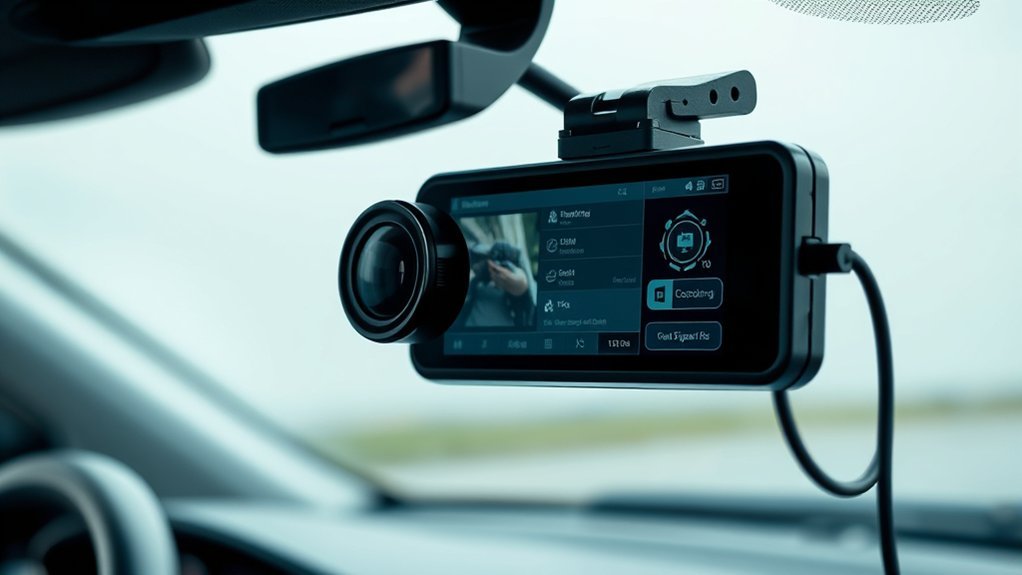
Loop recording plays a vital role in how dash cams manage video footage, ensuring you never miss an important moment. This feature continuously overwrites the oldest footage on your memory card, keeping the most recent recordings readily available. Here’s how it works:
- Memory Card Capacity: A typical 32GB micro SD card holds about 4 hours of footage at 720p HD.
- Overwrite Process: When full, the dash cam automatically overwrites older recorded footage, ensuring you have the latest clips.
- G-Sensors: In an accident, G-sensors lock and save the current video file, preventing it from being overwritten.
- File Management: Recorded footage is often segmented into 3-minute clips, simplifying reviews and transfers.
How Sensors Improve Your Dash Cam
When you drive, your dash cam’s G-sensor plays a critical role by detecting sudden changes like hard braking or collisions. This technology guarantees that relevant footage is automatically locked and saved, so you won’t lose important evidence after an incident. Understanding how these sensors work can greatly enhance your safety and peace of mind on the road.
Collision Detection Technology
Collision detection technology greatly enhances the functionality of your dash cam by utilizing G-sensors to monitor changes in motion. This technology guarantees that essential events are captured and saved, providing important evidence for insurance claims and legal disputes. Here’s how it works:
- Sudden Motion Detection: G-sensors detect hard braking or impacts, triggering automatic recording.
- Locked Video Footage: Built-in accelerometers prevent significant files from being overwritten during continuous recording.
- Enhanced Data Precision: Some models incorporate gyroscopes for detailed movement and orientation tracking.
- Parking Mode Activation: Motion sensors activate recording when detecting movement around your parked vehicle.
With collision detection technology, you gain peace of mind, knowing your dash cam captures critical moments when you need them most.
G-Sensor Functionality
While driving, the presence of a G-sensor greatly enhances your dash cam’s capability by ensuring critical events are captured and securely stored. This gravity sensor detects sudden changes in motion, like hard braking or collisions, triggering your dash cam to lock and save important footage. With most models, the G-sensor automatically saves video from before and after the incident, providing essential evidence for insurance claims or legal disputes. You can even calibrate the G-sensor to different sensitivity levels, tailoring its response to your driving style. Plus, when paired with parking mode, it activates recording during impacts or movements while your vehicle is parked, adding an extra layer of security against vandalism or hit-and-run incidents.
How Dash Cam Parking Mode Enhances Security
Dash cam Parking Mode greatly enhances your vehicle’s security by automatically recording any suspicious activity while it’s parked. With this feature, you can confidently leave your car knowing you’re protected. Here’s how it works:
Enhance your vehicle’s security with dash cam Parking Mode, automatically recording suspicious activity while you’re away.
- Motion Detection: High-quality dash cams utilize advanced motion detection to trigger recording whenever movement occurs near your vehicle.
- G-Sensor Activation: If an impact is detected, the G-sensor activates, ensuring vital evidence is captured.
- Continuous Monitoring: Some models can be hardwired to your vehicle’s battery, providing uninterrupted surveillance even when the ignition is off.
- Smart Alerts: Receive instant notifications on your smartphone when motion is detected, giving you peace of mind and allowing for quick responses.
[Products Worth Considering]

[4K+2.5K Dual Dash Cam Front and Rear] – The front dash cam records stunning 4K videos, while the rear camera delivers crisp 2.5K HD footage. Experience ultimate coverage: 170° ultra-wide front lens and 165° wide rear angle minimize blind spots. This dual dashcam ensures high-definition recording front and back. Download driving videos easily via the free app. Get clear evidence day or night – record your road trips with peace of mind! Fits minivans, buses, cars, trucks & more.

Ultra HD 4K Front + 4K Rear Recording: The Terunsoul dash cam supports dual-channel simultaneous recording, capturing both front and rear footage. Both cameras record in 3840×2160P, ensuring clear footage of the road ahead and behind. The front camera features a 170° ultra-wide-angle lens, providing full coverage of six-lane roads and capturing more road details with this 4K dash cam
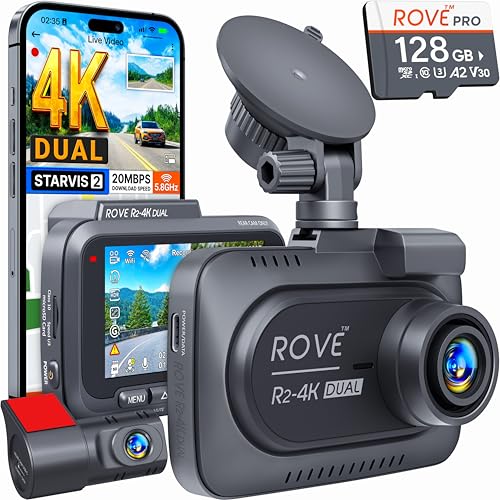
4K FRONT + 1080P REAR RECORDING – ROVE R2-4K DUAL dash cam offers dual-channel recording capabilities, capturing footage simultaneously from both the front and rear cameras. The front camera records at 3840x2160P @30fps, while the rear camera captures 1920x1080P @30fps footage, ensuring clear recordings of the road ahead and behind you. With a 150° ultra-wide angle for the front camera and a 140° angle for the rear camera, you'll capture more of the road with this 4k dash cam.
Where Is Dash Cam Footage Stored?
Your dash cam footage is primarily stored on a micro SD card, which makes it easy to access and transfer videos. Depending on the card’s capacity, you can choose between various resolutions and storage times. Additionally, some models offer cloud storage options and allow for local device transfers, giving you flexibility in how you manage your recordings.
Micro SD Card Storage
At the heart of a dash cam’s functionality lies the micro SD card, which serves as the primary storage medium for recorded footage. Understanding its role can enhance your awareness of how dash cams operate. Here are key aspects of micro SD card storage:
- Storage Capacity: Micro SD cards range from 16GB to 512GB, influencing your recording duration.
- Recording Duration: A 16GB card can hold about 2 hours of 1080p HD footage.
- Loop Recording: When full, the dash cam uses loop recording, automatically overwriting the oldest footage to accommodate new recordings.
- Crash Impact Sensors: These sensors lock video files during accidents, guaranteeing vital footage isn’t accidentally overwritten.
This setup guarantees you retain essential recordings while benefiting from high storage capacity and efficiency.
Cloud Storage Options
While micro SD cards provide a reliable means of storing dash cam footage, many users are turning to cloud storage options for added convenience and security. Cloud storage allows you to upload video footage to a secure online platform, guaranteeing easy access and backup. With features like automatic uploads during Wi-Fi connectivity, you can access footage remotely through an app or web interface. Some manufacturers, like Nexar, offer unlimited cloud storage, so you won’t have to worry about local storage limits. However, it’s vital to review the security and privacy policies of your chosen cloud provider to confirm your footage remains safe from unauthorized access.
| Feature | Description | Benefit |
|---|---|---|
| Automatic Uploads | Uploads during Wi-Fi connectivity | No manual backups needed |
| Remote Access | View footage from anywhere with an app | Convenience |
| Unlimited Storage | Retain all event footage without limits | Peace of mind |
| Secure Platform | Protects your data from unauthorized access | Enhanced security |
| Privacy Policies | Policies ensuring your data is handled responsibly | Trust in your provider |
Local Device Transfer
Dash cam footage is primarily stored on a micro SD card, which varies in capacity from 16GB to 512GB, accommodating different recording needs. Here’s how your footage is managed in local storage:
- A 16GB card holds about 2 hours of 1080p HD footage.
- A 32GB card can store 4 hours at 720p HD or 2 hours at 1440p Quad HD.
- When storage fills up, dash cams use loop recording to overwrite the oldest footage automatically.
- You can easily transfer recorded footage via a USB port or built-in Wi-Fi to computers or mobile devices.
Understanding these aspects of your dash cam’s video camera helps you maximize its potential while ensuring your important moments are safely captured and stored.
What Happens to Footage During an Accident?
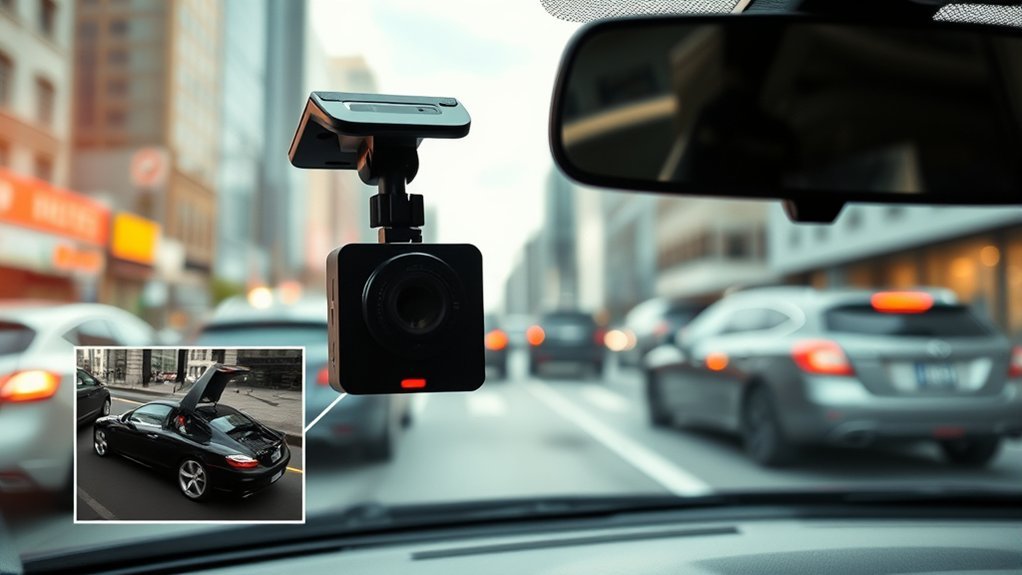
When an accident occurs, dash cams equipped with G-sensors spring into action by automatically locking and saving footage from moments before, during, and after the incident. This essential feature guarantees that you capture important evidence without the risk of overwriting. Most dash cams record continuously in 3-minute segments, meaning you’ll have critical context surrounding the accident. Some models even activate an incident recording feature when they detect sudden stops or impacts, further guaranteeing thorough coverage.
Footage is stored on a micro SD card, which comes in various capacities, allowing for hours of recording based on the card size and video resolution. This flexibility means you can retain significant data without worrying about running out of space. After the accident, accessing and transferring the locked footage becomes straightforward, providing you with the necessary evidence to support insurance claims or assist in police investigations.
How to Access and Manage Your Dash Cam Footage
How can you easily access and manage your dash cam footage? Here’s a straightforward approach to guarantee you never miss vital recordings:
- Remove the micro SD card: Insert it into your computer for direct access to record footage.
- Use Wi-Fi connectivity: If available, transfer files directly to your smartphone or upload them to cloud storage.
- Leverage loop recording: This feature guarantees older footage is overwritten, keeping recent recordings readily accessible.
- Utilize G-sensors: These sensors lock files during incidents, preventing overwrite and preserving essential evidence.
Additionally, many dash cams come with companion apps that enhance your experience, allowing you to easily manage and view footage right from your mobile device. By following these steps, you can effortlessly access footage when needed, guaranteeing you’re always prepared to document your driving experiences.
Benefits of Using a Dash Cam for Drivers
Investing in a dash cam offers numerous advantages that enhance both safety and accountability on the road. These devices provide essential evidence in the event of accidents or disputes, protecting your No Claims Discount and streamlining claims with insurance companies. Many insurers recognize the reduced risk associated with recorded evidence, offering discounts of up to 30% for dash cam users.
Moreover, dash cams promote safer driving behaviors, as you’re more likely to adhere to rules when you know you’re being recorded. Features like Parking Mode guarantee your vehicle is monitored even when you’re away, capturing incidents of theft or vandalism. Additionally, crash impact sensors automatically lock footage of accidents, preserving critical evidence from being overwritten.
| Benefit | Description |
|---|---|
| Evidence in Accidents | Provides video proof for claims and disputes |
| Insurance Discounts | Potentially up to 30% off premiums |
| Safer Driving Behaviors | Encourages more responsible driving |
| Parking Mode | Monitors your vehicle when parked |
| Crash Impact Sensors | Automatically secures important footage |
Frequently Asked Questions
What Is the Downside of a Dashcam?
Dash cams have downsides like privacy concerns, installation challenges, and battery drain. Footage reliability can vary, leading to legal implications. Additionally, cost factors and storage limits may require careful management to guarantee effective usage.
How Does a Dash Cam Connect to a Car?
So, you wanna connect a dash cam? It’s simple! Just choose your power source, mount it securely, and guarantee proper camera placement. Enjoy seamless data transfer and user-friendly connectivity options for smooth recording bliss.
How Do Dash Cameras Save Recordings?
Dash cameras save recordings using loop recording and video compression, storing footage on a memory card. Accident detection locks files, while efficient file management guarantees you always have access to essential evidence when needed.
Do All Dashcams Record When the Car Is Off?
Not all dash cams record when the car’s off. Only those with Parking Mode feature can use battery life and external power sources. Check user settings for motion detection capabilities and video quality during continuous recording.
Conclusion
In a world where your driving skills might rival a soap opera plot twist, a dash cam acts as your ever-watchful, silent co-pilot. It’s not just a fancy gadget; it’s your digital witness, ready to capture your epic maneuvers—or mishaps. So, whether you’re maneuvering through rush-hour chaos or an unexpected deer ballet, investing in a dash cam guarantees you’ve got the footage to back up your side of the story. After all, who wouldn’t want their driving escapades immortalized?






Leave a Reply