Disclosure: As an Amazon Associate, we earn from qualifying purchases. If you click a link on this page and make a purchase, we may receive a small commission at no extra cost to you.
Last updated: May 22, 2026. Product details, availability, coupons, and review counts can change on Amazon. Always confirm the current listing before you buy.
You’ll want a multi-channel dash cam system that can record while your car is parked, capture clear license-plate detail, and protect impact clips from being overwritten. For most parked-car hit-and-run cases, focus on parking mode, G-sensor collision locking, night vision, wide-angle coverage, and enough storage for overnight recording. Start with the quick picks below, then read the product notes to match the right camera to your car, parking location, and evidence needs.
| 4K Dual Dash Camera Front and Rear with Wi-Fi | 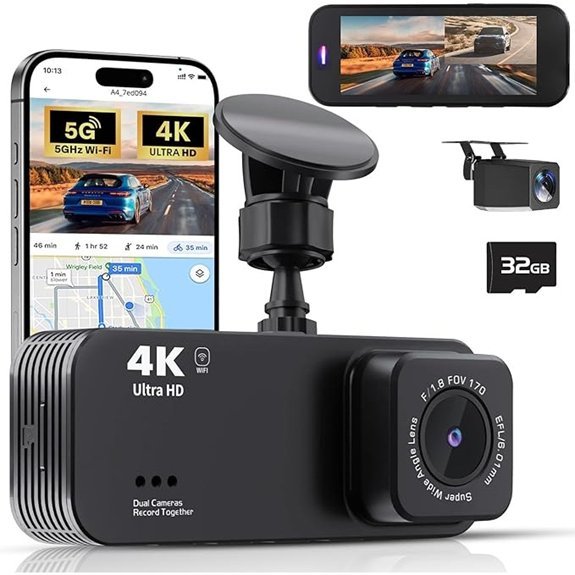 |
Best Front-Rear Clarity | Resolution: Front 4K / Rear 1080P | Multi-Channel Cameras: Dual (front + rear) | Parking Mode: 24-hour parking surveillance (requires separate hardware kit) | CHECK PRICE ON AMAZON | Read Our Analysis |
| 4-Channel 360° 4K Dash Cam with 64GB Card | 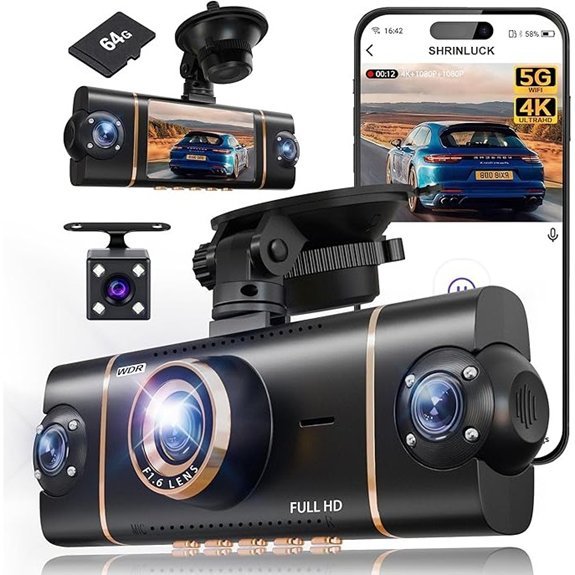 |
Best Full-Coverage | Resolution: Front 4K / other lenses 1080P | Multi-Channel Cameras: 4-channel (4 lenses) | Parking Mode: 24-hour parking mode included | CHECK PRICE ON AMAZON | Read Our Analysis |
| 4K Front and Rear Dash Cam with 32GB | 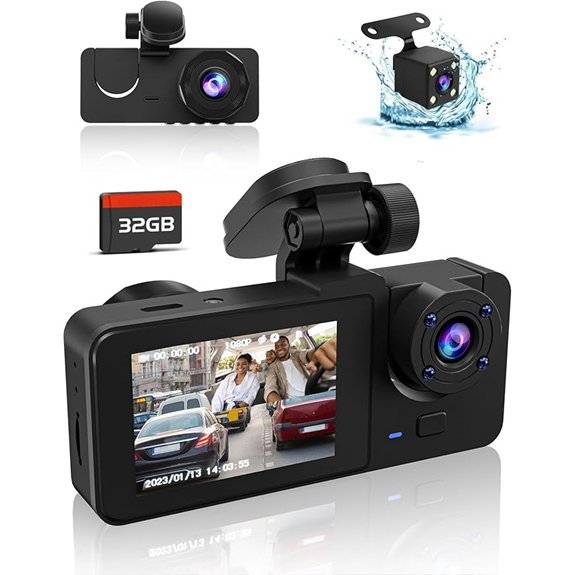 |
Best Compact 3-Channel | Resolution: Front 4K / Rear 1080P | Multi-Channel Cameras: 3-channel (front + built-in + rear) | Parking Mode: Parking mode (automatic start when car off) | CHECK PRICE ON AMAZON | Read Our Analysis |
| 70mai 4K 3-Channel Dash Cam (T800E) | 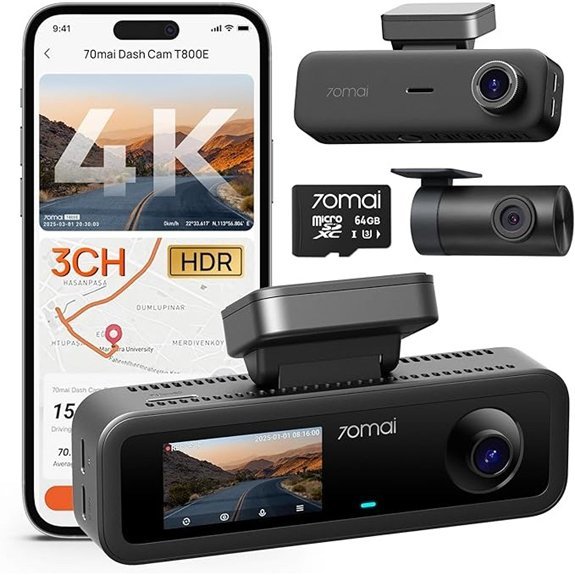 |
Best for Ridehail/Interior | Resolution: Front 4K / Interior & Rear 1080P | Multi-Channel Cameras: 3-channel (front + interior + rear) | Parking Mode: 24/7 parking monitoring (hardwire kit compatible) | CHECK PRICE ON AMAZON | Read Our Analysis |
| 4-Channel 2.5K Dash Cam with 5GHz WiFi | 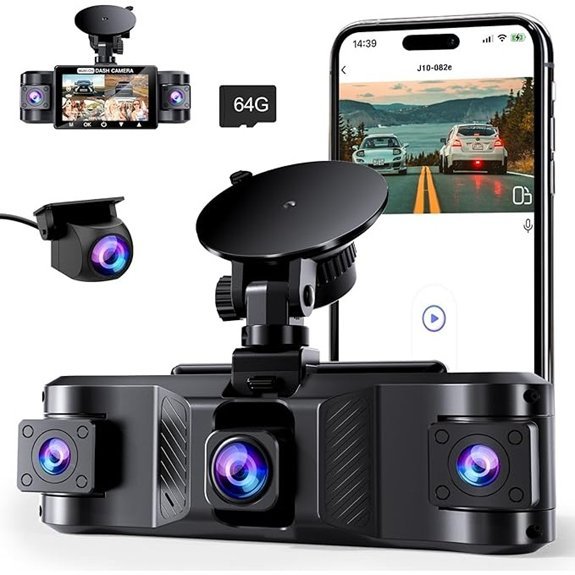 |
Best Multi-Channel Value | Resolution: Front 2.5K / Side & Rear 720P | Multi-Channel Cameras: 4-channel (front + sides + rear) | Parking Mode: Intelligent parking mode (ACC hardwire required for full function) | CHECK PRICE ON AMAZON | Read Our Analysis |
| 4-Channel 360° Full-View 1080P Car Dash Cam | 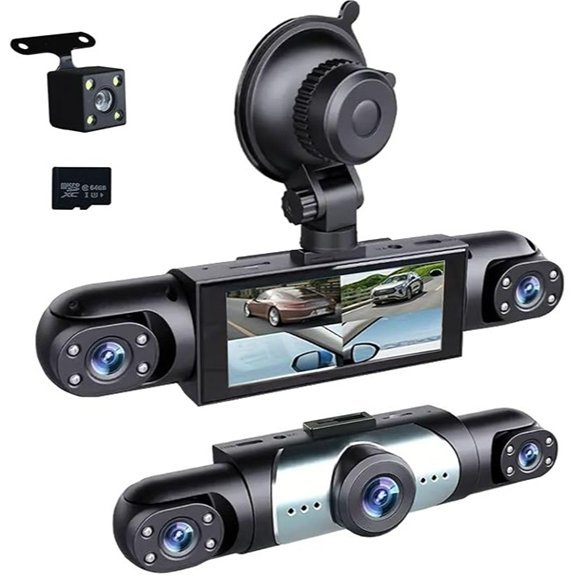 |
Best 360° Budget | Resolution: All lenses 1080P (Full HD) | Multi-Channel Cameras: 4-channel (front, left, right, rear) | Parking Mode: Intelligent 24-hour parking mode (motion/impact activated) | CHECK PRICE ON AMAZON | Read Our Analysis |
| 4K Front & 2.5K Rear Dash Cam (X5) | 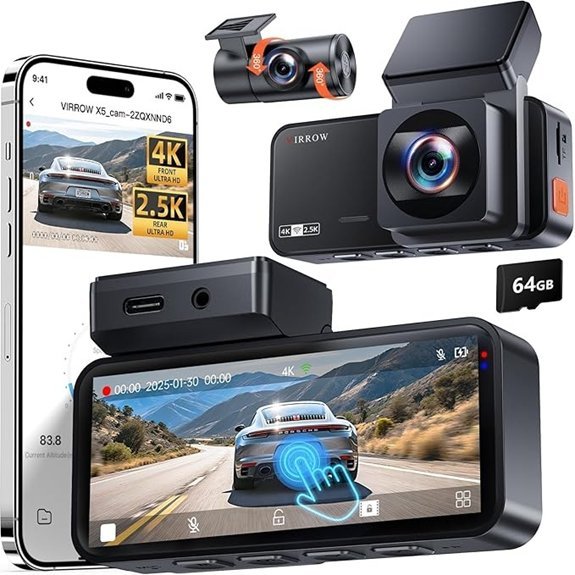 |
Best High-Resolution Pair | Resolution: Front 4K / Rear 2.5K | Multi-Channel Cameras: Dual (front + rear) | Parking Mode: Time-lapse parking mode (activated during parking) | CHECK PRICE ON AMAZON | Read Our Analysis |
How We Chose These Dash Cams
We focused on dash cams that match the real reason you are here: catching clear evidence when someone hits your parked car. That means we prioritized parking mode, G-sensor collision locking, front and rear coverage, night recording, Wi-Fi app access, and included or expandable storage.
We also checked whether each product fits a specific buyer type. A rideshare driver may need an interior camera. A commuter may only need front and rear coverage. Someone parking on a busy street may benefit from a 4-channel or 360° style setup.
Editor’s Pick: The 70mai 4K 3-Channel Dash Cam (T800E) gives the strongest mix of front, rear, and interior coverage for drivers who want evidence while driving and parked. It is especially useful for rideshare drivers, families, and anyone who wants GPS, Wi-Fi, voice control, and a known dash cam brand.
Which Dash Cam Should You Buy?
- Choose a dual front and rear dash cam if you mainly want clear evidence from the road ahead and behind your vehicle.
- Choose a 3-channel dash cam if you want front, rear, and cabin coverage for rideshare driving, family use, or extra context during incidents.
- Choose a 4-channel or 360° style dash cam if your parked car often gets side-swiped, door-dinged, or hit in tight parking areas.
- Choose a model with a hardwire kit option if you need dependable parking mode while your vehicle is off.
More Details on Our Top Picks
-
4K Dual Dash Camera Front and Rear with Wi-Fi
If you want simple front and rear evidence, the 4K Dual Dash Camera is a practical pick. Its listing states that it records Ultra HD 4K up front and 1080P in the rear, with 170°/140° fields of view and a G-sensor that locks impact clips so key footage is not overwritten.
The main buyer benefit is easy evidence capture without moving to a complex 4-channel system. You also get night vision with a 6-layer glass lens and F1.8 aperture, a 3.16-inch IPS screen, loop recording, 5G Wi-Fi, and VIIDURE app access for viewing and downloads.
Pick this if: You want front and rear evidence, easy app access, and a simple setup for daily driving.
Skip this if: You need side-impact coverage or true 360° recording around the parked car.
Pros: 4K front recording, rear camera included, wide front view, Wi-Fi app access, included 32GB card.
Cons: Rear camera records at 1080P, parking surveillance needs a separate hardware kit, and side coverage is limited.
- Resolution: Front 4K / Rear 1080P
- Multi-Channel Cameras: Dual (front + rear)
- Parking Mode: 24-hour parking surveillance (requires separate hardware kit)
- G-Sensor (Collision Lock): Built-in G-sensor locks emergency videos
- Wi-Fi / App Integration: 5G Wi-Fi + VIIDURE app (live stream, download)
- Loop Recording / SD Card Support: Loop recording; includes 32GB U3, expandable to 128GB
- Additional Feature: 3.16-inch IPS screen
- Additional Feature: Claimed 25MBps smartphone download
- Additional Feature: Includes 19.7ft rear cable
-
4-Channel 360° 4K Dash Cam with 64GB Card
For drivers who park on busy streets or in tight lots, the 4-Channel 360° 4K Dash Cam gives wider scene coverage than a basic dual-camera setup. Its listing describes a 4K front camera with three 1080P cameras, designed to record the front, rear, left, and right sides at the same time.
This setup helps reduce blind spots, which matters when another car clips your bumper, door, or side panel while parked. It also includes a 3-inch IPS screen, loop recording, a 64GB card, G-sensor clip locking, IR LEDs, WDR, 5GHz Wi-Fi, GPS, and app access.
Pick this if: You want wider parked-car coverage and you value side views more than the simplest installation.
Skip this if: You prefer a well-known brand or want a higher review volume before buying.
Pros: Four-channel coverage, 4K front lens, 64GB card included, GPS support, parking mode support.
Cons: The extra cameras can take longer to install, and the non-front cameras are limited to 1080P.
- Resolution: Front 4K / other lenses 1080P
- Multi-Channel Cameras: 4-channel (4 lenses)
- Parking Mode: 24-hour parking mode included
- G-Sensor (Collision Lock): Built-in G-sensor locks collision footage
- Wi-Fi / App Integration: Dual-band 5GHz Wi-Fi + viidure app (plus GPS)
- Loop Recording / SD Card Support: Loop recording; includes 64GB card (pre-installed)
- Additional Feature: Dual-band 5GHz WiFi
- Additional Feature: Built-in GPS tracking
- Additional Feature: 8 infrared LED lamps
-
4K Front and Rear Dash Cam with 32GB
The 4K Front and Rear Dash Cam with 32GB is a better fit if you want front, rear, and interior context without buying a larger premium system. Its listing describes 4K front recording, 1080P rear recording, and a built-in cabin-facing camera for extra coverage.
You get a 170° front view, 150° built-in view, and 160° rear view, plus super night vision with f/2.0, 6-layer optics, WDR, and infrared lights. It powers on with the car, uses the included detachable 32GB card, supports loop recording, and locks collision clips through a G-sensor.
Pick this if: You want a low-cost 3-channel setup with a screen and included storage.
Skip this if: You need a larger included memory card or a stronger brand reputation.
Pros: 3-channel recording, 4K front capture, included 32GB card, WDR/HDR support, G-sensor locking.
Cons: 32GB may fill quickly with multi-channel footage, and the rear channel is not 4K.
- Resolution: Front 4K / Rear 1080P
- Multi-Channel Cameras: 3-channel (front + built-in + rear)
- Parking Mode: Parking mode (automatic start when car off)
- G-Sensor (Collision Lock): G-sensor detects collisions and locks recordings
- Wi-Fi / App Integration: Wi-Fi app control (video access) — app implied
- Loop Recording / SD Card Support: Loop recording; includes detachable 32GB card
- Additional Feature: Three-channel recording
- Additional Feature: Detachable 32GB card
- Additional Feature: 4 infrared lights
-
70mai 4K 3-Channel Dash Cam (T800E)
The 70mai T800E is the strongest choice here for rideshare drivers, family vehicles, and drivers who want front, rear, and interior evidence. Its listing states that it records 4K front video with 1080P interior and rear channels, so it can capture road context and cabin context in the same incident.
You also get HDR, 3D noise reduction, switchable infrared recording for the interior camera, 24/7 parking monitoring with hardwire compatibility, G-sensor locking, Wi-Fi 6, built-in GPS, voice control, a 64GB card, support up to 512GB, and a supercapacitor power system.
Pick this if: You drive rideshare, park in public areas often, or want a more complete evidence setup from a recognized dash cam brand.
Skip this if: You only need a simple front and rear camera and do not need cabin recording.
Pros: 3-channel coverage, 4K front camera, interior IR recording, GPS, Wi-Fi 6, voice control, 64GB card included.
Cons: Parking monitoring needs a compatible hardwire kit for full use, and cabin recording may not matter for every driver.
- Resolution: Front 4K / Interior & Rear 1080P
- Multi-Channel Cameras: 3-channel (front + interior + rear)
- Parking Mode: 24/7 parking monitoring (hardwire kit compatible)
- G-Sensor (Collision Lock): G-sensor collision detection locks footage
- Wi-Fi / App Integration: Wi-Fi 6 + app/voice features (file transfer)
- Loop Recording / SD Card Support: Loop recording; includes 64GB card, supports up to 512GB
- Additional Feature: Wi-Fi 6 transfers
- Additional Feature: Voice control support
- Additional Feature: Supercapacitor power system
-
4-Channel 2.5K Dash Cam with 5GHz WiFi
If you want side coverage without moving into a premium price tier, this 4-channel 2.5K dash cam gives you front, side, and rear recording in one setup. Its listing states that the front camera records at 2.5K, while the side and rear cameras record at 720P.
That trade-off makes sense for buyers who care more about catching the direction of an impact than reading every side-angle detail. You also get simultaneous recording, G-sensor collision locking, loop recording, 5GHz WiFi, Viidure app access, WDR, IR night support, and intelligent parking mode with a required ACC hardwire kit for full function.
Pick this if: You want multi-angle parking evidence at a value-focused level.
Skip this if: You need high-resolution side and rear footage for reading plates at a distance.
Pros: 4-channel coverage, 2.5K front recording, 5GHz WiFi, app control, 64GB card included.
Cons: Side and rear cameras are 720P, and full parking mode needs a separate ACC hardwire kit.
- Resolution: Front 2.5K / Side & Rear 720P
- Multi-Channel Cameras: 4-channel (front + sides + rear)
- Parking Mode: Intelligent parking mode (ACC hardwire required for full function)
- G-Sensor (Collision Lock): Built-in G-sensor locks footage during collisions
- Wi-Fi / App Integration: 5GHz Wi-Fi + Viidure app
- Loop Recording / SD Card Support: Loop recording; includes 64GB card
- Additional Feature: 2.5K front resolution
- Additional Feature: Optionally disable side/rear
- Additional Feature: Time-saving tutorial videos
-
4-Channel 360° Full-View 1080P Car Dash Cam
The 4-Channel 360° Full-View 1080P Car Dash Cam is a budget-minded option for drivers who want front, left, right, and rear views. Its listing describes four 1080P feeds with adjustable front lenses, designed to cover more of the area around the vehicle than a basic single-lens dash cam.
This makes it useful for tight parking spots, apartment lots, and street parking where side impacts matter. The G-sensor locks collision clips, loop recording manages storage, and intelligent parking mode monitors motion and impacts for 24-hour protection. WDR and infrared support help low-light footage.
Pick this if: You need low-cost 360° style coverage and do not need 4K recording.
Skip this if: You need the clearest plate capture, because 1080P can struggle more at night or from a distance.
Pros: 4-channel layout, 1080P coverage on all lenses, adjustable bracket, parking mode support, useful for fleets or taxis.
Cons: Lower resolution than 4K options, and budget models often need closer review of current ratings and seller support.
- Resolution: All lenses 1080P (Full HD)
- Multi-Channel Cameras: 4-channel (front, left, right, rear)
- Parking Mode: Intelligent 24-hour parking mode (motion/impact activated)
- G-Sensor (Collision Lock): Built-in G-sensor locks footage on sudden shakes/collisions
- Wi-Fi / App Integration: Wi-Fi + app control (user manual references app use)
- Loop Recording / SD Card Support: Loop recording; SD card support implied
- Additional Feature: 360° adjustable bracket
- Additional Feature: Three adjustable front lenses
- Additional Feature: Suited for fleet/taxi use
-
4K Front & 2.5K Rear Dash Cam (X5)
The X5 is the best fit here if you want stronger rear-camera detail than a standard 4K/1080P dual system. Its listing states that it records 4K in front and 2.5K in the rear, with wide 170°/165° views and automatic emergency clip locking through its G-sensor.
You also get simultaneous front/rear recording, loop recording, a 64GB card, a 3.39-inch touchscreen, 360° rear-camera adjustment, WiFi app downloads, WDR night support, time-lapse parking mode, and supercapacitor durability. This is a strong option for drivers who value rear evidence but do not need cabin or side cameras.
Pick this if: You want high front and rear resolution for parking lots, commutes, and rear-end incidents.
Skip this if: You want side-impact or cabin coverage.
Pros: 4K front and 2.5K rear recording, touchscreen, 64GB card included, wide views, supercapacitor design.
Cons: Dual-channel only, and parking mode performance depends on correct power setup.
- Resolution: Front 4K / Rear 2.5K
- Multi-Channel Cameras: Dual (front + rear)
- Parking Mode: Time-lapse parking mode (activated during parking)
- G-Sensor (Collision Lock): Built-in G-sensor locks emergency footage
- Wi-Fi / App Integration: High-speed Wi-Fi + free app for downloads
- Loop Recording / SD Card Support: Loop recording; includes 64GB card (supports time-lapse)
- Additional Feature: 3.39-inch touchscreen
- Additional Feature: Time-lapse parking mode
- Additional Feature: Supercapacitor durability
Factors to Consider When Choosing a Dash Cam for Filming People Hitting Parked Cars
When you’re shopping for a dash cam to catch people hitting parked cars, prioritize parking mode, impact detection, low-light footage, and a wide field of view. These features help the camera record the incident, save the file, and give you footage that is easier to use for an insurance claim or police report.
Video Resolution Importance
Choose at least 1080P for basic evidence, but choose 4K when license-plate clarity matters most. Higher resolution helps when you zoom into footage, crop a plate, or review a hit from a distance.
Resolution alone does not guarantee readable plates at night. Lens quality, exposure control, WDR, windshield glare, speed, and lighting also affect the final clip.
Wide Field Coverage
Parked-car incidents often happen outside the center of the frame. A wide field of view or multi-channel setup can help capture side swipes, rear bumps, and people walking near the vehicle.
A 170° front lens covers more road area, but it can also make distant plates look smaller. For the best balance, choose wide coverage for context and higher resolution for detail.
Nighttime Low-Light Performance
Many hit-and-run incidents happen in low light. Look for WDR, HDR, a wide aperture, infrared support for cabin cameras, and strong night processing.
Keep your windshield clean and avoid mounting the camera behind heavy tint. A good camera can still struggle if glare, rain, or dirty glass blocks the lens.
Motion And Impact Detection
Motion detection and impact detection decide whether the camera saves the clip when your car is parked. A reliable G-sensor locks emergency files after sudden impact so loop recording does not overwrite them.
For overnight protection, check whether the camera needs a separate hardwire kit. Many dash cams advertise parking mode, but the full feature often needs constant power from a hardwire kit or external battery.
Secure File Protection
Secure file protection matters because normal loop recording deletes older clips when the memory card fills. A good dash cam separates locked emergency files from normal recordings.
Use a high-endurance microSD card when possible. Standard cards can wear out faster in dash cams because they write video constantly.
Visible Deterrent Features
A visible dash cam may discourage some people from damaging your parked car, especially if the camera has an active screen or visible recording light. This is not guaranteed, but it can help in public parking areas.
Do not rely only on deterrence. The main goal is still to record, save, and retrieve usable footage if an incident happens.
Easy App Access
App access matters because you may need to download and share a clip quickly after a hit-and-run. Wi-Fi-enabled dash cams with stable apps make it easier to view footage from your phone.
GPS can also help by adding route, speed, and location context. That context may be useful when you prepare an insurance claim or incident report.
Common Buyer Mistakes to Avoid
- Buying only by resolution: 4K helps, but parking mode and file locking matter just as much for parked-car evidence.
- Ignoring the hardwire requirement: Many parking features need a separate hardwire kit to work properly while the car is off.
- Using the wrong memory card: Use a card designed for continuous video recording when possible.
- Expecting perfect night plates: No dash cam can guarantee clear plates in every lighting condition.
- Skipping test footage: After installation, review daytime and nighttime clips to confirm the camera angle and focus.
Frequently Asked Questions
Can a Dash Cam Capture License Plates Clearly at Night?
Yes, but only under the right conditions. A dash cam with strong low-light performance, WDR or HDR, a clean windshield, and correct mounting has a better chance of capturing plates clearly at night.
Will Recorded Footage Be Admissible in Court for Hit-And-Run Cases?
Dash cam footage may be useful for hit-and-run cases, but admissibility depends on local rules and the situation. Keep the original file, preserve the timestamp, avoid editing the footage, and ask local authorities or a legal professional if the case becomes serious.
Do Dash Cams Continue Recording When the Car Battery Is Disconnected?
Usually, no. Most dash cams stop recording when they lose power unless they have an internal battery, an external battery pack, or a hardwire setup with a backup power source.
Are There Privacy Laws About Filming People Near Parked Cars?
Yes. Video and audio recording laws vary by location. Recording in public may be allowed in many places, but audio recording, sharing footage online, and recording private areas can create legal problems. Check your local rules before posting or sharing footage.
How Do I Securely Store and Back up Long-Term Incident Videos?
Save the original file first. Then keep one copy on your computer, one copy in cloud storage, and one offline backup if the incident is important. Do not trim or edit the original clip before you share it with your insurer or police.
Do I Need a Hardwire Kit for Parking Mode?
In many cases, yes. A hardwire kit lets the dash cam keep working after the vehicle is off. Some kits also include voltage protection to reduce the risk of draining your car battery.
What Size Memory Card Is Best for a Parked-Car Dash Cam?
A 64GB card is a reasonable starting point, but 128GB or higher is better for multi-channel systems. Check the camera’s maximum supported card size before buying.
Conclusion
The best dash cam for filming people hitting parked cars is the one that records the right angle, saves the clip automatically, and lets you retrieve the footage fast. For the strongest overall setup, start with the 70mai 4K 3-Channel Dash Cam (T800E). For sharper front and rear footage without cabin recording, compare it with the 4K Front & 2.5K Rear Dash Cam (X5).
Before you buy, check the current Amazon listing, confirm whether parking mode needs a hardwire kit, and review recent buyer feedback. A few minutes of setup and testing can make the difference between blurry footage and useful evidence.
