Complete RAV4 Auto Start Stop Guide for 2026
The Toyota RAV4 Stop & Start system can feel abrupt in traffic, drive-through lines, and tight parking areas. The correct way to switch it off depends on your model year, powertrain, market, and whether the system is fitted at all. This guide explains the factory cancel button, the limits of aftermarket memory modules, and why hood-latch connector tampering is not a safe disable method.
Quick Answer
On a gasoline Toyota RAV4 equipped with Stop & Start, press the factory cancel button after starting the vehicle. Toyota does not provide a normal owner setting that keeps it disabled after every restart. A model-specific plug-in module may remember the setting, but it is aftermarket. Do not unplug the hood-latch connector to disable the system.
Key Takeaways
- The factory Stop & Start cancel button is the lowest-risk option because it does not alter vehicle wiring.
- The feature is only present on certain gasoline RAV4 models and markets; check for the button and confirm the system in your owner’s manual.
- The 2026 RAV4 is offered with hybrid and plug-in hybrid powertrains, so older gas-model bypass advice does not apply.
- Aftermarket eliminators are seller-supported accessories, not Toyota-approved permanent settings.
- Hood-latch wiring changes can affect warnings, security functions, diagnostics, and warranty decisions related to the modification.
At a Glance
| Time Required | About 5 seconds for the factory button; usually 10–30 minutes for a compatible plug-in module |
| Difficulty | Easy for the factory button; moderate for trim-panel module installation |
| Tools Needed | None for the factory button; plastic trim tool and the module maker’s instructions for an aftermarket installation |
| Cost | $0 for the factory method; aftermarket module prices vary by seller and fitment |
What’s in This Article
- How to Disable RAV4 Auto Start/Stop
- Check Your Model, Powertrain, and Fitment
- Use the Factory Cancel Button
- Compare the Available Methods
- Why You Should Not Unplug the Hood-Latch Connector
- Using a Tectary Auto Start-Stop Eliminator
- Troubleshooting Warnings and Inconsistent Operation
- Warranty and Service Considerations
- What Owners Commonly Notice
- Alternatives to a Permanent Bypass
- Frequently Asked Questions
- Conclusion
How to Disable RAV4 Auto Start/Stop
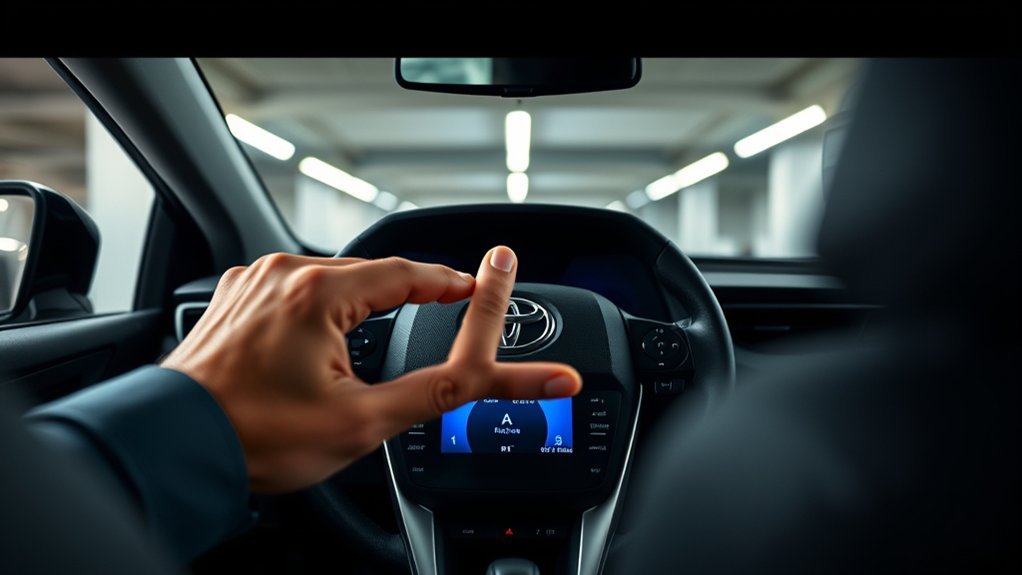
For an equipped gasoline RAV4, the recommended owner-controlled method is the factory Stop & Start cancel switch. Press it after the engine starts and confirm that the cancel indicator appears in the instrument display. The system normally becomes available again after the vehicle is switched off and restarted.
Some owners install a plug-and-play memory module so the vehicle recalls the last button setting. That can reduce repetition, but compatibility, installation quality, and support depend on the seller. Toyota does not list a permanent owner setting in the normal controls.
“If equipped” matters: not every RAV4 has a separate gasoline-engine Stop & Start system or cancel switch.
Before You Begin: Check Your Model, Powertrain, and Fitment
Confirm four details before you buy a module or follow a model-specific procedure:
- Model year: Switch layouts and connectors can change between model years.
- Powertrain: A gasoline RAV4 with Stop & Start is different from a RAV4 Hybrid or Plug-in Hybrid, where the engine starts and stops as part of hybrid operation.
- Market and trim: Equipment can differ by country and trim level.
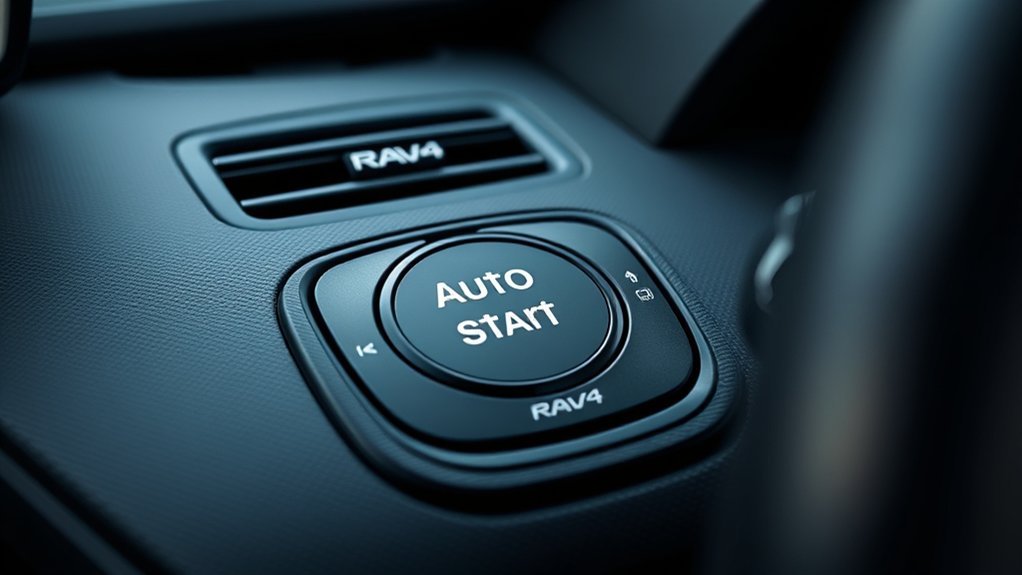
- Actual switch: Look for the Stop & Start cancel button, often marked with an “A” and a circular arrow. Confirm its operation in the owner’s manual.
Toyota’s 2024 RAV4 Quick Reference Guide identifies the Stop & Start system and cancel switch as “if equipped.” Toyota’s official 2026 RAV4 information describes the redesigned model as fully electrified with hybrid and plug-in hybrid powertrains. Do not assume a module sold for 2019–2025 gasoline models fits a 2026 RAV4.
Warning: Do not cut, splice, bridge, or unplug hood-switch wiring to defeat Stop & Start. The hood switch can be used by the engine-control, warning, remote-start, and security systems, depending on the vehicle.
What You Need
- Your exact model year, trim, market, and powertrain
- The owner’s manual or Toyota digital manual
- Your vehicle identification number (VIN) for recall and dealer checks
- A plastic trim tool only if a verified module installation requires panel removal
- The module maker’s exact installation and removal instructions
Use the Factory Stop & Start Cancel Button
- Start the RAV4. Keep the vehicle in Park with the parking brake applied.
- Find the cancel switch. Look for the Stop & Start symbol near the driver controls. The position varies by model year and trim.
- Press the switch once. Do not hold it unless your owner’s manual instructs you to do so.
- Check the instrument display. Confirm that the Stop & Start cancel indicator appears.
- Repeat after the next restart. The factory cancellation is normally temporary and does not remain selected after the ignition is cycled.
Pro Tip: Use the factory button for a week before modifying anything. It confirms that the system itself is the source of your concern and shows whether pressing one button per trip is acceptable.
Overview of Methods to Disable Auto Start/Stop
| Method | What It Does | Main Tradeoff | Recommendation |
|---|---|---|---|
| Factory cancel button | Disables the feature for the current drive | Must be pressed again after a restart | Best first choice |
| Plug-in memory module | Electronically repeats or remembers the switch setting | Seller fitment, installation, and warranty support vary | Consider only after exact fitment verification |
| Hood-latch connector tampering | Attempts to alter the hood-status signal | Can cause warnings, alarms, stored codes, or other feature problems | Not recommended |
Why You Should Not Unplug the Hood-Latch Connector
Unplugging the hood-latch connector is an internet workaround, not a Toyota-approved Stop & Start procedure. A hood-status input may affect more than one system. Depending on the RAV4, an altered or missing signal can produce a “Stop & Start not available” message, security warnings, remote-start problems, a hood-open indication, or stored diagnostic trouble codes.
The connector response can also differ by model year, trim, market, alarm configuration, and software calibration. A method that appears to work on one vehicle may not behave the same way on another.
How to Restore a Disconnected Hood Switch
- Park safely. Shift to Park, switch the vehicle off, apply the parking brake, and keep the key away from the vehicle.
- Inspect the connector. Look for bent pins, damaged wiring, water, dirt, or a partially seated locking tab.
- Reconnect it fully. Push on the connector body until the lock engages. Do not pull or push directly on the wires.
- Close and latch the hood. Confirm that it is fully secured before starting the vehicle.
- Restart and check the display. Watch for hood, security, Stop & Start, or check-engine messages.
- Get a diagnostic scan if warnings remain. A qualified technician can read stored codes and inspect the hood switch circuit.
Note: Reconnecting a connector does not guarantee that stored codes or warning history will clear immediately. Do not erase codes before diagnosis if a warning remains.
Using Tectary’s Auto Start-Stop Eliminator: Installation and Limits
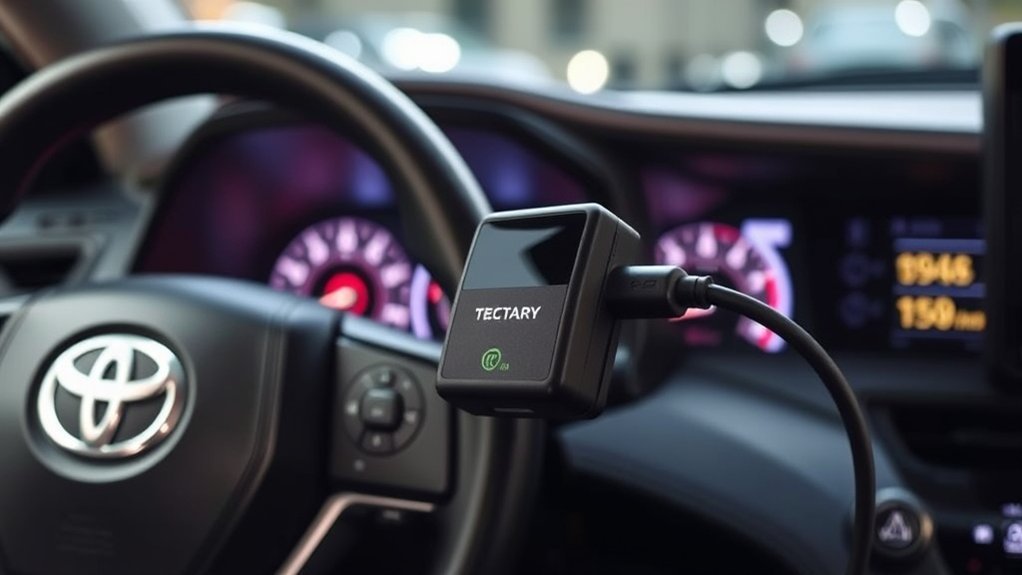
Tectary has advertised a plug-and-play auto start-stop eliminator for 2020–2025 Toyota RAV4 models. That compatibility range is a seller claim, not a Toyota fitment approval. Confirm the exact connector, switch-panel layout, trim, market, and powertrain before ordering.
- Verify the complete fitment statement. Match more than the model name and year. Check trim exclusions, connector photos, left- or right-hand-drive requirements, and gasoline-only limits.
- Read the return policy and instructions first. Do not remove trim until you know how the panel releases and where the module connects.
- Switch the vehicle off. Keep the key away from the cabin and follow the module maker’s electrical-safety steps.
- Use a plastic trim tool. Protect the panel edges and avoid pulling on the factory wiring.
- Insert the module in the specified connector path. Never force mismatched plugs or alter locking tabs.
- Test every affected feature. Check the cancel button, dashboard messages, normal starting, security system, and remote start if equipped.
- Remove the module if faults appear. Restore the factory connection and seek diagnosis if warnings remain.
The expected benefit is convenience: a compatible module can reproduce or remember the disabled setting after startup. Do not rely on broad claims that every factory function will remain unchanged. Verify operation on your own vehicle after installation.
Aftermarket Module Buying Checklist
- Exact model year, trim, market, and gasoline powertrain listed
- Connector photos that match your switch panel
- Clear installation and removal instructions
- Seller support and a usable return policy
- No wire cutting, splicing, programming bypass, or defeat of safety warnings
- A plan to restore the factory connector before electrical diagnosis
Common Issues When Disabling Auto Start/Stop and How to Fix Them
Stop & Start operation depends on vehicle conditions. A system that does not stop the engine is not always faulty. Battery charge, engine temperature, cabin temperature demand, windshield defogging, hood status, seat-belt status, door position, steering input, incline, and other conditions can affect operation.
| Symptom | Likely Check | Next Step |
|---|---|---|
| Engine does not stop at a light | Cancel indicator, battery state, climate or defogger demand, engine temperature, hood and door status | Review the owner’s manual conditions before assuming a fault |
| “Stop & Start not available” message | Battery condition, hood switch, recent connector changes, stored codes | Restore factory wiring and obtain a diagnostic scan if it persists |
| Beeping, alarm, or hood warning | Hood fully latched, hood connector seated, alarm status | Reconnect and inspect the hood circuit; do not continue using the workaround |
| Module does not remember the setting | Wrong fitment, loose connector, module setup sequence, defective unit | Remove it, restore stock operation, and contact the seller |
| New warning after module removal | Factory connector lock, bent pins, damaged wiring, stored code | Stop further testing and have the circuit inspected |
Battery Condition and Replacement
Stop & Start systems place different demands on the 12-volt battery than a conventional starting system. A weak, recently disconnected, or incorrect replacement battery can limit operation or trigger messages. Use the battery type and specification required by the owner’s manual or Toyota service information, and have the charging system tested if the feature becomes inconsistent.
Alarm and Security-System Problems
The hood switch may be part of the security logic. If warnings or alarm behavior began after a hood-connector change, restore the factory connection first. Confirm that the hood closes fully, then have the hood-switch circuit and stored codes checked if the problem continues.
How Disabling Auto Start/Stop Can Affect Your Warranty and Vehicle
An aftermarket part does not automatically cancel an entire U.S. vehicle warranty. However, coverage for a particular failure can be denied when the manufacturer or dealer shows that an aftermarket part or its installation caused the damage. The Federal Trade Commission’s auto-warranty guidance explains this distinction.
A removable plug-in module usually creates less permanent change than cutting or splicing wires, but it still alters the behavior of a factory feature. Keep the receipt, instructions, original connector arrangement, and removal steps. Tell the technician about relevant modifications when a service visit involves the battery, starter, engine control, security system, remote start, dashboard switches, or associated wiring.
Do not hide a modification or erase diagnostic information before service. Accurate disclosure helps the technician separate a product problem from an unrelated vehicle fault.
Note: Toyota’s battery-related recall for certain 2013–2018 RAV4 vehicles concerns replacement 12-volt battery fit and possible movement. It is separate from the Stop & Start system discussed here. Check your VIN through the NHTSA recall lookup.
What RAV4 Owners Usually Notice After Disabling Auto Start/Stop

Owners who dislike the restart sensation often prefer the steady engine feel they get after pressing the factory cancel button. The tradeoff is repetition at every startup. Owners who choose memory modules value convenience, but they must accept fitment uncertainty and another electrical component in the switch circuit.
- Factory-button users keep the vehicle unmodified but press the switch for each drive.
- Module users may gain a remembered setting but depend on seller compatibility and installation quality.
- Hood-latch workaround users may encounter warnings, alarm behavior, or diagnostic confusion.
- Service-focused owners often keep the vehicle stock to simplify troubleshooting and warranty visits.
These are practical tradeoffs, not proof that one modification works on every RAV4. The lowest-risk path remains the factory switch.
Alternatives to Disabling Auto Start/Stop Permanently
Use the Factory Button for Selected Trips
You may not need the feature off every day. Press the cancel switch when you expect heavy stop-and-go traffic, repeated short movements, towing or maneuvering situations covered by your manual, or any drive where the restart sensation bothers you. Leave the system available on other trips.
Let Normal Operating Conditions Control It
The system may keep the engine running when the battery needs charging, the engine is not ready, or heating, cooling, and windshield-clearing demands are high. Use climate and defogger settings for comfort and visibility, not as a bypass trick. Do not reduce brake control, cabin comfort, or windshield clarity merely to change Stop & Start behavior.
Have Rough or Delayed Restarts Diagnosed
A normal restart may be noticeable, but severe shaking, slow cranking, repeated warning messages, stalling, or electrical resets deserve diagnosis. Ask a Toyota dealer or qualified technician to test the 12-volt battery, charging system, starter system, stored codes, and applicable software or service information before installing a bypass.
Frequently Asked Questions
How do I permanently turn off Toyota RAV4 auto start/stop?
Toyota does not provide a normal owner setting that permanently disables Stop & Start on equipped gasoline RAV4 models. The factory cancel button works for the current drive. A compatible aftermarket memory module may repeat or remember the setting, but it is not a Toyota-approved permanent setting.
Can I turn off auto start/stop without cutting wires?
Yes. Press the factory cancel button to switch it off for the current drive. Some aftermarket modules use plug-in connectors without cutting or splicing, but you still need exact fitment and careful installation.
How do I turn off Toyota auto start/stop for one trip?
Start the vehicle, press the Stop & Start cancel switch, and confirm the cancel indicator on the instrument display. The feature normally becomes available again after the ignition is switched off and restarted.
Does this guide apply to a RAV4 Hybrid or 2026 RAV4?
Not in the same way. A RAV4 Hybrid or Plug-in Hybrid starts and stops the gasoline engine as part of hybrid-system operation. The redesigned 2026 RAV4 is offered with hybrid and plug-in hybrid powertrains, so a gas-model Stop & Start cancel module should not be assumed compatible.
Why does my RAV4 say Stop & Start is unavailable?
The message can appear when operating conditions are not met or when the system detects a fault. Check the cancel indicator, battery condition, hood and door status, climate demand, and any recent wiring or module changes. Restore factory connections and obtain a diagnostic scan if the message remains.
Will an auto start-stop eliminator affect my warranty?
It does not automatically void the entire warranty in the United States. A related claim can be denied if the module or its installation caused the failure. Keep the installation reversible, retain documentation, and disclose the modification when it is relevant to diagnosis.
What is the lawsuit against the Toyota RAV4?
The cited sources do not identify a main class action centered on RAV4 Stop & Start. A separate battery matter and NHTSA Recall 23V-734 involve certain 2013–2018 RAV4 vehicles and replacement 12-volt battery fit. Check your VIN for open recalls rather than assuming it relates to auto start/stop.
Vehicle Safety and Warranty Disclaimer: This article is for general information and is not professional repair, legal, or warranty advice. Consult the owner’s manual, a qualified technician, a Toyota dealer, or a warranty professional before changing vehicle wiring or installing an electronic module.
Conclusion
The safest way to disable Stop & Start on an equipped gasoline Toyota RAV4 is to press the factory cancel button for each drive. A model-specific plug-in module may add convenience, but it should be treated as an aftermarket electrical modification with seller-dependent fitment. Do not use the hood-latch connector as a bypass. First confirm your powertrain and equipment, then choose the least invasive option that solves the problem.
Sources
- 2024 Toyota RAV4 Quick Reference Guide — identifies the Stop & Start system and cancel switch as equipment-dependent
- Toyota RAV4 switch reference — shows the Stop & Start cancel switch on equipped gasoline models
- 2025 Toyota RAV4 Hybrid switch reference — supports the distinction between hybrid controls and the gasoline-model cancel switch
- 2026 Toyota RAV4 official vehicle information — confirms the redesigned model’s hybrid and plug-in hybrid powertrains
- Federal Trade Commission: Auto Warranties and Auto Service Contracts — explains warranty treatment of aftermarket parts and related damage
- NHTSA Recall Lookup and Recall 23V-734 manufacturer notice — supports VIN-based recall checks and the separate 2013–2018 RAV4 battery issue