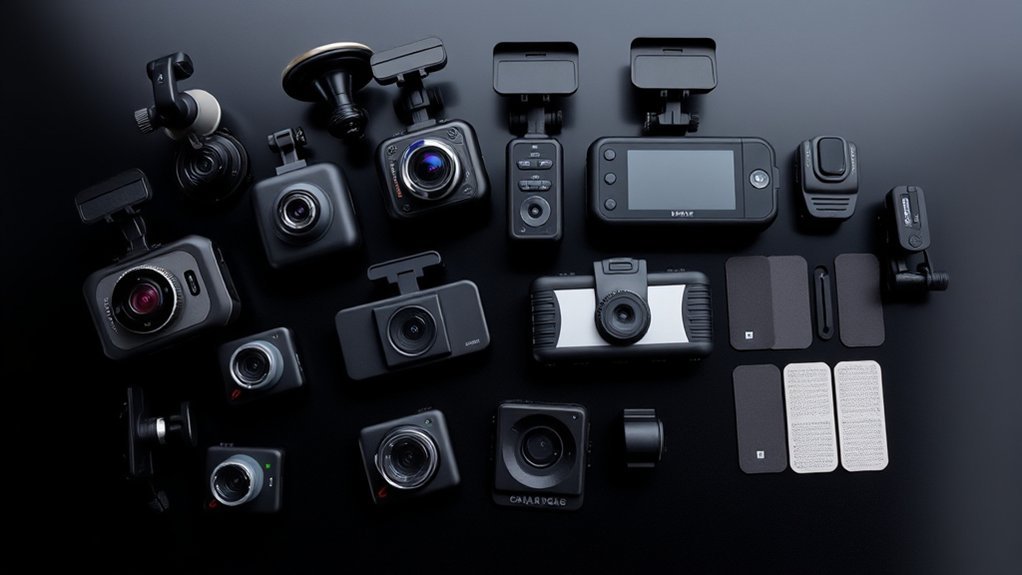
A dash cam usually looks like a small black camera mounted near the windshield or rearview mirror. Depending on the design, it may look like a wedge, a short cylinder, a compact action camera, or a small screen with a lens on the front.
Most setups include a camera body, lens, mount, memory-card slot, status light, and power cable. Front, rear, and interior cameras can look different, but each should stay secure, record a clear view, and avoid blocking the driver’s line of sight.
Quick Answer
A dash cam looks like a compact camera attached to the windshield, dashboard, or rear window. It may have a screen, visible lens, buttons, status lights, and a power cable. Some systems use one forward-facing camera, while others add rear or cabin cameras for wider coverage.
Key Takeaways
- Dash cams commonly use wedge, box, cylindrical, or screen-style bodies.
- Front cameras record the road ahead, while rear and interior cameras add more viewing angles.
- Many models automatically record while powered and use loop recording to replace older unlocked clips.
- Parking mode normally needs a compatible constant-power accessory, hardwire kit, or battery pack.
- The camera must be mounted securely without blocking the road, mirrors, signs, or airbag deployment paths.
What’s in This Article
- What Does a Dash Cam Look Like?
- What Are Dash Cams and How Do They Work?
- Common Types of Dash Cams
- Dash Cam Sizes
- How to Mount a Dash Cam
- Essential Dash Cam Features
- Choosing the Right Dash Cam
- Benefits of Multi-Channel Dash Cams
- Smart Dash Cam Features
- Dash Cam Installation and Setup
- What to Do After an Incident
- Frequently Asked Questions
- Conclusion
- Sources
What Does a Dash Cam Look Like?
A dash cam is normally small enough to fit behind or beside the rearview mirror. The front of the unit has a camera lens, while the side or back may have a screen, buttons, ventilation openings, a memory-card slot, and power or data ports.
Screenless models often look like a small box or wedge and rely on a phone app for setup and playback. Models with built-in displays look more like a compact digital camera. Rear cameras are usually smaller because they do not need a large screen or many controls.
| Visible Part | What It Looks Like | Purpose |
|---|---|---|
| Camera body | A wedge, box, short cylinder, or small screen unit | Holds the lens, processor, card slot, controls, and power connection |
| Lens | A small round glass opening on the road-facing side | Captures the road, cabin, or rear view |
| Display | A small LCD screen, usually on the driver-facing side | Shows live view, settings, status, and saved clips |
| Status light | One or more small red, blue, or green LEDs | Shows power, recording, connection, or error status |
| Mount | An adhesive pad, suction cup, magnetic base, or bracket | Keeps the camera stable and correctly aimed |
| Power cable | A thin USB or manufacturer-specific cable | Connects the camera to a USB port, 12V adapter, hardwire kit, or battery pack |
| Secondary camera | A smaller camera mounted at the rear window or inside the cabin | Records traffic behind the car or activity inside it |
A good dash cam should have a clear view of the road without becoming a distraction in the driver’s view.
What Are Dash Cams and How Do They Work?
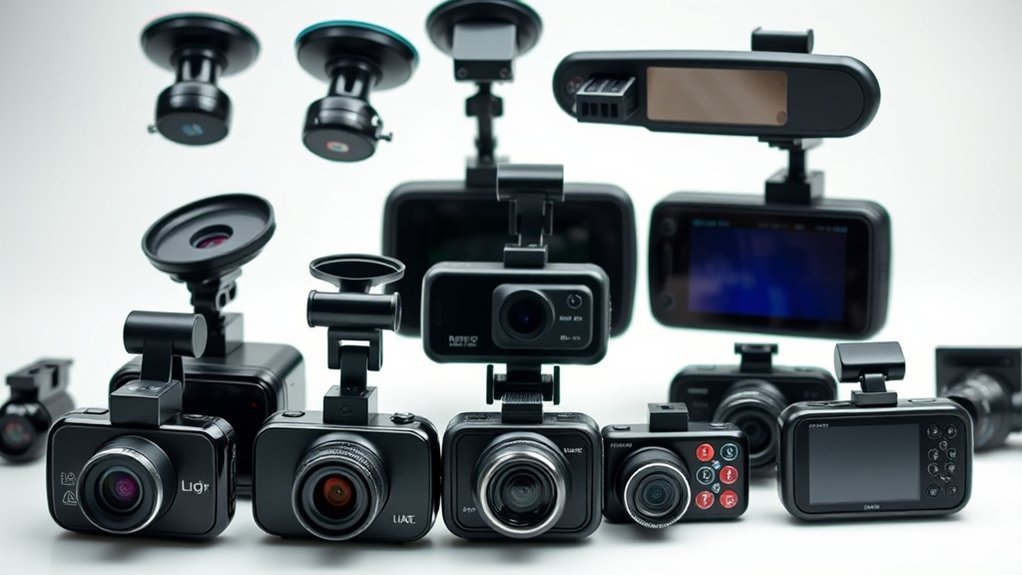
A dash cam is a small video camera that records a drive from inside a vehicle. Drivers usually place the front camera on the windshield or dashboard so its lens can capture the road, traffic signals, signs, lane markings, and nearby vehicles.
Many dash cams start recording automatically when they receive power. According to Garmin Support, supported Garmin dash cams record while turned on and overwrite the oldest non-protected footage as storage fills.
This process is known as loop recording. It lets the camera continue recording without requiring the driver to erase every old clip by hand. Exact loop length, file protection, and overwrite behavior vary by manufacturer and model.
Many models also include incident detection, commonly called a G-sensor. The sensor reacts to movement associated with an impact, sudden stop, or other event. Garmin explains that its automatic incident detection can save video after a detected incident. Sensitivity and saved clip length depend on the camera and its settings.
A dash cam does not replace careful driving, insurance, or a police investigation. Its footage may help document an event, support an insurance claim, or provide additional context during a dispute.
Common Types of Dash Cams: Front, Rear, and Interior
Choose a dash cam by deciding which areas you need to record. Front cameras capture the road ahead. Rear cameras record traffic behind the vehicle. Interior cameras record the cabin.
A single front camera is the simplest option. A front-and-rear setup provides more context during rear impacts, parking damage, or lane-change disputes. A three-channel system can add cabin footage for rideshare, taxi, business, or family use.
Front Camera Benefits
A front camera records what happens ahead of your vehicle. It may capture lane position, traffic-light changes, signs, nearby vehicles, road hazards, and the sequence leading to an incident.
- Wide field of view: Dash cams normally use a wide-angle lens, but the exact viewing angle varies by model.
- Loop recording: Older unlocked clips can be replaced as the memory card fills.
- Low-light support: Better sensors, high dynamic range, or night modes may improve difficult footage.
- Incident detection: Compatible models can protect or save footage after detecting sudden movement.
- GPS data: Some cameras can add location, route, time, or speed information.
Do not choose a camera by field-of-view numbers alone. A lens that is extremely wide can make vehicles and license plates appear smaller in the frame. Review real footage from the exact model whenever possible.
Rear and Interior Features
A rear camera can document tailgating, rear impacts, parking damage, and traffic behind the car. It may mount inside the rear glass or outside the vehicle, depending on its design and weather-resistance rating.
An interior camera records the cabin. This can be useful for rideshare and taxi drivers, but passengers may have privacy concerns, especially when audio is enabled.
| Feature | Description |
|---|---|
| Rear camera | Records behind the vehicle; external models must be designed for exposure to weather. |
| Interior camera | Records the cabin and may use infrared lights for low-light cabin footage. |
| Dual-channel system | Records two views, commonly front and rear or front and cabin. |
| Three-channel system | Records front, rear, and cabin views at the same time. |
| Incident detection | Saves or protects footage when the camera detects a qualifying movement or impact. |
Rear and interior systems normally take longer to install than a single front camera. The connecting cable may need to pass along the headliner, door trim, pillars, or rear hatch area without crossing an airbag path.
Dash Cam Sizes: Compact vs. Full-Size Models
Dash cam size affects visibility, controls, screen access, and mounting options. A compact model can often hide behind the rearview mirror, while a larger model may provide a display and easier physical controls.
- Wedge cameras: These sit close to the windshield and often create a discreet, factory-style appearance.
- Compact box cameras: These resemble small action cameras and may include a display.
- Cylindrical cameras: These have a narrow tube-shaped body and often use a phone app instead of a screen.
- Screen-style cameras: These provide a larger display for aiming the lens and reviewing clips.
- Mirror-style cameras: These attach over or replace the rearview mirror and display a camera view, but they are normally larger and more noticeable.
Choose a size that fits the windshield, mirror position, sensor housing, and driver seating position. A camera can record excellent video and still be a poor choice if it blocks part of the road or creates a distracting reflection.
How to Mount Your Dash Cam: Adhesive, Suction, and More
Correct mounting gives the camera a clear view and keeps it stable over bumps. The safest position depends on the vehicle, camera shape, local law, and location of built-in windshield sensors.
Adhesive mounts usually provide a firm, low-profile hold for long-term installation. Suction mounts are easier to remove or transfer between vehicles. Magnetic mounts allow quick camera removal, although the base still needs a secure attachment point.
Warning: Do not place the dash cam where it blocks the road, traffic lights, signs, mirrors, windshield sensors, or the driver’s view. Do not route its cable across a curtain-airbag cover or another airbag deployment path.
Windshield-device rules vary by location. The Federal Motor Carrier Safety Administration rule permits certain safety technologies in defined areas of U.S. commercial-vehicle windshields. That rule does not replace state or local placement laws for private passenger vehicles.
Before mounting the camera, check the current rule that applies where the vehicle is registered and driven. Also check whether the vehicle’s owner manual identifies restricted areas around cameras, rain sensors, driver-assistance sensors, or airbags.
Route the power cable along secure trim edges. It should not hang near the pedals, steering wheel, gear selector, driver’s hands, or controls.
Essential Features to Consider in a Dash Cam
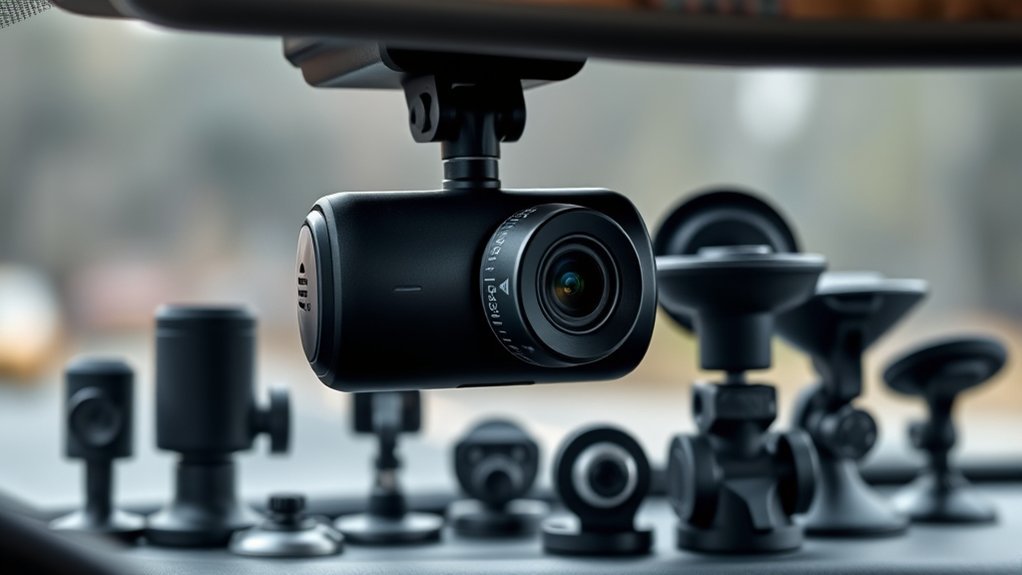
Compare dash cams by looking at footage quality, storage, power requirements, mounting, and ease of retrieving a clip. A long feature list has little value if the camera is unreliable or difficult to use.
Video Resolution and Field of View
Basic dash cams often record at 1080p, while higher-end models may offer 1440p or 4K. Higher resolution can capture more detail, but results also depend on the image sensor, lens, compression, lighting, windshield glare, motion blur, and camera position.
Check whether the advertised resolution applies when every camera channel is active. Some multi-channel systems reduce resolution or frame rate when recording from multiple cameras at once.
Field of view also varies. A wider lens captures more of the road, but an extremely wide image can make distant details appear smaller. Check the exact model specification and sample footage rather than relying on one number.
Storage and Memory Cards
Most dash cams store video on a removable microSD card. The camera divides the drive into short files and replaces older unlocked files when the card becomes full.
Continuous rewriting places heavy demand on a memory card. Garmin’s memory-card guidance explains that repeated recording and overwriting can wear out a card and that unsuitable cards may cause recording problems.
- Use the card type, speed class, and maximum capacity listed by the camera manufacturer.
- Choose a high-endurance card when the manufacturer recommends one for continuous video.
- Format the card through the camera or approved app when the manual instructs you to do so.
- Check for recording or card-error warnings instead of assuming the camera is working.
- Copy important footage to another device as soon as practical.
Pro Tip: Review a short test clip every few weeks. Confirm that the date, time, camera angle, audio setting, and image quality are correct before you need the footage.
Power and Parking Mode
Most dash cams need a continuous power connection while recording. Common options include a 12V accessory adapter, a vehicle USB port, a hardwire kit, or a separate dash-cam battery pack.
A camera described as “wireless” usually uses Wi-Fi or Bluetooth to communicate with a phone. It will normally still need a power cable unless it uses a separate battery system designed for the task.
Parking mode may record after the engine is turned off, but the feature varies widely. Some cameras record after an impact, while others respond to motion, use buffered recording, or remain in a low-power standby state.
Compatible constant-power equipment is often required. For example, Garmin states that its supported Parking Guard feature needs a constant power source. Follow the exact camera and hardwire-kit instructions, including any low-voltage protection settings.
Other Useful Features
- Incident detection: Saves or protects footage after a detected event.
- Low-light recording: Uses sensor, lens, HDR, or infrared technology to improve difficult scenes.
- GPS: May add location, time, route, or speed information to footage.
- Wi-Fi: Can let a phone connect directly to the camera for settings or file transfer.
- Voice controls: Allow supported commands without reaching toward the camera.
- Audio controls: Let the driver disable the microphone when recording sound is unwanted or legally sensitive.
- Heat and cold rating: Shows the operating and storage temperatures approved by the manufacturer.
Choosing the Right Dash Cam for Your Needs
The best dash cam depends on where you drive, where you park, which angles matter, and how easily you need to retrieve footage. Start with the problem you want the camera to solve, then choose the simplest system that covers it.
Consider Your Driving Habits
- Daily commuting: A dependable front camera may provide enough coverage.
- Street or public-lot parking: Consider a compatible parking mode and suitable power setup.
- Long trips: Look for reliable loop recording, adequate card capacity, and simple file management.
- Frequent night driving: Compare real night footage, not only the resolution label.
- Rideshare or taxi work: Consider front, rear, and cabin coverage after checking applicable privacy and consent laws.
- Hot or cold climate: Check the manufacturer’s approved operating-temperature range.
Evaluate Video Quality Needs
Higher resolution may make plates, signs, and small details easier to see under good conditions. It cannot guarantee readable footage in darkness, glare, rain, high speed, or poor camera placement.
As a current example, the Cobra SC 250R lists 4096 × 2160 front recording, a 140-degree front field of view, 1080p rear recording, GPS, loop recording, and support for additional camera views.
A less expensive 1080p or 1440p model may still meet a driver’s needs when it produces dependable footage. Compare original sample clips in daylight, at night, in rain, and in backlit scenes before buying.
Dash Cam Buying Checklist
- Does the camera include every camera channel you need?
- What resolution and frame rate does it use when all channels are active?
- Which microSD card type, speed, and capacity does it support?
- Does parking mode require a separate cable, hardwire kit, or battery pack?
- Is the power cable long enough for safe routing in your vehicle?
- Does the mount fit around the mirror, sensor housing, and tinted areas?
- Can the camera operate within your local summer and winter temperatures?
- Can you retrieve footage without paying for a subscription?
- Does the app require location, cloud, or background permissions you do not want to grant?
- Are replacement mounts, cables, and rear-camera extensions available?
The Benefits of Multi-Channel Dash Cams: Capture Every Angle
Multi-channel dash cams record from more than one camera at the same time. Common combinations include front and rear, front and cabin, or front, rear, and cabin.
- Wider coverage: A front-and-rear setup records traffic on both sides of the vehicle.
- Better context: Multiple views may show how an incident developed and where nearby vehicles were positioned.
- Parking support: Compatible systems may record impact or motion events while parked.
- Cabin documentation: Interior cameras can record passenger activity when their use complies with applicable privacy rules.
The tradeoffs are higher cost, more storage use, more cables, and a longer installation. Some systems also lower recording resolution when every channel is active. Choose a multi-channel camera when the additional angles solve a real need.
Smart Dash Cam Features You May See
Smart dash cams add connected features such as GPS data, Wi-Fi transfers, Bluetooth setup, cloud storage, remote viewing, voice commands, alerts, or app-based controls.
Cobra states that its Drive Smarter app can work with compatible cameras to view videos, manage settings, and use supported alerts and connected features.
Note: App, cloud, remote-viewing, and alert features may require phone permissions, Wi-Fi, Bluetooth, mobile data, a subscription, compatible hardware, or constant vehicle power. Check the exact product terms before buying.
GPS and cloud tools can make footage easier to organize, but they may also store location, route, speed, account, or driving-history information. Review the app’s privacy settings and permissions before enabling cloud upload or location tracking.
What to Expect During Dash Cam Installation and Setup
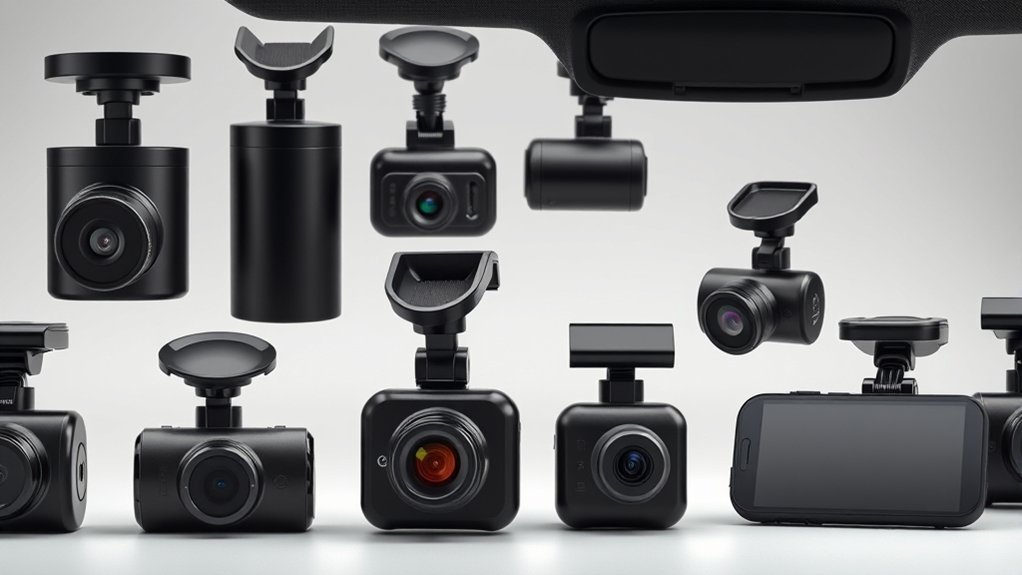
Many plug-in front cameras can be installed at home. Rear cameras, hardwired parking systems, and vehicles with complex trim or airbag layouts may require more care or professional installation.
- Choose a legal, clear position: Sit in the normal driving position and make sure the camera will not block the road, mirrors, signals, signs, or windshield sensors.
- Clean the mounting surface: Remove dust, grease, and residue so the adhesive pad or suction cup can hold securely.
- Attach the mount: Follow the manufacturer’s instructions and allow adhesive to bond for the recommended time.
- Connect the camera: Attach the camera to the mount and connect the correct power cable.
- Aim the lens: Capture the road with only a small amount of dashboard and sky.
- Route the cable: Secure it along safe trim edges without crossing airbags, pedals, or controls.
- Install secondary cameras: Position rear or cabin cameras and confirm that trim, defroster lines, tint, or headrests do not block the view.
- Configure recording: Set the time zone, loop length, incident sensitivity, microphone, GPS, resolution, and parking options.
- Format the card: Use the method required by the camera manufacturer.
- Test the system: Record a short daylight and night clip, then play both files back.
If the vehicle has curtain airbags, do not push cables into a trim gap without confirming what is behind it. A professional installer can identify safe cable routes and appropriate power connections when the airbag or fuse layout is unclear.
What to Do With Dash Cam Footage After an Incident
Do not assume that an incident clip will remain on the memory card indefinitely. Camera settings and storage behavior differ, and continued recording may eventually affect older files.
- Stop in a safe place: Deal with injuries, traffic danger, and required emergency calls first.
- Save the clip: Use the camera’s save button or app if it is safe to do so.
- Avoid unnecessary recording: Turn off the camera when appropriate if continued loop recording could affect unsaved footage.
- Copy the original files: Transfer the relevant front, rear, and cabin files to a phone, computer, or secure storage location.
- Keep nearby clips: Save footage from before and after the event, not only the moment of impact.
- Preserve the originals: Do not edit, compress, rename, or overwrite the only copy.
- Record basic details: Note the date, time, location, camera model, and file names.
- Share carefully: Provide footage to an insurer, lawyer, or police officer when appropriate, and consider privacy before posting it publicly.
Pro Tip: Copy important footage before removing, formatting, or reusing the memory card. Keep one untouched copy of the original files.
Frequently Asked Questions
How do you know if a car has a dash cam?
Look near the windshield, rearview mirror, dashboard, or rear window. A dash cam may appear as a small lens, wedge, screen, cylinder, status light, adhesive mount, or cable running toward a power source.
What is the downside of a dash cam?
Possible downsides include cost, visible cables, memory-card maintenance, windshield obstruction, theft risk, app privacy concerns, installation work, and legal questions involving placement or audio recording.
Is there a dash cam without wires?
Some installations hide the cable well, but most dash cams still need power from a USB port, 12V socket, hardwire kit, or battery pack. “Wireless” usually describes Wi-Fi or Bluetooth connectivity rather than cable-free power.
Do dash cams record all the time?
Many dash cams automatically record while they receive driving power. Recording while parked depends on the model, settings, storage, and power equipment. Some parking modes record only after detecting motion or impact.
Where should you mount a dash cam?
Mount it where the lens sees the road clearly and the unit does not block the driver’s view. A position near the rearview mirror often works, but you must also consider local law, windshield sensors, tint, mirrors, and airbags.
Do dash cams record audio?
Many models include a microphone, but audio can often be disabled. Recording-law requirements differ by state and situation, so check the applicable consent and privacy rules before recording conversations.
Can a dash cam drain the vehicle battery?
A camera connected to constant power uses electricity while the engine is off. A compatible hardwire kit or battery system may include low-voltage protection, but requirements vary. Follow the camera, power-accessory, and vehicle instructions.
Privacy Warning: Audio and interior recording can create additional legal and privacy concerns. The Reporters Committee for Freedom of the Press explains that consent requirements vary by state and may be stricter than the federal minimum. Check current law where the recording occurs.
Legal and Safety Disclaimer: This article is for informational purposes only and does not constitute legal, insurance, installation, or professional safety advice. Check current local laws and the instructions for your vehicle, camera, memory card, and power equipment. Consult a qualified professional when installation may affect visibility, airbags, wiring, privacy, or vehicle safety.
Conclusion
A dash cam usually looks like a small wedge, box, cylinder, or screen mounted near the windshield. Its basic parts include a lens, mount, power connection, memory-card slot, and status indicator. Rear and cabin cameras are normally smaller and connect to the main camera by cable.
Choose the camera angles you need before comparing resolution, night footage, memory-card support, parking mode, app features, and mounting style. The best option is not always the model with the longest feature list. It is the camera that fits the vehicle, records reliably, and lets you retrieve important footage without difficulty.
Mount the camera without blocking the driver’s view, use compatible storage and power equipment, check local placement and recording rules, and review test footage before relying on the system.
Sources
- Garmin Support: Indication That a Garmin Dash Cam Is Recording Video — continuous recording and overwriting of non-protected footage
- Garmin Support: What Is Automatic Incident Detection? — incident detection and automatic footage saving
- Garmin Support: Dash Cam Memory Card Error Messages — continuous recording, card wear, and card suitability
- Federal Motor Carrier Safety Administration: Authorized Windshield Area for Vehicle Safety Technology — commercial-vehicle windshield placement rules
- Reporters Committee for Freedom of the Press: Recording Guide — federal and state recording-consent considerations
- Cobra SC 250R Product Specifications and Cobra Drive Smarter App — current product and connected-feature examples
