A touchscreen upgrade can make an older Toyota RAV4 Hybrid easier to use, but the right solution depends on the model year, trim, factory audio package, and features you want to keep. A replacement radio is most useful on 2019–2022 models. Many 2023–2024 RAV4 Hybrids already include wireless Apple CarPlay and Android Auto, so a full replacement may add more risk than value.
Quick Answer
You can upgrade a 2019–2024 Toyota RAV4 Hybrid touchscreen, but there is no universal plug-and-play kit. Match the receiver, dash kit, wiring interface, factory JBL or non-JBL system, backup camera, USB port, and steering wheel controls to your exact vehicle. Test every retained feature before reinstalling the dash trim.
Key Takeaways
- The best upgrade path depends on the RAV4 Hybrid’s model year, trim, factory screen, JBL amplifier, and connected features.
- A dash kit alone is not enough. Most installations also need a vehicle-specific wiring interface, antenna adapter, and camera or USB retention parts.
- The 2019 RAV4 has factory Apple CarPlay but not factory Android Auto; Toyota added Android Auto for 2020.
- The 2023–2024 RAV4 already has wireless Apple CarPlay and Android Auto, with an 8- or 10.5-inch multimedia screen depending on trim.
- Aftermarket equipment does not automatically void the entire vehicle warranty, but coverage may be denied for damage caused by the part or installation.
At a Glance
| Time Required | About 2–4 hours for a careful DIY installation; longer if the JBL amplifier or factory features need troubleshooting |
| Difficulty | Moderate; professional installation is safer if wiring, programming, or factory-amplifier integration is unfamiliar |
| Tools Needed | Plastic trim tools, 10mm socket or wrench, Phillips screwdriver, microfiber towel, zip ties, and the kit-specific installation instructions |
| Cost | Usually several hundred dollars in parts; premium receivers, integration modules, adapters, and professional labor increase the total |
Which RAV4 Models Are Compatible?
This guide focuses on 2019–2024 RAV4 Hybrid models because verified aftermarket dash kits are available for this generation. Compatibility still varies by trim, market, original screen, and audio package. For example, Metra lists a 2019–2024 RAV4 dash kit for specific modular receivers and states that the wiring harness and antenna adapter are separate parts. Check a current vehicle fit guide before ordering anything.
| Model Year | Factory Multimedia | When an Upgrade Makes Sense |
|---|---|---|
| 2019 | Toyota Entune 3.0 with a 7- or 8-inch touchscreen and factory Apple CarPlay; Android Auto was not included. | A replacement receiver can add Android Auto, wireless phone projection, newer navigation options, and more audio controls. |
| 2020–2022 | Apple CarPlay and Android Auto were available through Toyota Multimedia, with screen size depending on trim. | Upgrade mainly for wireless connectivity, a different interface, stronger audio tuning, or a failed factory screen. |
| 2023–2024 | Toyota Audio Multimedia includes wireless Apple CarPlay and Android Auto. Hybrid trims use an 8- or 10.5-inch multimedia display. | Consider a full replacement only after confirming which factory settings, cameras, connected services, and audio functions will be lost. |
Note: Toyota’s available 12.3-inch display on certain 2023–2024 trims is the digital multi-information gauge cluster, not the center multimedia touchscreen. The center screen is 8 or 10.5 inches, depending on trim.
Use these official references to confirm the factory equipment for your year: 2019 RAV4 multimedia details, Toyota’s 2020 Android Auto update, and 2024 RAV4 screen and wireless smartphone features.
Compatibility Checklist Before Buying
Do not choose a replacement screen by model year alone. Confirm each item below with the receiver maker, dash-kit maker, and interface maker:
- Exact vehicle: Model year, RAV4 Hybrid trim, country or market, and production configuration.
- Factory audio: Standard six-speaker system or JBL amplified system.
- Original screen: Screen size, factory navigation, and Toyota Audio Multimedia or Entune generation.
- Backup camera: Camera signal type, operating voltage, parking guidelines, and whether an adapter is required.
- Steering wheel controls: Confirm the interface supports volume, track, phone, voice, and any long-press functions.
- Factory USB and microphone: These may need separate retention adapters, or the new radio may require its own microphone and USB lead.
- Vehicle settings and connected services: Check whether you will lose Toyota settings menus, SiriusXM hardware, factory navigation, Service Connect information, or over-the-air functions.
- Physical fit: Verify the dash kit supports the receiver’s screen size and chassis shape. A screen that fits the opening is not automatically electronically compatible.
What You’ll Need Before You Begin
Gather the tools and vehicle-specific parts before opening the dashboard. A complete installation normally needs more than the touchscreen itself.
- Plastic trim removal tool set
- 10mm socket or wrench
- Phillips screwdriver
- Microfiber towel to protect the center console
- Zip ties or cloth automotive tape for cable management
- Compatible aftermarket receiver
- RAV4-specific dash kit and mounting brackets
- Vehicle-specific wiring harness or data interface
- Antenna adapter
- Backup-camera retention adapter or voltage converter, when required
- USB retention adapter or replacement USB lead, when required
- Microphone supplied with the receiver, if the factory microphone cannot be retained
- Printed or downloaded installation instructions for every interface and adapter
Pro Tip: Lay out every harness on a table and label the camera, antenna, USB, microphone, amplifier, and steering-wheel-control connections before removing the factory radio. Use plastic trim tools instead of a metal screwdriver to reduce the chance of scratching the dashboard.
How to Choose an Aftermarket Head Unit
Start with the feature you are trying to gain. A 2019 owner may want Android Auto, while a 2020–2022 owner may mainly want wireless connectivity. A 2023–2024 owner may be better served by keeping the factory system unless the original screen has failed or a specialist confirms that all important functions can be retained.
Choose Between Three Upgrade Paths
- Keep the factory radio and add a wireless adapter: This is the least invasive option when the vehicle already has wired CarPlay or Android Auto. It keeps the original screen, camera, audio tuning, and vehicle settings.
- Install a branded modular receiver: A compatible Pioneer, Sony, Kenwood, JVC, Alpine, or similar receiver can provide a stable interface and documented accessory support, but it still needs the correct dash kit and integration hardware.
- Install a vehicle-specific Android screen: These units can offer a large display and factory-style shape. Quality, firmware support, audio performance, and retained features vary widely, so confirm the return policy and exact configuration in writing.
A verified example is Metra’s 107-TO1HG dash kit for the 2019–2024 RAV4. It supports specific receiver chassis designs and does not include the required wiring interface or antenna adapter. That illustrates why “fits a RAV4” is not enough information by itself.
Top Benefits of an Aftermarket Touchscreen
A well-matched upgrade can improve daily usability without making the dashboard look unfinished. The most useful benefits include:
- Wireless Apple CarPlay or Android Auto on models that only support a cable, or Android Auto on a 2019 RAV4
- A brighter or larger display with a more familiar interface
- Faster phone pairing and app access when the receiver and firmware are well supported
- More audio controls, including equalization, time alignment, high-pass filters, and low-pass filters
- Additional camera inputs, amplifier outputs, or audio-source options
- A replacement for a damaged, delaminated, frozen, or unreliable factory touchscreen
These benefits are not guaranteed by screen size or processor labels alone. A 12.3-inch screen does not automatically have better resolution, faster startup, cleaner audio, or stronger vehicle integration than a smaller receiver.
How to Install Your RAV4 Touchscreen
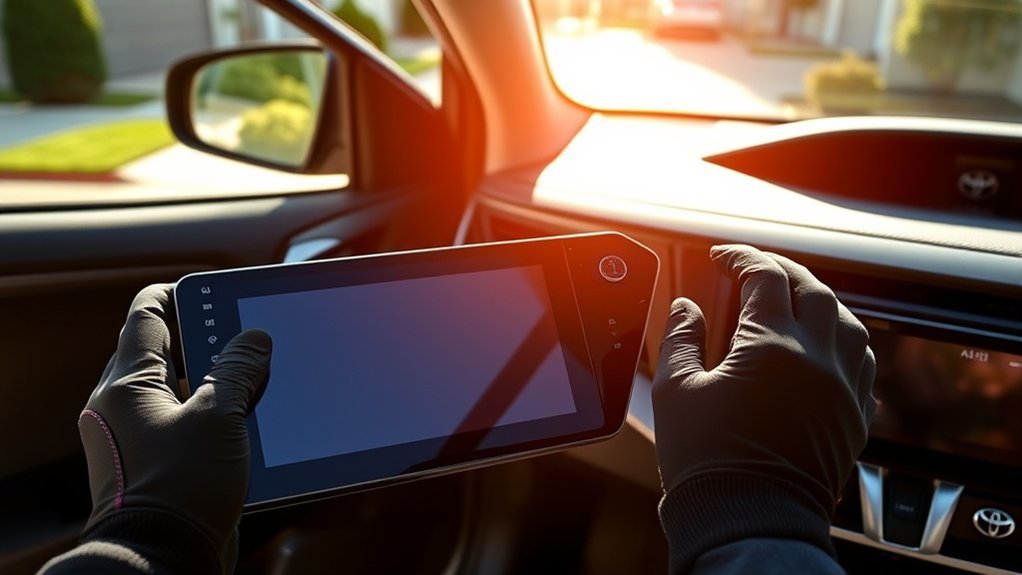
Warning: Turn the hybrid system fully off, keep the smart key away from the vehicle, and disconnect the 12-volt battery’s negative terminal first before unplugging the factory radio. Toyota notes that disconnecting the 12-volt battery can clear ECU information and may require system initialization. Never touch orange high-voltage cables or hybrid-system connectors.
On many RAV4 Hybrid models, the 12-volt battery is in the luggage compartment rather than under the hood. Review the exact owner’s manual for your vehicle before disconnecting it. Toyota’s 2024 manual states that the negative terminal must be removed first and warns that stored ECU information can be cleared when the battery is disconnected. See Toyota’s 12-volt battery guidance.
- Confirm the kit before disassembly. Match the receiver, dash kit, harness, interface module, antenna adapter, camera adapter, USB solution, and microphone to the exact vehicle.
- Save current settings. Photograph radio presets, sound settings, camera view, and any vehicle settings shown on the factory screen.
- Power the vehicle down. Park on a level surface, set the parking brake, turn the hybrid system off, keep the key away, and follow the owner’s manual for disconnecting the negative 12-volt battery terminal.
- Protect the interior. Cover the center console and surrounding trim with a clean microfiber towel.
- Remove the dashboard trim. Use plastic trim tools and follow the dash-kit instructions so you release clips in the correct direction.
- Remove the factory radio fasteners. Support the unit as you pull it forward so it does not scrape the dashboard or strain the wiring.
- Photograph and unplug the connectors. Label similar plugs before disconnecting the antenna, camera, USB, microphone, amplifier, and main harness connections.
- Build the adapter harness outside the dash. Connect the receiver harness to the vehicle interface according to the wire labels and interface instructions. Do not guess by wire color alone.
- Connect the receiver. Attach the main harness, data or CAN interface, antenna adapter, camera input, USB lead, microphone, and amplifier connections. Secure interface boxes so they cannot rattle or pinch.
- Perform a loose-fit test. Reconnect the 12-volt battery and test the screen before bolting it into place. Confirm sound from every speaker, steering wheel buttons, reverse camera, parking guidelines, Bluetooth, CarPlay, Android Auto, USB charging, microphone, radio reception, dimming, and vehicle settings.
- Correct faults before reassembly. If a feature is missing, turn the vehicle off and disconnect power again before changing wiring.
- Finish the installation. Secure the receiver and brackets, route cables away from sharp edges and moving vents, reinstall the trim, and complete any required interface programming or initialization.
| Step Type | Tool Requirements | Common Challenge |
|---|---|---|
| Preparation | Fit guide, manuals, 10mm wrench | Ordering a complete kit for the exact trim and audio system |
| Removal | Trim tools, screwdriver or socket | Releasing tight clips without marking the dashboard |
| Wiring | Vehicle interface instructions and receiver diagram | Retaining the JBL amplifier, camera, USB, microphone, and steering controls |
| Testing | Phone, USB cable, radio source, reverse gear test | Finding an integration fault before the trim is reinstalled |
Key Features to Look For
Compare the complete system, not just the screen size or advertised processor.
- Wireless and wired smartphone support: A wired backup is useful when wireless connections become unstable.
- Documented vehicle integration: Confirm support for the backup camera, steering wheel controls, JBL amplifier, illumination, reverse signal, and factory settings.
- Readable display: Look for good daylight brightness, wide viewing angles, and a responsive capacitive touchscreen.
- Stable firmware: Choose a manufacturer that publishes update instructions and offers technical support.
- Useful audio controls: Equalizer, crossover, time alignment, subwoofer output, and clean preamp outputs matter more than vague “premium sound” claims.
- Enough memory and storage: More RAM and storage can help an Android-based unit, but “octa-core,” 4GB RAM, or 64GB storage does not guarantee smooth performance.
- Camera support: Confirm the input type and whether the factory camera needs a voltage converter or special retention harness.
- Microphone quality: Verify whether the factory microphone is retained or whether the supplied external microphone must be installed.
- Physical controls: Buttons or a volume knob can be easier to use while driving than touchscreen-only controls.
A screen that fits the dashboard is not necessarily compatible with the RAV4’s camera, amplifier, steering controls, USB port, or vehicle settings.
Common Upgrade Risks and Costs
The final cost depends on the receiver and the number of factory features you want to retain. Budget for the receiver, dash kit, wiring or data interface, antenna adapter, camera solution, USB adapter, microphone, and professional labor if needed. A low advertised screen price can become expensive once the missing integration parts are added.
Features You May Lose
- Hybrid energy-flow graphics or vehicle information shown only on the factory screen
- Factory navigation and some connected-service functions
- Factory microphone, USB port, SiriusXM tuner, or dynamic camera guidelines
- JBL amplifier control, fader, or factory sound tuning if the interface is incomplete
- Access to vehicle customization menus
- Over-the-air updates or Toyota-specific support for the original multimedia system
Warranty Impact
Installing an aftermarket receiver does not automatically void the entire Toyota warranty. The U.S. Federal Trade Commission states that a warranty generally remains in effect when aftermarket parts are used. However, a manufacturer or dealer may deny coverage for a failure if the aftermarket part or incorrect installation caused the damage. Keep purchase records, wiring diagrams, installation receipts, and the original radio. Read the FTC’s auto warranty guidance for the current rule.
User Experiences With Aftermarket Units
Owner feedback varies because products sold for the same RAV4 can use different hardware, firmware, harnesses, and CAN interfaces. A well-supported receiver with the correct integration parts is more likely to behave like a factory installation. Vehicle-specific Android screens may offer a larger display, but support quality can be inconsistent.
| Commonly Reported Benefit | Commonly Reported Complaint |
|---|---|
| Faster access to maps, music, and phone apps | Occasional wireless connection drops or slow reconnection |
| More audio adjustment and amplifier options | Noise, weak microphone quality, or poor JBL integration when the interface is wrong |
| Larger, more modern dashboard display | Loss of hybrid graphics, factory settings, USB, camera guidelines, or connected features |
| Cleaner replacement for a failing factory screen | Difficult cable management and rattles behind the dashboard |
Troubleshooting Common Installation Issues
| Symptom | Likely Cause | What to Check |
|---|---|---|
| Screen does not turn on | Loose main harness, missing accessory power, blown fuse, or unprogrammed interface | Battery connection, receiver fuse, interface power and ground, and programming steps |
| No sound | JBL amplifier not turned on, wrong audio output, or incomplete speaker wiring | Amplifier interface, remote turn-on lead, RCA connections, and receiver audio settings |
| Steering wheel controls do not work | CAN or steering-control interface is disconnected, misconfigured, or unsupported | Interface plugs, radio-brand setting, firmware, and button-learning menu |
| Backup camera is black or distorted | Wrong camera input, missing reverse signal, incorrect voltage, or incompatible video format | Dedicated camera input, reverse trigger, voltage converter, ground, and camera adapter |
| CarPlay or Android Auto disconnects | Outdated firmware, weak wireless link, poor USB cable, or phone permission issue | Receiver and phone updates, paired-device reset, approved cable, Bluetooth, Wi-Fi, and permissions |
| Radio reception is weak | Missing antenna adapter or powered-antenna connection | Antenna plug, adapter type, and blue antenna or amplifier power lead |
| Dash trim will not sit flat | Harnesses or interface boxes are trapped behind the receiver | Cable routing, connector position, mounting brackets, and clip alignment |
Pro Tip: Test every feature with the receiver resting loosely in the opening. Do not snap the trim back into place until the camera, speakers, steering controls, USB, microphone, phone projection, dimming, and radio reception all work correctly.
Frequently Asked Questions
Does upgrading my RAV4 touchscreen void the Toyota warranty?
No, not automatically. In the United States, an aftermarket part does not by itself void the full vehicle warranty. Coverage may be denied for a damaged component when the manufacturer or dealer can show that the aftermarket part or installation caused the failure. Keep the original radio and all installation records.
Will I lose the hybrid energy monitor display?
You may lose energy-flow graphics or vehicle information that appears only on the factory center screen. Essential hybrid warnings and battery information remain in the vehicle’s gauge or multi-information display, but the exact retained data depends on the model year and interface.
Can I keep my factory backup camera and steering wheel controls?
Usually, but only with a compatible receiver and the correct vehicle-specific interface. Confirm camera voltage and video format, JBL or non-JBL audio, CAN communication, and which steering wheel buttons the interface supports. Dynamic parking guidelines and long-press button functions may not always be retained.
Do 2023 and 2024 RAV4 Hybrids need a touchscreen upgrade?
Often, no. These model years already include wireless Apple CarPlay and Android Auto with an 8- or 10.5-inch Toyota Audio Multimedia screen. A replacement makes more sense when the factory unit has failed or when a verified system provides a feature you cannot add with a simpler adapter.
Should I install the head unit myself?
A careful DIY installation is reasonable when the kit is fully documented and you are comfortable with trim removal, 12-volt battery safety, harness diagrams, and interface programming. Use a professional installer when the vehicle has JBL audio, multiple cameras, unclear wiring, or important factory features that must be retained.
Next Steps for Your RAV4 Upgrade
Write down your RAV4 Hybrid’s model year, trim, factory screen size, and whether it has JBL audio. Decide whether you need a wireless adapter or a complete receiver replacement. Then verify the dash kit, integration interface, antenna adapter, camera retention, USB connection, microphone, and steering wheel controls as one complete system. Order only after every required part has been matched to the exact vehicle.
Sources
- Toyota USA Newsroom: 2019 RAV4 — confirms Entune 3.0, factory Apple CarPlay, and 7- or 8-inch touchscreen options.
- Toyota USA Newsroom: 2020 RAV4 multimedia enhancements — confirms Android Auto was added for 2020.
- Toyota USA Newsroom: 2024 RAV4 — confirms wireless Apple CarPlay and Android Auto plus 8- and 10.5-inch center screens.
- Metra 107-TO1HG RAV4 dash kit — confirms a verified 2019–2024 fit range for specific receiver designs and identifies separately required wiring and antenna parts.
- Toyota 2024 RAV4 Hybrid 12-volt battery guidance — supports negative-terminal-first removal, ECU-data cautions, and battery safety.
- Federal Trade Commission: Auto warranties and aftermarket parts — explains when warranty coverage remains in effect and when damage caused by an aftermarket part may be excluded.