How Long Does Dash Cam Footage Last? A Practical Storage Guide
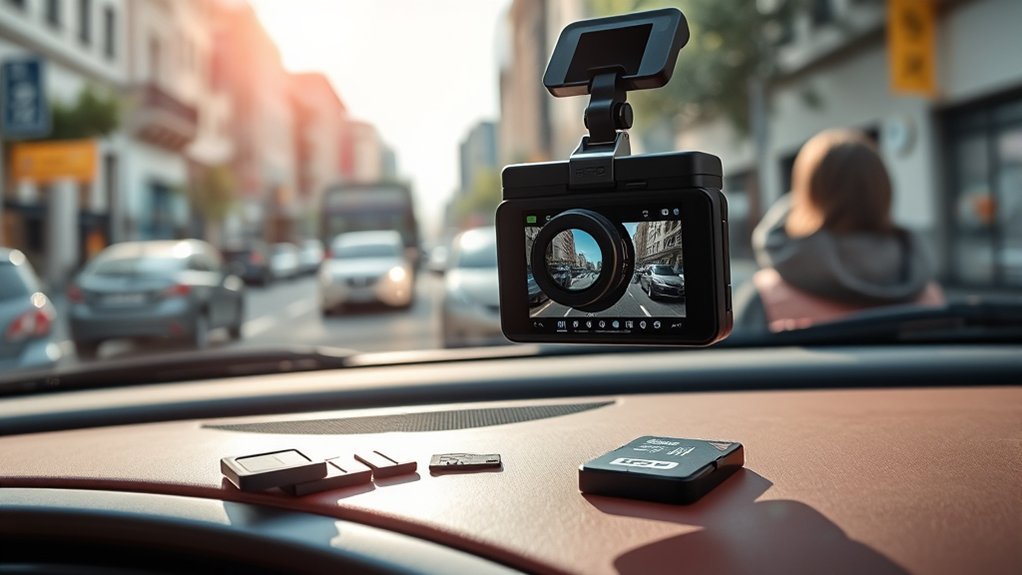
Dash cam footage remains on a microSD card until the camera overwrites it, you delete it, or the card is formatted. The number of hours available depends more on the camera’s total video bitrate than on resolution alone. Card capacity, frame rate, active camera channels, parking mode, and protected-file settings also affect how quickly storage fills.
Quick Answer
A 32GB card may hold roughly 3–8 hours of single-camera 1080p footage, while a 128GB card may hold about 11–32 hours. High-bitrate 4K or multi-camera recording can reduce those times sharply. Once the card fills, loop recording normally replaces the oldest unprotected clips.
Key Takeaways
- Total bitrate is the best predictor. Resolution labels such as 1080p or 4K do not reveal how much data the camera writes each second.
- More camera channels use more storage. Add the front, rear, cabin, and other active stream bitrates together.
- Loop recording does not preserve every clip forever. It replaces old normal recordings when space is needed.
- Protected files still need a backup. Some cameras protect only a limited number of event clips.
- Check compatibility before buying a card. The camera manual controls the maximum capacity, speed class, formatting method, and recommended card type.
Understanding Dash Cam Footage Duration
The phrase “how long dash cam footage lasts” can refer to several different things:
- Recording capacity: The total number of video hours that fit on the card.
- Loop-retention time: How far back you can look before normal footage is overwritten.
- Protected-file retention: How long impact or manually locked clips remain in the event folder.
- Cloud retention: How long uploaded clips remain available under the camera maker’s cloud plan.
This article focuses mainly on recording capacity and loop-retention time. Cloud retention varies by service, subscription, upload settings, and account policy.
Resolution is only a clue. The combined bitrate of every active video stream determines how quickly the memory card fills.
How to Estimate Dash Cam Recording Time
For the most accurate answer, find your dash cam’s total recording bitrate. It may appear in the product manual, video-quality settings, manufacturer recording-time table, or properties of a recorded file.
Dash Cam Storage Formula
A useful planning formula is:
Estimated hours = card capacity in GB × 8,000 × usable-space allowance ÷ total bitrate in Mbps ÷ 3,600
Using a conservative 90% usable-space allowance, the formula becomes:
Estimated hours ≈ card capacity in GB × 2 ÷ total bitrate in Mbps
The allowance accounts for formatting, camera software, reserved folders, file-system differences, and other overhead. Your camera’s official recording-time chart should take priority when one is available.
Approximate Recording Time by Total Bitrate
| Combined Bitrate | 32GB | 64GB | 128GB | 256GB | 512GB |
|---|---|---|---|---|---|
| 8 Mbps | 8 hours | 16 hours | 32 hours | 64 hours | 128 hours |
| 12 Mbps | 5.3 hours | 10.7 hours | 21.3 hours | 42.7 hours | 85.3 hours |
| 20 Mbps | 3.2 hours | 6.4 hours | 12.8 hours | 25.6 hours | 51.2 hours |
| 35 Mbps | 1.8 hours | 3.7 hours | 7.3 hours | 14.6 hours | 29.3 hours |
| 70 Mbps | 0.9 hours | 1.8 hours | 3.7 hours | 7.3 hours | 14.6 hours |
Note: The table uses total bitrate. For a dual-camera system recording at 25 Mbps in front and 10 Mbps in the rear, use 35 Mbps, not 25 Mbps.
Why Manufacturer Examples Differ
Official recording tables show why a single answer for “1080p” or “4K” is unreliable:
- A Garmin 1080p mode rated at 20 Mbps lists about 3 hours on 32GB and 12.2 hours on 128GB.
- A BlackVue single-channel 1080p camera lists 2 hours 40 minutes on 32GB at 25 Mbps, but 8 hours at its 8 Mbps quality setting.
- A BlackVue 4K front and 1080p rear system lists about 3 hours 49 minutes on 128GB when the combined bitrate is 70 Mbps.
These figures are model-specific examples, not promises for every camera.
Factors That Determine Dash Cam Recording Length
- Card capacity: A larger compatible card stores more footage and is overwritten less often.
- Total video bitrate: This is the amount of video data written each second across all active cameras.
- Number of channels: Front, rear, cabin, side, or auxiliary cameras each add another video stream.
- Resolution and frame rate: Higher resolution and 60 fps modes often use more data, although the exact increase depends on the manufacturer’s bitrate settings.
- Image-quality setting: “Extreme,” “high,” “standard,” and similar names usually select different bitrates.
- HDR and processing modes: These may change the bitrate or restrict which resolution and frame-rate combinations are available.
- Codec implementation: H.265 can deliver a given quality more efficiently than H.264, but the selected bitrate still determines storage use.
- Parking mode: Continuous low-bitrate, event-only, and time-lapse parking modes consume storage at different rates.
- Reserved folders: Cameras may divide the card among normal, event, parking, manual, and system files.
- Audio, GPS, and metadata: These usually use far less space than the video streams but still contribute to the final file size.
How SD Card Size Influences Footage Storage
Doubling the card capacity will approximately double recording time when all camera settings remain unchanged. A 128GB card should therefore retain about twice as much footage as a 64GB card running in the same camera mode.
However, the camera must support the card’s capacity and file system. Some older models accept no more than 32GB or 64GB, while newer devices may support 512GB or 1TB. Check the exact model manual before purchasing a larger card.
Pro Tip: Keep a compatible spare card in the vehicle. After an important incident, you can power down the camera and swap cards so continued loop recording cannot overwrite related footage.
The Impact of Video Quality on Recording Duration
Higher image quality commonly produces larger files, but the quality label alone is not enough to calculate recording time. Two 4K cameras can use very different bitrates, just as two 1080p cameras can have very different storage needs.
Resolution, Frame Rate, and HDR
Increasing resolution gives the camera more pixels to encode. Increasing frame rate gives it more frames per second. Manufacturers may compensate with different compression or bitrate limits, so the resulting increase is not always proportional.
Before lowering resolution solely to save space, compare test footage. A lower setting may reduce the ability to read a plate or identify details, particularly at night or while vehicles are moving.
Bitrate and Storage Efficiency
Bitrate is usually shown in megabits per second, or Mbps. A camera recording at 20 Mbps writes approximately twice as much video data per second as one recording at 10 Mbps. With the same card capacity, the 10 Mbps mode should therefore retain about twice as much footage.
Some cameras use a fixed bitrate, while others adjust it according to motion, lighting, image complexity, or quality mode. Variable-bitrate recording can make actual retention time change from one drive to another.
Dual and Multi-Channel Recording
Do not automatically divide single-camera recording time by two. Add the bitrate of each active stream instead.
For example, a front camera using 25 Mbps and a rear camera using 10 Mbps create a combined bitrate of 35 Mbps. Compared with front-only recording at 25 Mbps, the dual-camera setup uses about 40% more video data, not twice as much.
Triple- and four-camera systems can reduce retention further, especially when several channels record in 2K or 4K.
Loop Recording: How It Works and Why It Matters
Most dash cams split continuous footage into short clips, commonly one to five minutes long. When the normal-recording allocation fills, loop recording deletes or replaces the oldest eligible clip so the camera can continue recording.
This process does not usually create a gap between clips when the card, camera, and power supply are working correctly. Short segments also make footage easier to locate, copy, and protect.
Nextbase’s loop-recording guidance confirms that the oldest footage is overwritten as new recordings are created after the card fills.
Note: If loop recording has been disabled, the camera may stop recording or display a “memory full” warning instead of replacing old clips.
How Emergency Features Protect Key Footage
A G-sensor can mark a clip when it detects an impact or sudden movement. Many cameras also offer a physical button, voice command, Bluetooth remote, or app control for manually protecting a recording.
Protected files may be stored in a dedicated event or read-only folder. However, protection rules vary. Some cameras retain only a set number of event files. Others let the user choose whether the oldest protected event can be overwritten when the event allocation fills.
Warning: Do not treat a locked clip as a permanent backup. Copy important footage as soon as practical. Formatting the card normally deletes protected recordings along with ordinary files.
How Long Footage Remains Before It Is Overwritten
Once the card has filled, the loop-retention window is approximately equal to the camera’s total recording capacity. If your current settings provide eight hours of storage, an unprotected clip may remain available for roughly eight hours of additional recording before it becomes the oldest eligible file.
That does not necessarily mean eight clock hours. If the camera records only while driving, eight hours of footage may cover several days. If parking mode records continuously, the same card may cycle within one night.
Event folders can also reduce the portion available for normal driving footage. Excessive G-sensor sensitivity may create many protected files and shorten the normal loop window.
Practical Tips for Extending Dash Cam Storage Capacity
- Use the largest supported high-endurance card. Confirm the maximum capacity in the manual first.
- Reduce bitrate carefully. A modest quality reduction may extend retention without making the footage unusable.
- Disable unneeded channels. For example, some cameras let you disable the rear channel during parking mode.
- Choose an efficient parking mode. Event-only or time-lapse recording may use less space than continuous normal-rate video.
- Adjust G-sensor sensitivity. An overly sensitive setting may fill the event folder with potholes and door closures.
- Remove old protected clips after backing them up. This restores the storage reserved for events.
- Follow the manufacturer’s formatting schedule. Formatting can correct file-system problems, but it must not be done before important footage is copied.
Best Practices for Backing Up Dash Cam Footage
After a collision, near miss, vandalism event, or other important incident, preserve the recording before the camera continues looping over related footage.
- Protect the clip on the camera if it is safe to do so.
- Power down the camera before removing the microSD card.
- Insert a spare compatible card if you need the camera to continue recording.
- Copy the original video files to a computer, external drive, or trusted cloud account.
- Keep the original card and an untouched copy when the footage may be needed for an insurance or legal matter.
- Check adjacent clips because the relevant event may span more than one short video segment.
Wi-Fi and mobile apps are convenient for short clips, but direct card transfer is often faster for large files or several camera channels.
What to Do When Your SD Card Is Full
If loop recording is enabled and working normally, a full card should cause the oldest eligible footage to be replaced automatically. A persistent “memory full” warning can indicate that loop recording is disabled, protected files occupy too much space, the card is incompatible, or the file system has developed an error.
Use this order:
- Back up all footage you want to keep.
- Confirm that loop recording is enabled.
- Review and remove unnecessary protected or parking-event files.
- Format the card through the camera or approved app when the manual recommends that method.
- Test the camera by recording and playing back several new clips.
- Replace the card if errors, missing clips, freezing, or recording gaps continue.
How to Choose the Right SD Card for Your Dash Cam
Determine the Required Storage Capacity
Estimate the total bitrate, calculate the desired retention window, and then confirm that the camera supports the required card size. Drivers using parking mode or multiple cameras usually benefit more from a larger card than drivers recording only a short commute with one front camera.
Choose the Required Speed Class
Speed-class markings represent minimum sustained write performance. The SD Association explains that the camera and card should use a compatible class system and that the card should meet or exceed the class required by the host device.
- C10 represents Speed Class 10.
- U1 and U3 are UHS Speed Class ratings.
- V10, V30, V60, and V90 are Video Speed Class ratings.
Do not assume that U3 is necessary for every dash cam or that C10 is sufficient for every high-bitrate multi-channel system. Follow the exact requirement in the manual.
Choose a High-Endurance Card
Dash cams continuously write, erase, and rewrite data. A high-endurance card is designed for this workload and is generally a better choice than a standard card intended mainly for occasional photos or file storage.
Garmin recommends cards designed for dash cams and notes the importance of endurance, temperature resistance, authentic products, and compatibility.
Purchase from a reputable seller because counterfeit cards may report a false capacity, fail write-speed tests, corrupt recordings, or overwrite files earlier than expected.
Format the Card Correctly
Follow the dash cam manufacturer’s instructions. Many cameras are designed to format the card internally so the correct folders, allocation, and file system are created.
When computer formatting is required, the SD Association provides its official SD Memory Card Formatter. Back up all needed files first because formatting erases the card’s accessible recordings.
Troubleshooting Short Recording Time or Missing Footage
| Problem | Likely Cause | What to Check |
|---|---|---|
| Far fewer hours than expected | Higher total bitrate, extra channels, 60 fps, HDR, or parking recording | Compare every active stream and quality setting with the manufacturer’s recording table. |
| Old clips disappear unusually quickly | Parking mode runs for long periods or event files reserve much of the card | Review parking settings, G-sensor sensitivity, and protected-file allocation. |
| “Memory full” message | Loop recording disabled, protected folder full, or file-system problem | Back up files, enable looping, clear unnecessary events, and format as directed. |
| Gaps between clips | Slow, worn, counterfeit, incompatible, or corrupted card | Test playback, confirm compatibility, format, and replace the card if gaps continue. |
| Protected clip cannot be found | Event limit reached, wrong folder, failed trigger, or clip overwritten under the selected policy | Check event, parking, manual, and read-only folders with the manufacturer’s viewer. |
| Card size shown is smaller than advertised | Formatting, decimal-versus-binary reporting, reserved space, or a counterfeit card | Verify the card with a trusted capacity test and reputable reader. |
Frequently Asked Questions
How long does dash cam footage stay on the card?
Normal footage stays until it becomes the oldest eligible recording and loop recording needs its space. The retention window depends on the card capacity, total bitrate, active channels, parking use, and space reserved for event files.
Do dash cams automatically delete old footage?
Most do when loop recording is enabled. The camera replaces the oldest normal recordings after the allocated storage fills. Protected, manual, and parking-event files may follow different rules.
How long does a 32GB card last in a dash cam?
A 32GB card may hold about 3–8 hours of single-camera 1080p footage, but it can hold less with high-bitrate 4K or multiple cameras. A camera writing a combined 20 Mbps may retain roughly three hours after allowing for storage overhead.
How long does a 128GB card last in a dash cam?
A 128GB card may hold about 11–32 hours in common single-camera 1080p modes. At a combined 70 Mbps, such as a high-bitrate 4K front and rear setup, the same capacity may hold less than four hours.
Do protected dash cam files last forever?
No. Protection behavior is model-dependent. Some cameras keep only a limited number of event files, and formatting normally deletes protected files. Important recordings should be copied to another device promptly.
Does parking mode record all night?
It can if the power system and camera settings allow it. Continuous low-bitrate parking mode records far more data than event-only mode, while time-lapse mode usually reduces storage use. Battery-protection settings may shut the camera down before morning.
Can deleted dash cam footage be recovered?
Recovery may be possible if the file was deleted but its card space has not been overwritten. Stop recording immediately, power off the camera, remove the card, and work from a duplicate. Footage whose storage sectors have already been overwritten is generally not recoverable.
Conclusion
Dash cam footage does not have one universal lifespan. A 32GB card may retain only a few hours in a high-bitrate multi-camera setup or considerably longer in an efficient single-camera mode. A 128GB card offers four times the labeled capacity, but its real retention still depends on total bitrate, parking use, protected-file allocation, and camera overhead.
Use the manufacturer’s recording-time chart whenever possible. Otherwise, add the bitrate of every active stream and calculate from that total. Most importantly, protect and copy significant footage quickly instead of relying on the card’s loop or event folder to preserve it indefinitely.
Sources
- SD Association Speed Class Guide — explains card speed-class systems and host compatibility.
- SD Association Memory Card Formatter — official formatting guidance and utility.
- Garmin Dash Cam Memory Card Compatibility — supports high-endurance, capacity, replacement, and formatting guidance.
- Garmin Dash Cam Recording-Time Estimates — provides bitrate-based 1080p and 720p storage examples.
- Nextbase Loop Recording Guide — explains automatic replacement of old footage.
- BlackVue 4K Recording-Time Table — demonstrates how bitrate, quality mode, codec, and multiple channels change storage time.