Does The Toyota RAV4 The Toyota RAV4 Come With Navigation System? (explained)
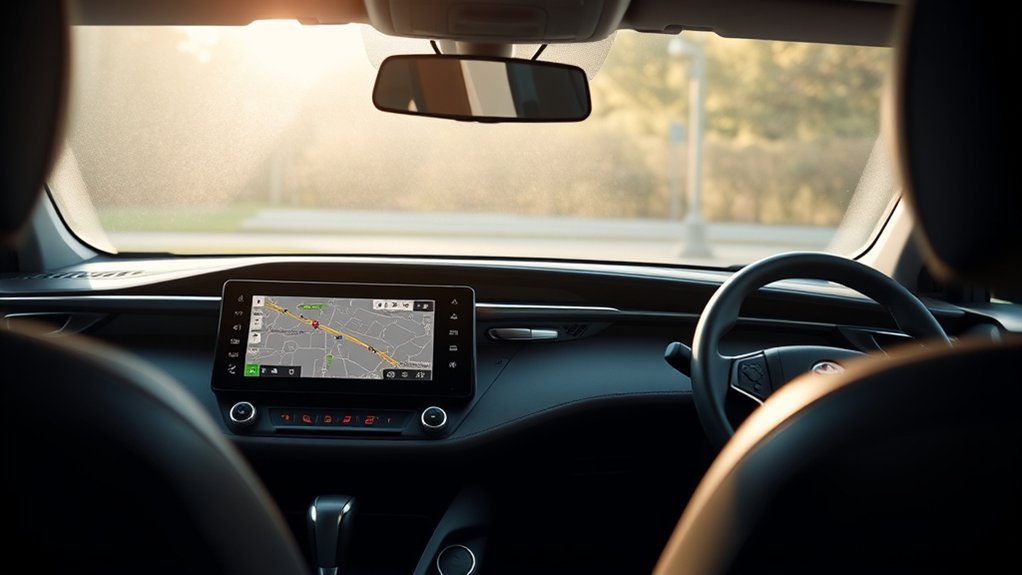
What’s in This Article
- Are The Navigation Features Reliable In The 2021 Toyota RAV4?
- Which RAV4 Trim Levels Offer Built-In Navigation?
- How Does The RAV4’s Navigation Compare To Smartphone Apps?
- Why Choose Built-In Navigation Over Smartphone Apps?
- How To Check A Used RAV4 For Navigation Before You Buy
- Upgrading Navigation Features In The 2021 RAV4
- What Do Users Say About The RAV4 Navigation System?
- Alternative Navigation Solutions For The 2021 RAV4
- Frequently Asked Questions
- Conclusion
The 2021 Toyota RAV4 can have factory navigation, but the answer depends on trim, package, and market. The Limited trim lists Toyota Dynamic Navigation with its Premium Audio system, while TRD Off-Road and some higher packages could add Dynamic Navigation with a trial. Most lower trims rely on smartphone integration through Apple CarPlay® or Android Auto™, which lets you use apps like Apple Maps, Google Maps, or Waze on the vehicle screen.
Quick Answer
The 2021 Toyota RAV4 does not give every trim built-in navigation. Limited includes Dynamic Navigation with Premium Audio, and TRD Off-Road could add it through a Premium Audio package. If your RAV4 lacks factory navigation, you can still get maps through Apple CarPlay® or Android Auto™.
Key Takeaways
- Check the trim and window sticker before you assume a 2021 RAV4 has built-in navigation.
- Dynamic Navigation usually needs an active trial or subscription after the trial ends.
- Apple CarPlay® and Android Auto™ give lower trims strong map options through your phone.
- Built-in navigation can feel cleaner, but smartphone apps often update faster.
- Download offline maps before rural trips if you plan to use phone-based navigation.
Are The Navigation Features Reliable In The 2021 Toyota RAV4?
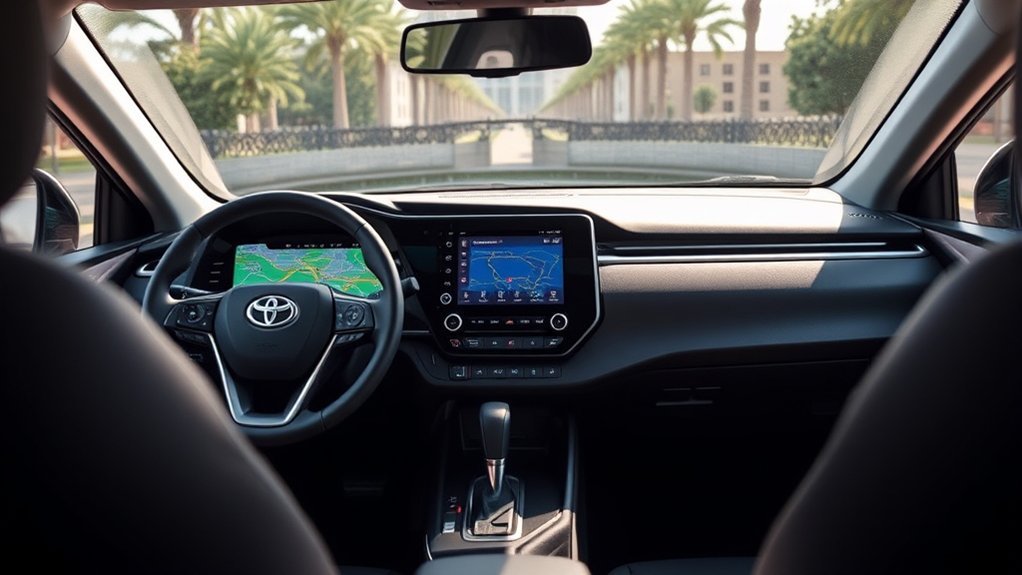
The 2021 RAV4’s navigation can work well when your vehicle has the right factory system and an active service plan. Toyota’s 2021 brochure says Dynamic Navigation depends on several factors, including a telematics device, a cellular connection, map data, and GPS signal strength. That means factory navigation still has limits, even though it does not require phone pairing.
Lower trims use Apple CarPlay® or Android Auto™ for map access. Toyota’s owner information says Apple CarPlay® and Android Auto™ allow supported apps, such as maps, phone, and music, to run through the vehicle system. This setup works well for many drivers, but your phone battery, cable or wireless link, app settings, and data signal can affect the experience.
Warning: Set your route before you drive, because typing or changing map settings on the road can distract you.
Which RAV4 Trim Levels Offer Built-In Navigation?
Navigation availability changes by model year, trim, package, and market. For the 2021 Toyota RAV4, the Limited trim lists Premium Audio with Dynamic Navigation and a three-year trial. The TRD Off-Road trim could add Premium Audio with Dynamic Navigation through a package.
For 2022, Toyota listed Dynamic Navigation with Premium Audio packages on select trims, including TRD Off-Road, Limited, Hybrid Limited, Hybrid XSE, and Prime XSE package configurations. For 2023 U.S. models, Toyota added Toyota Audio Multimedia and listed Drive Connect trials in its trim details, even on the LE. Drive Connect includes Cloud Navigation, but Toyota says availability and accuracy depend on connectivity, GPS signal, and compatible network coverage.
Standard Navigation Availability
Use this quick guide as a starting point, then confirm the exact vehicle by checking its build sheet or window sticker.
| Model Year | Navigation Setup | What You Should Check |
|---|---|---|
| 2021 | Dynamic Navigation on Limited, available on select packages such as TRD Off-Road Premium Audio | Look for “Dynamic Navigation” or “Premium Audio” on the sticker |
| 2022 | Dynamic Navigation tied to Premium Audio packages on select trims | Check package details, not just the trim name |
| 2023 | Toyota Audio Multimedia with Drive Connect trials listed in trim details | Check trial length, subscription status, and service availability |
Trim-Specific Navigation Features
The trim badge alone does not tell the full story. A 2021 Limited is the safest factory-navigation pick, but a 2021 TRD Off-Road may need the right Premium Audio package. XLE, XLE Premium, Adventure, and hybrid trims often rely on phone-based maps unless the vehicle has an added audio or navigation package.
Before you buy a used RAV4, open the settings menu and look for built-in map or navigation menus. You can also ask a Toyota dealer to confirm connected service eligibility by vehicle identification number (VIN).
How Does The RAV4’s Navigation Compare To Smartphone Apps?
The RAV4’s built-in navigation and smartphone apps solve the same problem in different ways. Factory navigation keeps maps inside the vehicle screen without phone pairing, while apps like Google Maps, Apple Maps, and Waze update often and feel familiar. The best choice depends on where you drive and how much you want to rely on your phone.
Integrated Navigation Benefits
Factory navigation keeps your directions on the built-in display and works through the vehicle interface. It can reduce phone handling and keep audio, voice prompts, and map guidance in one place.
| Feature | Integrated Navigation (RAV4) | Smartphone Apps |
|---|---|---|
| Phone pairing needed | No, when factory navigation is active | Yes, through CarPlay® or Android Auto™ |
| Live traffic | Requires supported connected service | Requires phone data or offline planning |
| Map updates | Handled through Toyota service terms | Handled through the app |
| Cost after trial | Subscription may apply | Many apps cost nothing to use |
This setup gives factory navigation a cleaner feel, but it does not make phone apps obsolete. If you drive in the city and want frequent traffic updates, a phone app may still serve you better.
Smartphone App Limitations
Smartphone maps can work very well, but they add a few weak points you should plan around:
- Check your signal: Live traffic and rerouting can fail when your phone loses data service.
- Watch your battery: Long drives can drain your phone unless you keep it plugged in or charged.
- Keep the connection stable: A bad cable, adapter, or wireless link can interrupt map guidance.
You can reduce those problems by downloading offline maps before rural drives. That simple step gives you a backup if your phone signal drops.
User Experience Differences
Built-in navigation can feel simpler because you do not need to pair a phone before each trip. You can start the vehicle, enter a destination, and keep your map on the factory screen.
Phone apps feel better if you want familiar search, saved places, and fast app updates. Many drivers use both: factory navigation for longer trips and phone apps for daily traffic.
Why Choose Built-In Navigation Over Smartphone Apps?
Built-in navigation makes sense when you want a vehicle-based map system that works without handling your phone. It can help most when you share the vehicle with other drivers or often travel to areas with weak phone service.
- Choose it for convenience: You can use the vehicle screen without opening a phone app first.
- Choose it for a cleaner cabin: You need fewer cables, mounts, and loose devices.
- Choose it for vehicle integration: Audio prompts and map controls can work through the factory system.
Still, you should check the trial and subscription terms. A used RAV4 may have factory navigation hardware, but the connected service trial may have expired.
How To Check A Used RAV4 For Navigation Before You Buy
Start with the window sticker, build sheet, or dealer listing. Look for terms like Dynamic Navigation, Premium Audio, Drive Connect, or Cloud Navigation. Do not rely only on a large touchscreen, because many RAV4 trims have a big screen without factory maps.
Next, sit in the vehicle and check the infotainment menu. If the screen only shows Apple CarPlay®, Android Auto™, or projection options, the vehicle may depend on your phone for maps. If it has a native map screen, ask whether the trial is active and what subscription the next owner needs.
Note: Toyota service names and trial lengths can vary by model year, package, region, and ownership status.
Upgrading Navigation Features In The 2021 RAV4

If you’re driving a 2021 Toyota RAV4 without factory navigation, start with the features your vehicle already supports. Most 2021 RAV4 trims support Apple CarPlay® and Android Auto™, so your phone can provide maps through the vehicle display. This route costs less than trying to retrofit factory navigation.
A wireless CarPlay® or Android Auto™ adapter can make phone-based maps easier to use, but you should check compatibility before you buy one. Some adapters work better with specific phones, software versions, and Toyota audio units.
If you want true factory navigation, ask a Toyota dealer whether your exact audio unit supports any official upgrade. Many lower-trim vehicles cannot gain full factory navigation with a simple software switch, so confirm the cost before you spend money.
What Do Users Say About The RAV4 Navigation System?
RAV4 owner feedback often depends on which system the vehicle has. Drivers with factory navigation usually like the built-in screen and the lack of phone pairing. Drivers with lower trims often prefer phone apps because the apps feel familiar and update often.
- Built-in convenience: Owners with factory navigation often value the simple in-car map screen.
- Feature confusion: Shoppers often confuse a large touchscreen with built-in navigation.
- Voice command limits: Some drivers find vehicle voice commands less flexible than phone assistants.
The safest approach is to test the exact RAV4 before you buy it. Pair your phone, open maps, test voice prompts, and check whether any Toyota connected trial has expired.
Alternative Navigation Solutions For The 2021 RAV4
For 2021 RAV4 owners seeking reliable navigation solutions, smartphone connectivity gives you the easiest path. Apple CarPlay® and Android Auto™ let you use supported map apps on the Toyota screen, so you can keep directions in view without buying a new head unit.
You can also use offline maps, a dedicated GPS device, or an aftermarket head unit if your needs go beyond phone projection. Offline maps help on remote trips, while a dedicated GPS can work as a backup for long-distance travel.
Pro tip: Save your route offline before a rural drive, even if you plan to use built-in navigation.
Frequently Asked Questions
Which Toyota RAV4 Has Navigation?
For 2021, the RAV4 Limited lists Dynamic Navigation with Premium Audio, and TRD Off-Road could add it with a Premium Audio package. For 2022 and 2023, availability depends on package, Drive Connect trial status, and region, so check the build sheet before you buy.
Do You Need To Avoid Any RAV4 Year For Navigation?
You do not need to avoid a full RAV4 model year just because of navigation. Instead, check the trim, package, screen menu, and connected service status. A lower trim with Apple CarPlay® or Android Auto™ may still meet your needs.
How Do I Get Maps On My RAV4?
If your RAV4 has factory navigation, use the built-in map or navigation menu. If it does not, connect your phone through Apple CarPlay® or Android Auto™ and open your preferred map app.
Does Toyota Have A Built-In Navigation System?
Yes, Toyota offers built-in and connected navigation systems on many models and trims. In the RAV4, the exact system name and availability depend on model year, package, region, trial status, and subscription terms.
Conclusion
The most important point is simple: a 2021 Toyota RAV4 does not include built-in navigation on every trim. Check for Dynamic Navigation, Premium Audio, Drive Connect, or Cloud Navigation before you buy or upgrade. If your RAV4 relies on phone projection, Apple CarPlay® and Android Auto™ still give you strong map options. Test the exact setup you plan to use before your next long drive, and keep an offline map ready as a backup.
References
- 2021 Toyota RAV4 eBrochure, Toyota, 2021
- 2022 Toyota RAV4 eBrochure, Toyota, 2022
- 2023 Toyota RAV4 eBrochure, Toyota, 2023
- Connected Services, Toyota Owners, 2026
- 2021 RAV4 Apple CarPlay® and Android Auto™ owner information, Toyota Owners, 2021