Last Updated: June 2026
Best Dash Cams for Teen Drivers in 2026: Keep Your New Driver Safe on Every Trip
Your teenager just got their license. Every time they back out of the driveway, that knot in your stomach tightens a little. A quality dash cam won’t make them a perfect driver overnight — but it will give you timestamped, GPS-tagged video evidence when something goes wrong, protect them against fraudulent accident claims, and in many cases, qualify your family for an insurance discount. This guide compares 15 dash cams positioned for teen drivers in 2026, with a focus on the features that actually matter for new drivers: clear footage, reliable incident locking, simple clip downloads, GPS evidence, night visibility, and parking protection.
Our top overall pick for most teen drivers is the ROVE R2-4K — it strikes the best balance of 4K clarity, reliable GPS, fast 5G WiFi for easy footage access, and a proven brand with strong customer support. If your teen drives at night frequently, upgrade to the 4K Dash Cam with Super Starlight Night Vision for unmatched low-light performance. On a tighter budget, the 4K Triple Dash Camera with 32GB Card covers front, rear, and cabin without breaking the bank.
Scroll down for the full comparison table and detailed reviews of all 15 models.
Pros
- Timestamped GPS-tagged video provides evidence
- Real-time recording captures accidents
- Protects against fraudulent claims
Cons
- Cloud features may require monthly subscription
Quick Decision Guide for Teen Driver Dash Cams
If you only want the safest starting point, choose a dual-channel 4K front camera with GPS, a reliable app, and at least a 64GB high-endurance card. If your teen drives at night, prioritize sensor quality and aperture over marketing phrases like “super night vision.” If you want accountability inside the vehicle, choose a 3-channel or 4-channel system with cabin recording and check your state’s audio-recording rules before enabling sound.
- Best all-around choice: ROVE R2-4K Dual Dash Cam for GPS, fast WiFi, and a beginner-friendly setup.
- Best for night driving: 4K Dash Cam Front and Rear with 128GB Card because both channels are listed as 4K and it emphasizes low-light capture.
- Best for cabin monitoring: 3 Channel WiFi Dash Cam for front, rear, and interior recording.
- Best lower-cost setup: 4K Triple Dash Camera for Cars, with the caveat that the included 32GB card should be upgraded for heavy use.
How We Evaluated These Dash Cams
For a teen driver, the best dash cam is not simply the one with the highest resolution. The most important factors are whether the camera automatically protects crash footage, stays out of the driver’s sightline, records clearly at night, makes clips easy to retrieve, and has enough storage for daily driving plus parking incidents. Product pages, bundles, coupons, and availability can change, so confirm the live Amazon listing before buying.
| 4K Dash Cam Front and Rear with 128GB Card | 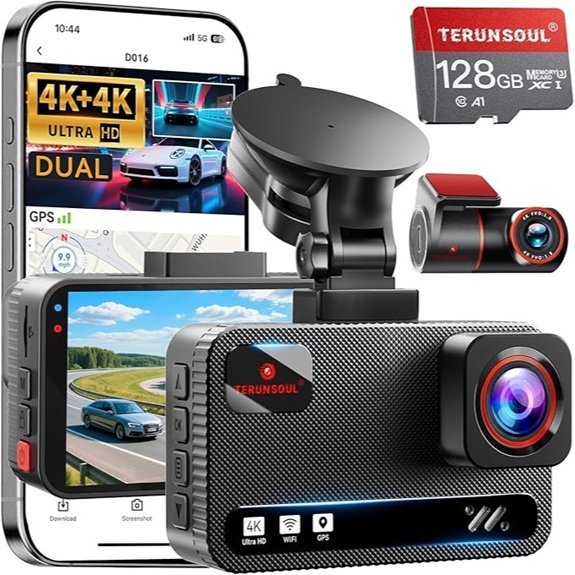 |
Best for Night Vision | Video Quality: 4K Front + 4K Rear | Night Vision: Super Starlight Night Vision | Loop Recording: Yes (Continuous Loop) | CHECK PRICE ON AMAZON → | Read Our Full Review |
| ROVE R2-4K Dual Dash Cam with 128GB Card | 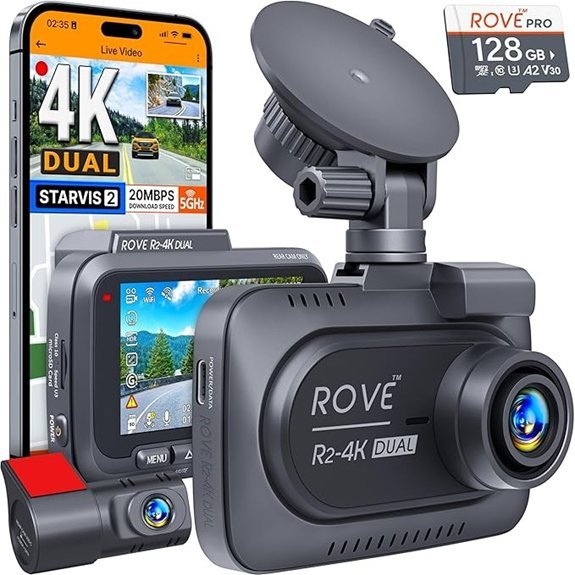 |
Best Overall Pick | Video Quality: 4K Front + 1080P Rear | Night Vision: Enhanced Low-Light Performance | Loop Recording: Yes (Seamless Loop) | CHECK PRICE ON AMAZON → | Read Our Full Review |
| 3 Channel WiFi Dash Cam with 64GB SD Card | 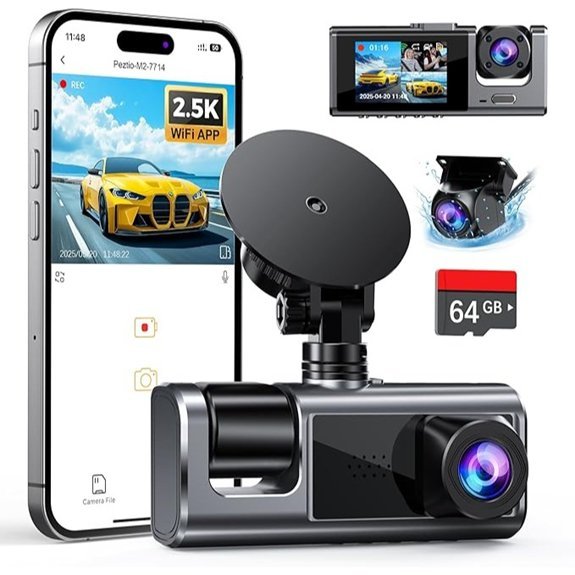 |
Best 3-Channel Coverage | Video Quality: 2.5K Front + 1080P Inside + 1080P Rear | Night Vision: Super Night Vision | Loop Recording: Yes (Automatically Overwrites) | CHECK PRICE ON AMAZON → | Read Our Full Review |
| REDTIGER 4K Dash Cam with Front and Rear Cameras | 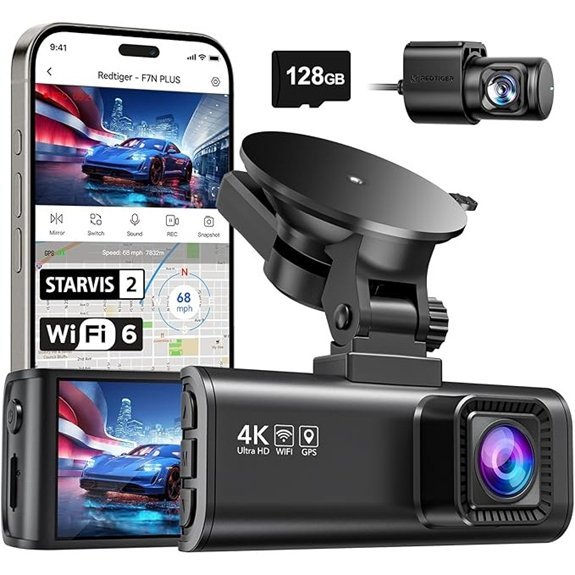 |
Best Image Quality | Video Quality: 4K Front + 1080P Rear | Night Vision: WDR and HDR Technologies | Loop Recording: Yes (Loop Recording) | CHECK PRICE ON AMAZON → | Read Our Full Review |
| 4K 3-Channel Dash Cam with WiFi and Night Vision | 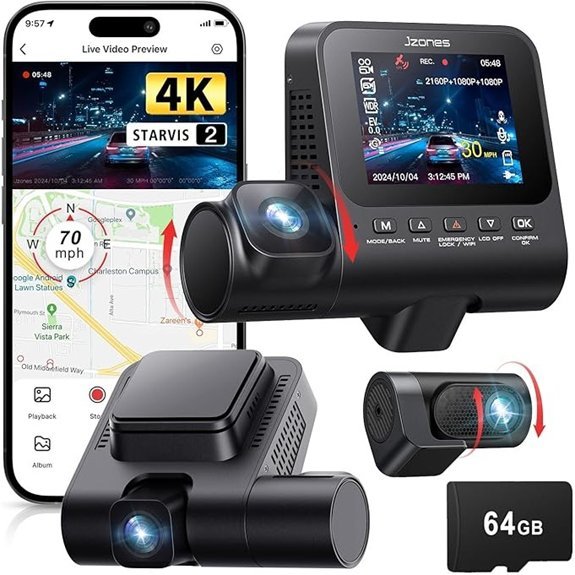 |
Most Comprehensive Monitoring | Video Quality: 4K Front + 1080P Rear + 1080P Cabin | Night Vision: STARVIS Sensor | Loop Recording: Yes (Continuous Overwriting) | CHECK PRICE ON AMAZON → | Read Our Full Review |
| IIWEY N5 4 Channel Dash Cam with Night Vision | 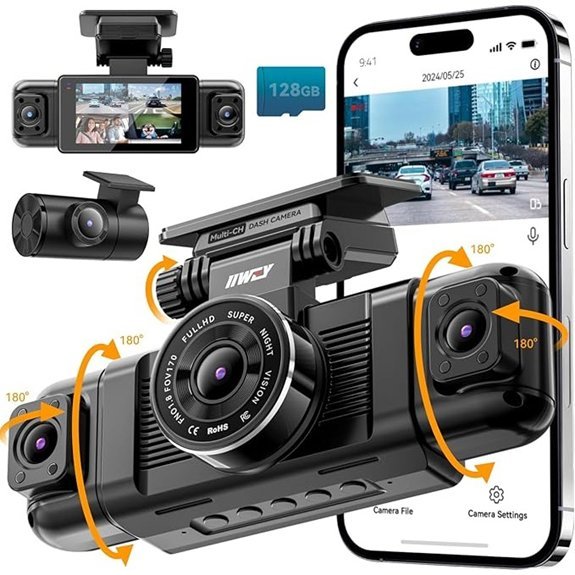 |
Best for 360° Coverage | Video Quality: FHD 1080P Front, Rear, and Side | Night Vision: Low-Light Recording | Loop Recording: Yes (Automatically Saves) | CHECK PRICE ON AMAZON → | Read Our Full Review |
| 4K Triple Dash Camera for Cars with 32GB Card | 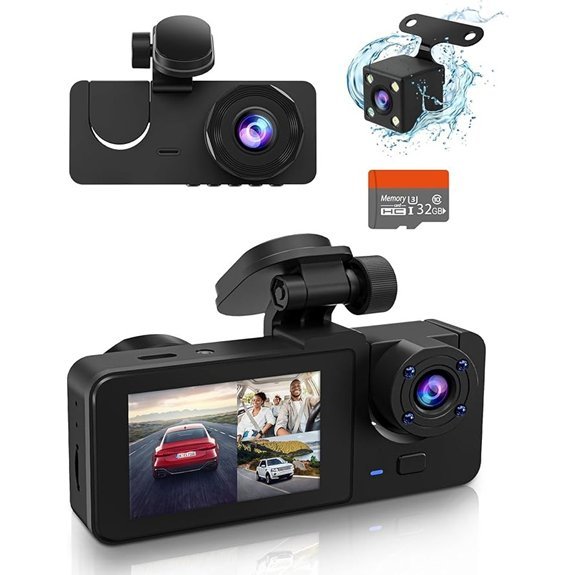 |
Best Budget Option | Video Quality: 4K Front + 1080P Rear | Night Vision: Enhanced Night Vision | Loop Recording: Yes (Loop Functionality) | CHECK PRICE ON AMAZON → | Read Our Full Review |
| Pelsee P1 Duo 4K Dash Cam with 64GB SD Card | 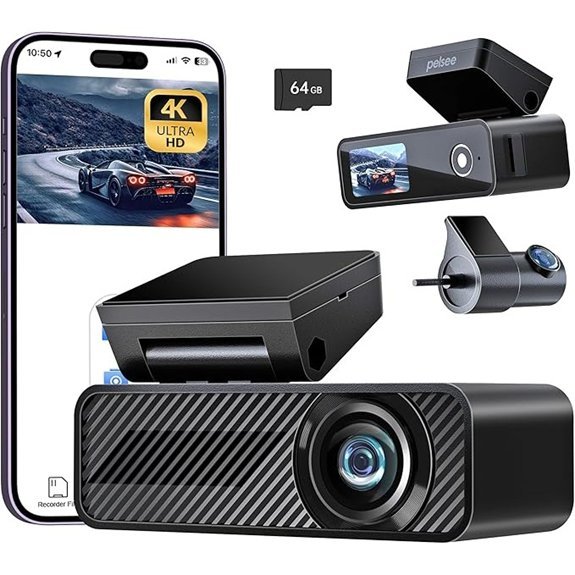 |
Top Value for Money | Video Quality: 4K Front + 1080P Rear | Night Vision: Excellent Night Vision | Loop Recording: Yes (Automatic Overwrite) | CHECK PRICE ON AMAZON → | Read Our Full Review |
| Dash Cam Front and Rear with 32GB Card | 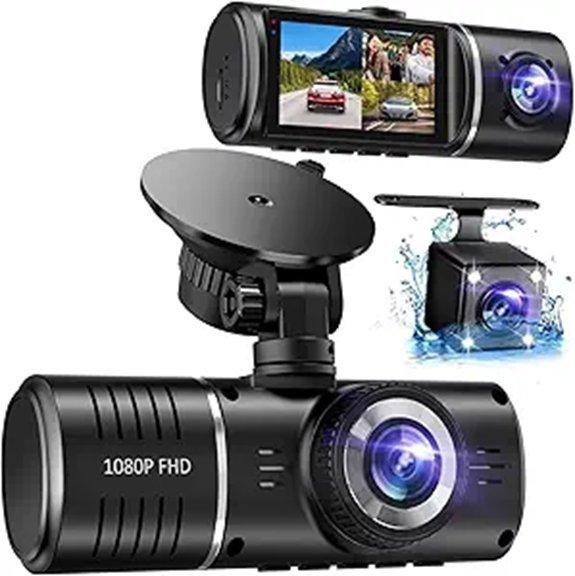 |
Best Emergency Features | Video Quality: 3 Channel with 1080P | Night Vision: Infrared LED Night Vision | Loop Recording: Yes (Loop Recording) | CHECK PRICE ON AMAZON → | Read Our Full Review |
| 4K Dash Cam with GPS and Night Vision | 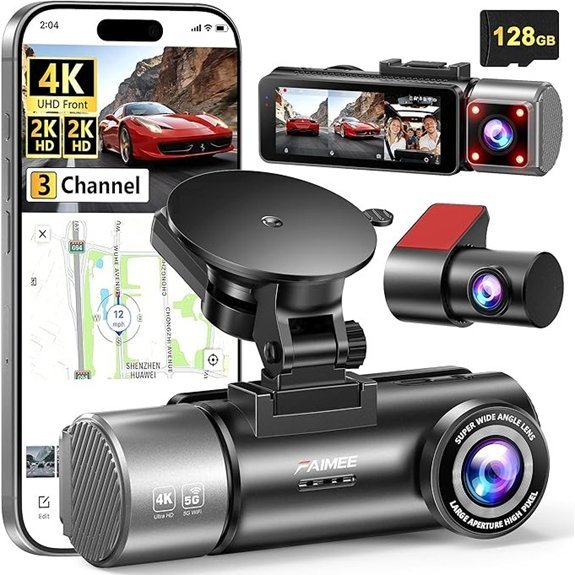 |
Best for Real-Time Sharing | Video Quality: 4K Front + 2K Rear | Night Vision: WDR Technology | Loop Recording: Yes (Loop Function) | CHECK PRICE ON AMAZON → | Read Our Full Review |
| 4K Dash Cam with 5G WiFi and Night Vision | 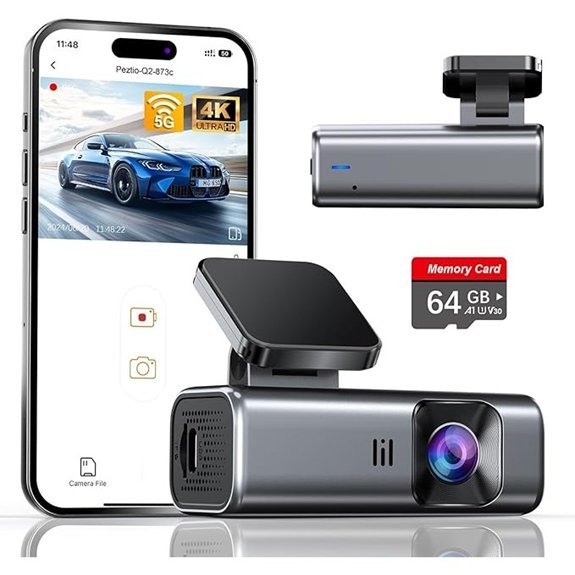 |
Most User-Friendly | Video Quality: 4K Front + 1080P Rear | Night Vision: Super Night Vision | Loop Recording: Yes (Continuous Loop) | CHECK PRICE ON AMAZON → | Read Our Full Review |
| N5 PRO 4K 4 Channel Dash Cam with GPS | 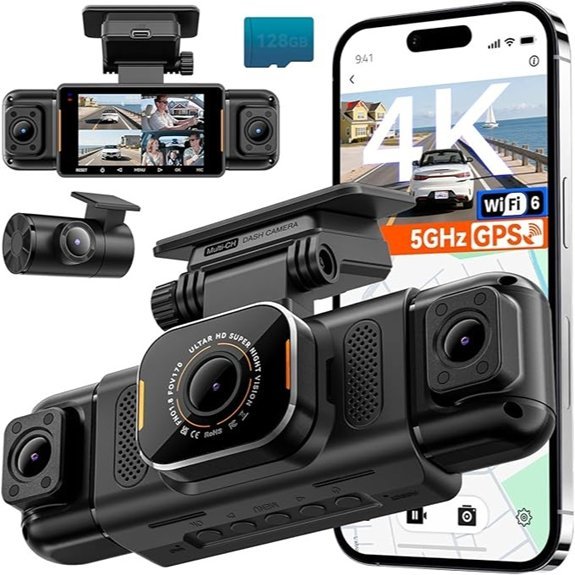 |
Best Safety Features | Video Quality: 4K Front + 1080P×3 | Night Vision: Night Vision with IR Lamps | Loop Recording: Yes (Overwrites Old Files) | CHECK PRICE ON AMAZON → | Read Our Full Review |
| K600 4K Dash Cam with GPS and Night Vision | 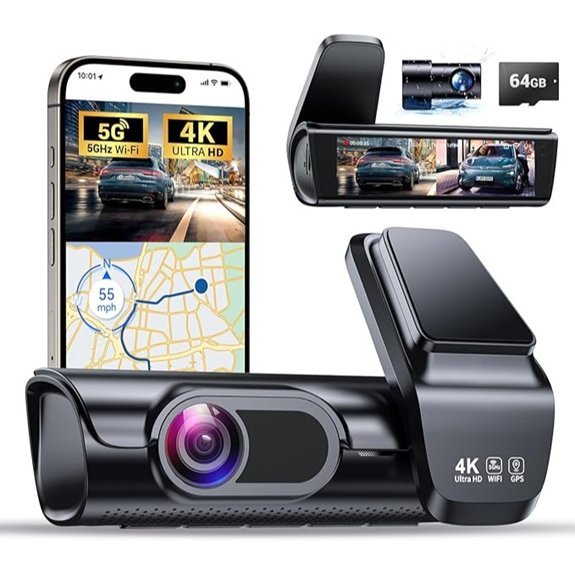 |
Best for High-Resolution | Video Quality: 4K Front + 1080P Rear | Night Vision: Advanced Night Vision | Loop Recording: Yes (Loop Recording) | CHECK PRICE ON AMAZON → | Read Our Full Review |
| 4K Front and Rear Dual Dash Camera with WiFi | 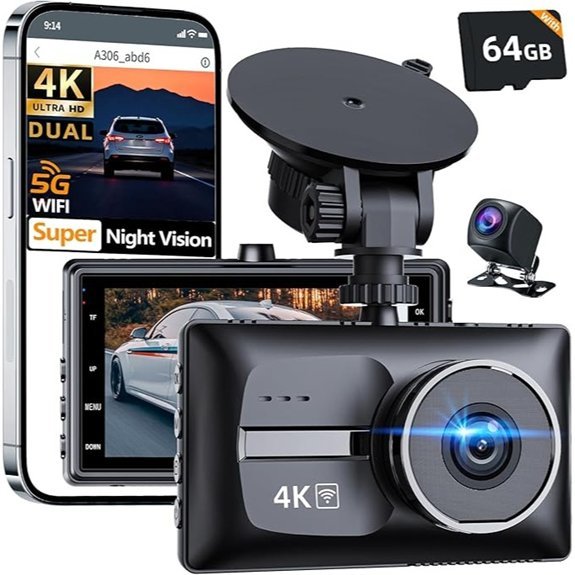 |
Best for Discreet Installation | Video Quality: 4K Front + 1080P Rear | Night Vision: Super Night Vision | Loop Recording: Yes (Loop Functionality) | CHECK PRICE ON AMAZON → | Read Our Full Review |
| 4K+2.5K Dash Cam Front and Rear with WiFi | 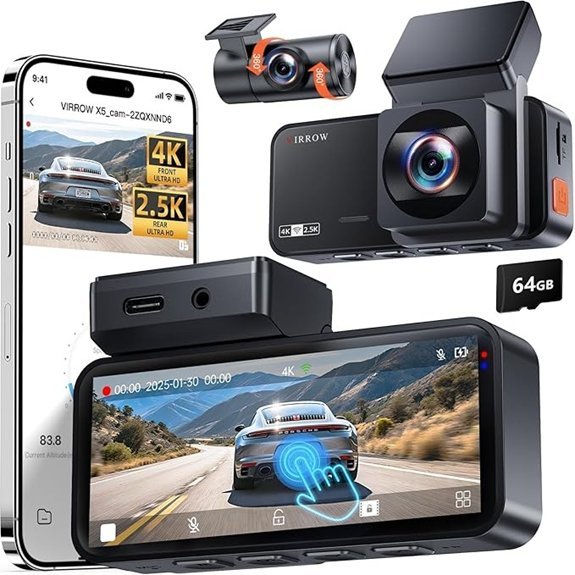 |
Best for Versatile Use | Video Quality: 4K Front + 2.5K Rear | Night Vision: Enhanced Night Vision | Loop Recording: Yes (Continuous Loop) | CHECK PRICE ON AMAZON → | Read Our Full Review |
Which Dash Cam Setup Should You Choose?
Two-channel dash cams are the best fit for most teen drivers because they record the road ahead and behind without adding cabin privacy concerns. Three-channel dash cams add interior footage, which can be useful for parents who want context around distracted driving, passengers, or a collision. Four-channel dash cams are best for dense parking lots and city driving, but they take more time to install and generate more video files to manage.
Before buying: verify whether the listing includes the memory card, whether GPS is built in or sold separately, whether parking mode requires a hardwire kit, and whether the rear camera is designed for interior glass mounting or external waterproof mounting.
Detailed Reviews of Our Top Picks
-
4K Dash Cam Front and Rear with 128GB Card — Best for Night Vision
Who this is for: Parents whose teen regularly drives after dark — on unlit suburban roads, after school activities, or late-night shifts.
Who should skip it: Skip it if you mainly want the simplest possible installation or if your teen only makes short daytime trips where dual 4K storage demands are unnecessary.
Most dash cams claim “night vision,” but the useful question is whether footage remains clear enough to show lanes, signs, and nearby license plates after dark. Based on the listed Super Starlight positioning, this is the night-driving pick in the roundup. The Super Starlight sensor is positioned for stronger low-light capture than basic night-vision claims, which is valuable for teens driving after practices, evening shifts, or winter commutes. Having true 4K on both front and rear channels is also rare at this price point; most competitors cut costs by dropping the rear to 1080P.
The built-in GPS is listed as logging speed and route data into recorded clips, which can be useful if your teen is ever in a dispute about speed or location at the time of an incident. The article listing states that a 128GB high-endurance card is included, which matters because dash cams constantly write, erase, and overwrite footage. Installation should be manageable for many vehicles, but plan extra time for careful cable routing. The listing also emphasizes 5.8GHz WiFi and an 18-month warranty.
The one trade-off: 4K on both channels means the 128GB card fills faster than a front-only setup. With loop recording active this is not a problem during normal driving, but if you park the car and leave parking mode running overnight, expect the card to cycle through older footage by morning.
Bottom line: If nighttime driving safety is your primary concern, this is the one to buy.
Pros:
- True 4K front AND rear — rare at this price
- Super Starlight night vision outperforms standard STARVIS in real-world low light
- Built-in GPS with speed logging
- 128GB high-endurance card included
- 18-month warranty
Cons:
- Dual 4K fills storage faster in parking mode
- 5.8GHz WiFi requires being close to the vehicle to download footage
- Video Quality:4K Front + 4K Rear
- Night Vision:Super Starlight Night Vision
- Loop Recording:Yes (Continuous Loop)
- G-Sensor:Yes (Collision Detection)
- WiFi Connectivity:Yes (5.8GHz WiFi)
- Parking Mode:Yes (24-Hour Monitoring)
- GPS:Yes (Built-in, Speed + Route Logging)
- Included Storage:128GB High-Endurance SD Card
- Warranty:18 Months
-
ROVE R2-4K Dual Dash Cam with 128GB Card — Best Overall
Who this is for: Most families buying their first dash cam for a teen driver — solid performance across every category, no major trade-offs.
Who should skip it: Skip it if rear-camera resolution is more important to you than app polish, because the rear channel is listed as 1080P rather than 2K or 4K.
ROVE has been making dash cams long enough that the software side is actually polished, which matters more than most buyers realize. The ROVE app is genuinely easy to navigate; a 16-year-old can figure out how to pull a clip and share it without reading a manual. That matters when your teen is flustered after a fender-bender and needs to pull footage quickly.
The Sony IMX675 STARVIS sensor handles low-light better than the generic sensors packed into similarly priced competitors. The 150° front and 140° rear angles cover the lanes beside the vehicle, not just directly ahead — relevant for teen drivers who are still learning to track surrounding traffic. A 5GHz WiFi connection is typically faster than 2.4GHz for transferring large clips, which matters when your teen needs to save or share footage quickly after an incident.
Voice guidance is a practical inclusion for new drivers — the camera narrates when it starts recording, when it locks emergency footage, and when parking mode activates, so your teen always knows the cam is working without having to look at it.
Bottom line: The best all-around choice for most families. Strong specs, reliable brand, genuinely usable app.
Pros:
- Sony IMX675 STARVIS sensor — proven low-light performance
- Fast 5G WiFi for quick clip downloads
- Voice guidance reduces driver distraction
- Wide 150°/140° dual angles
- 128GB card included, custom 24-hour parking mode
Cons:
- Rear camera is 1080P, not 4K
- App requires account creation
- Video Quality:4K Front + 1080P Rear
- Night Vision:Enhanced Low-Light Performance (Sony IMX675)
- Loop Recording:Yes (Seamless Loop)
- G-Sensor:Yes (Emergency Video Lock)
- WiFi Connectivity:Yes (Ultra-Fast 5G WiFi)
- Parking Mode:Yes (Custom 24-Hour Mode)
- Sensor:Sony IMX675 STARVIS
- Display:3″ IPS Screen
- Voice Guidance:Yes
-
3 Channel WiFi Dash Cam with 64GB SD Card — Best 3-Channel Coverage
Who this is for: Parents who want interior cabin footage in addition to front and rear — useful if you’re co-piloting with a learner driver, or if you want to see exactly what was happening inside the car during an incident.
Who should skip it: Skip it if your household does not want cabin recording or if your state’s audio/privacy rules make interior monitoring more complicated than it is worth.
Three-channel setups record front road, rear road, and the vehicle cabin simultaneously. That interior camera is the differentiator here — it captures whether your teen was on their phone, who was in the car, and what was happening inside the vehicle at the moment of any incident. For parents with a new driver on a graduated license, that interior footage is a genuine safety tool, not just a gimmick.
The Sony IMX sensor drives the 2.5K front channel, which resolves license plates at highway distances better than standard 1080P. The low-profile, hidden-style mounting keeps the unit out of sight — teenagers tend to feel less monitored and more comfortable when the camera blends into the car interior, which means they’re less likely to try to disable it.
Lifetime technical support is a notable inclusion. Most brands offer 12 months; this one backs you indefinitely.
Bottom line: The right choice if interior cabin monitoring is a priority alongside front and rear coverage.
Pros:
- Interior cabin camera included — front, rear, and cabin simultaneously
- Sony IMX sensor on front channel
- Low-profile hidden design
- Lifetime technical support
- 64GB card + expandable storage included
Cons:
- Front is 2.5K, not 4K
- Three channels means more cable routing during install
- Video Quality:2.5K Front + 1080P Inside + 1080P Rear
- Night Vision:Super Night Vision
- Loop Recording:Yes (Automatically Overwrites)
- G-Sensor:Yes (Detects Collisions)
- WiFi Connectivity:Yes (Built-in WiFi)
- Parking Mode:Yes (24-Hour Parking Mode)
- Sensor:Sony IMX
- Design:Low-Profile Hidden Mount
- Support:Lifetime Technical Support
-
REDTIGER 4K Dash Cam (F7NP) with Front and Rear Cameras — Best Image Quality
Who this is for: Buyers who want the sharpest possible footage for insurance and legal purposes — and who drive in areas with highly variable lighting (bright desert sun, tunnels, heavy shade).
Who should skip it: Skip it if you want an all-in-one bundle with a memory card included, because this listing is described as requiring a separate SD card purchase.
The REDTIGER F7NP is described as using a STARVIS 2 sensor paired with an F1.5 aperture lens, a combination aimed at improving low-light capture. In practical terms, that combination is designed to pull in more light and preserve detail in difficult lighting, especially at night or in parking lots.
WDR and HDR processing are especially useful in high-contrast situations, such as driving from a dark tunnel into bright sunlight or dealing with headlight glare at night. Where cheaper cams blow out highlights or crush shadows, the F7NP holds detail in both zones simultaneously.
The supercapacitor power design is worth noting: instead of a battery, which degrades in extreme heat (relevant if the car parks in direct sun), the supercapacitor handles short power interruptions and is rated for far more temperature cycles. REDTIGER is also an established brand with a large review base, so quality control is more consistent than no-name alternatives.
Bottom line: The best raw footage quality in this roundup. If the primary use case is evidence preservation, this is the one.
Pros:
- STARVIS 2 sensor — Sony’s latest generation
- F1.5 aperture — wider than most competitors
- WDR + HDR handles extreme lighting contrasts well
- Supercapacitor design — no battery degradation in heat
- 170° front / 140° rear wide angle
Cons:
- No SD card included — must purchase separately
- App can feel dated compared to ROVE’s interface
- Video Quality:4K Front + 1080P Rear
- Night Vision:WDR and HDR Technologies
- Loop Recording:Yes (Loop Recording)
- G-Sensor:Yes (G-Sensor Lock)
- WiFi Connectivity:Yes (5.8GHz WiFi)
- Parking Mode:Yes (24/7 Parking Mode)
- Sensor:STARVIS 2 (Sony)
- Aperture:F1.5 (6-Layer Optical Lens)
- Power:Supercapacitor (No Battery)
-
4K 3-Channel Dash Cam with WiFi and Night Vision — Most Comprehensive Monitoring
Who this is for: Parents who want near-complete coverage — road ahead, road behind, and interior — with 4K front resolution and GPS route tracking all in one unit.
Who should skip it: Skip it if you want a low-profile, nearly invisible camera. A 3-channel unit usually means more visible hardware and more cable routing.
This is the most feature-complete triple-channel option in the roundup. It steps up from the 3-channel cam above by adding 4K on the front channel (versus 2.5K), GPS route and speed logging, and a STARVIS 2 sensor. That combination makes it the right pick if you want everything: high-res front evidence, cabin monitoring, rear coverage, speed data, and parking protection — without juggling multiple devices.
The G-sensor sensitivity is adjustable, which matters for teen drivers in city traffic where constant small bumps can cause overly sensitive units to lock clips constantly and fill storage with false triggers. Getting the sensitivity set correctly for your teen’s typical driving environment takes five minutes but makes a real difference day-to-day.
Dual-band WiFi (2.4GHz and 5GHz) means you can connect at full speed nearby or stay connected at slightly longer range — useful when you’re trying to pull footage from a car parked in a garage.
Bottom line: If you want the most complete monitoring setup in a single unit, this outperforms the other 3-channel option on front resolution and GPS.
Pros:
- 4K front + cabin + rear simultaneously
- STARVIS 2 sensor
- Built-in GPS with speed and route logging
- Adjustable G-sensor sensitivity
- Dual-band WiFi
Cons:
- Three camera cables to route during install
- Larger unit — less discreet than single-cam options
- Video Quality:4K Front + 1080P Rear + 1080P Cabin
- Night Vision:STARVIS 2 Sensor
- Loop Recording:Yes (Continuous Overwriting)
- G-Sensor:Yes (Adjustable Sensitivity — Emergency Locking)
- WiFi Connectivity:Yes (Dual-Band 2.4GHz + 5GHz)
- Parking Mode:Yes (24-Hour Monitoring)
- GPS:Yes (Built-in)
- Audio Recording:Yes
- Support:24/7 Customer Support
-
IIWEY N5 4 Channel Dash Cam with Night Vision — Best for 360° Coverage
Who this is for: Parents who want coverage of all four sides of the vehicle — useful for new drivers in dense urban parking situations, or when a teen drives a larger vehicle they’re still learning to judge.
Who should skip it: Skip it if front license-plate detail is your top priority, because all channels are listed at 1080P rather than giving the front camera a 4K mode.
Four-channel coverage means front, rear, driver side, and passenger side are all recorded simultaneously. This is overkill for most highway driving, but genuinely useful in parking lots, tight city streets, and situations where side-swipe incidents are common. If your teen is still learning to judge the width of the car, having footage from all four angles can settle any “I didn’t touch it” disputes quickly.
The supercapacitor design handles temperature extremes well — relevant if the car sits outdoors in summer heat where internal batteries in cheaper cams can fail or swell. Compatible with both the iiwey and viidure apps, which gives you flexibility if one of them gets a poor update down the line.
The trade-off: All four channels record at 1080P, not 4K. If front-road license plate clarity is your top priority, a 4K front-only or dual-cam setup will outperform this one at distance.
Bottom line: The right pick for comprehensive perimeter coverage, but not the best for maximum front-road resolution.
Pros:
- Full 360° perimeter coverage — front, rear, and both sides
- Supercapacitor — reliable in extreme heat and cold
- Compatible with two separate apps
- 24-hour parking mode with motion detection
- Straightforward installation
Cons:
- All channels at 1080P — no 4K option
- Four cameras mean more mounting points and cable runs
- Video Quality:FHD 1080P Front, Rear, and Both Sides
- Night Vision:Low-Light Recording
- Loop Recording:Yes (Automatically Saves)
- G-Sensor:Yes (Collision Detection)
- WiFi Connectivity:Yes (5GHz WiFi)
- Parking Mode:Yes (24H Parking Mode)
- Channels:4 (Front, Rear, Left, Right)
- Power:Supercapacitor
- App Compatibility:iiwey + viidure
-
4K Triple Dash Camera for Cars with 32GB Card — Best Budget Option
Who this is for: Budget-conscious families who want three-channel coverage — front, rear, and cabin — without paying a premium price.
Who should skip it: Skip it if you want long parking-mode coverage out of the box. The included 32GB card is the main limitation and should be upgraded for heavy use.
Getting 4K front, 1080P rear, and an interior channel with 4 IR night vision lights at the entry-level price point is a strong value proposition. Most budget dash cams at this price are front-only; this one covers three angles and includes a physical display for reviewing footage without needing a smartphone.
The 2.0-inch screen is small but functional — your teen can check that the camera is recording correctly without pulling out their phone. The 4 IR night vision lights on the interior channel mean the cabin footage is actually usable after dark, not just a washed-out, grainy mess like you get on cheaper interior cameras.
The 32GB card is the obvious limitation. At 4K front resolution, 32GB fills faster than you’d expect — roughly 4–5 hours of front footage before loop recording starts overwriting. For daily driving this is fine. If you plan to use extended parking mode overnight, consider upgrading to a 64GB or 128GB card separately.
Bottom line: The most coverage per dollar in this roundup. Expect to spend a little extra on a larger SD card for best results.
Pros:
- 4K front + 1080P rear + cabin on a budget price
- 4 IR night vision lights for usable interior footage
- Physical 2.0″ display — no phone needed to verify recording
- Motion detection in parking mode
- Detachable SD card for easy footage transfer
Cons:
- Only 32GB included — upgrade recommended for heavy use
- Budget sensor — night vision less capable than STARVIS options above
- Video Quality:4K Front + 1080P Rear + Cabin
- Night Vision:4 IR Night Vision Lights (Interior)
- Loop Recording:Yes (Loop Functionality)
- G-Sensor:Yes (G-Sensor Activation)
- WiFi Connectivity:Yes (WiFi Connectivity)
- Parking Mode:Yes (24-Hour Parking Monitoring)
- Display:2.0″ User-Friendly Screen
- Included Storage:32GB (Upgrade Recommended)
- Card:Detachable for Easy Transfers
-
Pelsee P1 Duo 4K Dash Cam with 64GB SD Card — Top Value for Money
Who this is for: Families who want a feature-rich dual-cam setup with hands-free voice control — helpful for new drivers who shouldn’t be touching any devices while driving.
Who should skip it: Skip it if GPS speed and route evidence is a must-have, because this section identifies no built-in GPS on this model.
Voice control is the standout feature here. Your teen can say a command to lock footage, start recording, or take a snapshot without touching the unit or their phone — which is exactly the kind of behavior you want from a driver who’s still building road experience. It’s not a gimmick; voice-activated locking means that if something happens on the road, your teen can verbally save the clip immediately without waiting until they’re parked.
The Pelsee Cam app is cleanly designed and stable. Real-time video preview over WiFi means you or your teen can confirm the camera angle is correct without needing to dismount the unit and connect it to a computer. The 64GB card gives you roughly 8–10 hours of combined front and rear footage before loop recording begins overwriting — adequate for multi-day trips without manual management.
Bottom line: A practical choice for teen drivers specifically because of the voice control. Hands-free operation reduces the temptation to fidget with the device while driving.
Pros:
- Voice-activated commands — hands-free clip locking
- Clean, stable app with real-time video preview
- 64GB card included
- 24-hour parking mode
- Friendly user interface — low learning curve
Cons:
- Voice recognition can occasionally miss commands in loud cabin environments
- No GPS on this model
- Video Quality:4K Front + 1080P Rear
- Night Vision:Excellent Night Vision
- Loop Recording:Yes (Automatic Overwrite)
- G-Sensor:Yes (G-Sensor Feature)
- WiFi Connectivity:Yes (Built-in WiFi)
- Parking Mode:Yes (24-Hour Parking Mode)
- Voice Control:Yes (Hands-Free Operation)
- Real-Time Preview:Yes (Via Pelsee Cam App)
- Included Storage:64GB SD Card
-
Dash Cam Front and Rear with 32GB Card — Best Emergency Features
Who this is for: Parents prioritizing incident evidence capture — the waterproof rear camera and IPS screen make this practical for all-weather teen driving in varied climates.
Who should skip it: Skip it if you specifically need 4K front footage. This model is described as a 1080P three-channel setup.
The waterproof rear camera is the unique feature here. Most rear dash cam modules are interior-mounted at the back window, but a fully weatherproof external unit survives rain, car washes, and temperature extremes without degrading lens quality over time. If your teen drives in a region with heavy rain, snow, or extreme temperature swings, this durability matters.
The 170° front, 150° cabin, and dedicated rear angles with infrared LED night vision across all three channels gives solid coverage. The IPS panel screen is noticeably better than the TN displays on cheaper units — colors are accurate and viewing angles are wide, so your teen can actually see the screen clearly without perfectly centering their view on it.
Plug-and-play design (no hardwiring required) keeps installation simple, which is practical if the car is shared or if the cam needs to move between vehicles.
Bottom line: A practical, weather-tough three-channel setup. The waterproof rear camera is a genuine differentiator for drivers in harsh-weather states.
Pros:
- Weatherproof external rear camera — survives rain and car washes
- IPS panel screen with wide viewing angles
- IR LED night vision on all channels
- Plug-and-play — no hardwiring required
- 24-hour parking monitoring
Cons:
- 1080P across all channels — no 4K
- 32GB card fills quickly — upgrade recommended
- Video Quality:3 Channel with 1080P
- Night Vision:Infrared LED Night Vision
- Loop Recording:Yes (Loop Recording)
- G-Sensor:Yes (Emergency Recording)
- WiFi Connectivity:Yes (Built-in WiFi)
- Parking Mode:Yes (24-Hour Parking Monitor)
- Rear Camera:Waterproof External Mount
- Screen:IPS Panel
- Install:Plug-and-Play (No Hardwiring)
-
4K Dash Cam with GPS and Night Vision — Best for Real-Time Sharing
Who this is for: Parents who want to receive and view footage from their teen’s car quickly — the 4K front + 2K rear combination is one of the stronger dual-resolution setups in this roundup.
Who should skip it: Skip it if you prefer established companion apps with a long track record, since the article identifies the FAIMEE app as less established than some alternatives.
Most dual-cam setups pair 4K front with 1080P rear. This one steps the rear up to 2K, which means rear footage is sharp enough to reliably read the plate of a vehicle tailgating or rear-ending your teen — a detail that matters enormously for insurance claims where the other driver disputes fault. That rear resolution upgrade is the primary reason to choose this over the standard 4K+1080P configurations.
GPS speed data is timestamped into the footage, and the dual-band WiFi connects quickly to the FAIMEE app for clip downloads and sharing. The 12-month warranty is standard, and 24/7 customer support is available if your teen runs into setup issues on their own.
Bottom line: The best rear-camera resolution in the roundup for incident evidence capture.
Pros:
- 4K front + 2K rear — superior rear resolution for plate capture
- GPS speed and route stamped into footage
- Dual-band WiFi (5.8GHz) for fast downloads
- 170° front / 140° rear wide angles
- 24/7 customer support + 12-month warranty
Cons:
- FAIMEE app is less established than ROVE or REDTIGER
- No SD card included — purchase separately
- Video Quality:4K Front + 2K Rear
- Night Vision:WDR Technology
- Loop Recording:Yes (Loop Function)
- G-Sensor:Yes (Collision Lock)
- WiFi Connectivity:Yes (Dual-Band 5.8GHz WiFi)
- Parking Mode:Yes (Parking Mode)
- GPS:Yes (Speed + Route Stamping)
- Warranty:12 Months
- Support:24/7 Customer Support
-
4K Dash Cam with 5G WiFi and Night Vision — Most User-Friendly
Who this is for: New drivers who want a completely minimal, distraction-free setup — no screen to look at, no buttons to press mid-drive.
Who should skip it: Skip it if you want to check recording status or review footage directly on the device without opening a phone app.
Screen-free design is the defining choice here. Some drivers — especially new ones — find a dash cam screen distracting, even when it’s not supposed to be in their sightline. This unit has no display at all; it just records silently and connects to your phone via the app when you need to review footage. If your teen is the kind of person who would glance at a screen they didn’t need to, this removes the temptation entirely.
4K 2160P at 160° wide angle handles the front road well. The slim profile mounts discreetly behind the rearview mirror without blocking the driver’s sightline. 5GHz WiFi downloads clips quickly, and the G-sensor locks footage automatically during sudden braking or impact — no manual input needed from the driver.
The 24-hour parking mode continues monitoring while the car is stationary, so if the vehicle is parked at school or a shopping center and someone bumps it, there’s footage to review.
Bottom line: Best for teen drivers who need a completely passive, set-and-forget cam with zero in-car distraction.
Pros:
- No screen — zero visual distraction for new drivers
- Slim, discreet profile
- 4K 2160P / 160° front angle
- 5GHz WiFi for fast clip downloads
- 24-hour parking mode
Cons:
- No built-in GPS
- No display means you can’t verify recording status without your phone
- Video Quality:4K Front + 1080P Rear
- Night Vision:Super Night Vision
- Loop Recording:Yes (Continuous Loop)
- G-Sensor:Yes (G-Sensor Detection)
- WiFi Connectivity:Yes (Advanced 5GHz WiFi)
- Parking Mode:Yes (24-Hour Monitoring)
- Design:Screen-Free — Zero In-Car Distraction
- Profile:Slim, Discreet Mount
- Download Speed:Fast (5GHz)
-
N5 PRO 4K 4 Channel Dash Cam with GPS — Best Safety Features
Who this is for: Parents who want the most complete safety and monitoring package available — 4K front, three additional 1080P channels, GPS, IR night lamps, and real-time tracking via app.
Who should skip it: Skip it if you want a quick plug-and-play install. Four-channel systems take more planning, more cable routing, and more careful camera placement.
Based on the listed feature set, the N5 PRO is the most fully equipped model in this roundup. Four channels — 4K front and 1080P on three others — cover every angle of the vehicle. The IR lamps on the night vision channels are a step up from standard low-light processing; they actively illuminate the surrounding area rather than relying solely on available light, which produces usable footage in genuinely dark environments like unlit rural roads.
WiFi 6 technology means faster, more stable app connection than the WiFi 5 (802.11ac) found in most dash cams at this price. In practical use, footage transfers and live previews load faster and are less prone to dropping connection. GxPlayer software compatibility gives you desktop playback with GPS route overlay — useful if you ever need to compile footage for an insurance claim or legal proceeding.
The 128GB SD card is included, which is the right capacity for a four-channel system. The 12-month warranty is standard.
Bottom line: The top-tier option for parents who want the most comprehensive safety monitoring setup available in this category.
Pros:
- 4 channels: 4K front + 1080P×3 all angles
- Active IR night vision lamps — not just passive low-light processing
- WiFi 6 — faster and more stable than WiFi 5 alternatives
- GPS with real-time tracking via IIWEY app
- 128GB SD card included
- GxPlayer desktop software with GPS overlay
Cons:
- Most complex installation of any model here — four camera mounts to position
- Higher price point than two-channel alternatives
- Video Quality:4K Front + 1080P×3
- Night Vision:Active IR Lamps (Not Just Passive Processing)
- Loop Recording:Yes (Overwrites Old Files)
- G-Sensor:Yes (G-Sensor Activation)
- WiFi Connectivity:Yes (WiFi 6)
- Parking Mode:Yes (Parking Mode Available)
- GPS:Yes (Real-Time Tracking via IIWEY App)
- Included Storage:128GB SD Card
- Software:GxPlayer with GPS Route Overlay
-
K600 4K Dash Cam with GPS and Night Vision — Best for High-Resolution
Who this is for: Families who want a dual-cam setup with a large, easy-to-read screen for reviewing footage directly on the unit — without needing to connect a phone every time.
Who should skip it: Skip it if you want the most discreet camera possible. A larger screen is easier to use, but it is also more visible in the cabin.
The 3.59-inch display is the largest screen in this roundup. That size difference matters more than it sounds — reviewing footage while parked, checking that the camera angle is correct, or showing footage to a police officer at the scene of an incident is genuinely easier on a 3.59-inch IPS screen than on the 2-2.5-inch displays common on competitors. For teen drivers who aren’t as comfortable navigating smartphone apps, an on-device display reduces the friction of actually using the footage they’ve recorded.
UHD 2160P front recording with GPS speed data embedded into the video provides court-ready evidence quality. The 170° front and 160° rear wide angles are among the widest in this roundup, reducing blind spots on both ends of the vehicle. 5G WiFi keeps download times fast for parents who want to review their teen’s trips remotely.
Bottom line: The right pick if on-device playback matters — the largest screen here, with strong resolution and GPS to back it up.
Pros:
- 3.59-inch display — largest screen in this roundup
- 4K UHD 2160P front with GPS speed data
- Wide 170° front / 160° rear angles
- 24/7 parking monitoring
- 5G WiFi for fast remote access
Cons:
- Larger unit — less discreet than slim-profile models
- Storage inclusion is not confirmed in the provided article copy — verify whether an SD card is included before purchasing
- Video Quality:4K Front + 1080P Rear
- Night Vision:Advanced Night Vision (UHD 2160P)
- Loop Recording:Yes (Loop Recording)
- G-Sensor:Yes (G-Sensor Lock)
- WiFi Connectivity:Yes (5G WiFi)
- Parking Mode:Yes (24/7 Parking Monitoring)
- Display:3.59-Inch Screen
- GPS:Yes (Speed + Route)
- Angle Coverage:170° Front / 160° Rear
-
4K Front and Rear Dual Dash Camera with WiFi — Best for Discreet Installation
Who this is for: Teen drivers (or parents) who want a dash cam that’s essentially invisible — no large unit drawing attention, no visible screen, just discreet dual-channel recording.
Who should skip it: Skip it if GPS speed and route logging are non-negotiable, because this section identifies no GPS on this model.
If your teen drives a car that might be a theft target, or if you’d rather keep the dash cam from being noticed and potentially tampered with, the compact profile of this unit is the right choice. Mounted behind the rearview mirror, it’s difficult to spot unless you’re specifically looking for it. Thieves are significantly less likely to smash a window for a camera they can’t see.
4K UHD front and FHD rear with dual 170° ultra-wide angles covers the same field of view as larger units. Super Night Vision and 5G WiFi round out the spec sheet. The 64GB card is included, and a voltage reduction line option is available for a cleaner hardwired installation that reduces battery drain during extended parking mode use.
24/7 customer support means that if your teen’s first installation attempt goes wrong, there’s someone available to troubleshoot it.
Bottom line: The most discreet full-featured dual-cam option here. Worth considering if theft deterrence through visibility is a concern.
Pros:
- Compact, discreet design — difficult to spot when installed
- 4K front / FHD rear with 170° dual wide angles
- 64GB card included
- Voltage reduction line option for clean hardwired install
- 24/7 customer support
Cons:
- No GPS on this model
- Compact size means a smaller display if screen is present
- Video Quality:4K Front + 1080P Rear
- Night Vision:Super Night Vision
- Loop Recording:Yes (Loop Functionality)
- G-Sensor:Yes (G-Sensor Feature)
- WiFi Connectivity:Yes (5G WiFi)
- Parking Mode:Yes (24-Hour Parking Mode)
- Design:Compact — Discreet Stealth Mount
- Hardwire Option:Yes (Voltage Reduction Line)
- Included Storage:64GB SD Card
-
4K+2.5K Dash Cam Front and Rear with WiFi — Best for Versatile Use
Who this is for: Drivers who move between multiple vehicles — the adhesive tape installation makes repositioning quick, and the 3.39-inch touchscreen reduces dependence on the app.
Who should skip it: Skip it if you need GPS data embedded in every clip, or if you do not want to prep the windshield carefully for an adhesive mount.
The 2.5K rear channel distinguishes this from the standard 4K+1080P crowd. It’s not quite the 2K rear of the GPS model reviewed earlier, but it’s a meaningful step up from 1080P for identifying rear license plates in low-contrast lighting situations. If the car behind your teen rear-ends them and speeds off, 2.5K gives you a better shot at capturing a readable plate than 1080P does.
The 3.39-inch touchscreen is the largest display among the non-GPS models here, and the touchscreen interface is faster to navigate than button-operated units when you need to pull footage quickly. Time-lapse recording mode is a practical addition for parking mode — it captures movement over long periods at reduced file size, so the 64GB card doesn’t fill overnight from parking mode running at full recording rate.
Adhesive tape installation (no suction cup) keeps the mount firmly in place in heat and doesn’t leave marks if you move the unit to a different car.
Bottom line: A practical dual-cam with above-average rear resolution and a touchscreen display. Good fit for families with multiple vehicles sharing one dash cam.
Pros:
- 2.5K rear — above average for this price range
- 3.39″ touchscreen — fast navigation without app dependency
- Time-lapse parking mode — extends card life during overnight monitoring
- Adhesive tape mount — secure and repositionable
- 64GB card included
Cons:
- No GPS
- Adhesive mount requires surface prep and a clean windshield for reliable hold
- Video Quality:4K Front + 2.5K Rear
- Night Vision:Enhanced Night Vision
- Loop Recording:Yes (Continuous Loop)
- G-Sensor:Yes (G-Sensor Activation)
- WiFi Connectivity:Yes (WiFi Connectivity)
- Parking Mode:Yes (24/7 Parking Guard with Time-Lapse)
- Display:3.39″ Touchscreen Interface
- Recording Mode:Time-Lapse Available
- Install:Adhesive Tape (Repositionable)
How to Choose the Right Dash Cam for a Teen Driver
The market is flooded with dash cams making nearly identical claims. For a teen driver specifically, the features that matter are different from those a seasoned commuter would prioritize. Here’s what to actually focus on — and why.
Pre-Purchase Checklist for Parents
- Confirm windshield legality: Mount the camera where it does not block the driver’s view.
- Check audio laws: If your state requires all-party consent, disable cabin audio unless everyone in the car has been informed.
- Use high-endurance storage: Dash cams need cards designed for constant recording, not ordinary photo cards.
- Decide on parking mode before installation: True 24-hour parking mode usually needs a hardwire kit or battery pack.
- Teach your teen how to save a clip: Show them the emergency-lock button or app workflow before their first solo drive.
Video Resolution: What’s Enough, and What’s Worth Paying For
For insurance and legal purposes, the minimum worthwhile resolution is 1080P — it’s sufficient to identify vehicles and read nearby plates. Stepping up to 4K on the front channel means you can read plates at greater distances and capture finer details like cracked taillights or specific dent patterns that help identify a hit-and-run vehicle. If your budget allows it, 4K front is worth the additional cost.
Wide-angle lenses in the 155°–170° range cover the lanes adjacent to your teen, not just what’s directly ahead. A 120° lens captures the lane your teen is in. That extra field of view matters when reconstructing what happened in a multi-vehicle incident. Look also for WDR (Wide Dynamic Range) — this technology balances bright and dark zones in the same frame, preventing the footage from being blown out by direct sunlight or headlights while keeping darker areas visible.
Night Vision: The Feature That Separates Good Cams from Great Ones
Night driving is one of the higher-risk situations for new drivers, and poor lighting is exactly when weak dash cams become least useful. Night vision quality can make or break a dash cam’s real-world value for a teen driver.
Look for cameras with a Sony STARVIS or STARVIS 2 sensor — these are the industry benchmark for low-light performance and you’ll find them listed explicitly in the product specs when present. An aperture of F1.5 or F1.8 means a wider lens opening that pulls in more light. Models with active infrared (IR) lamps actively illuminate the surrounding area rather than relying passively on available light — relevant for reading plates in parking lots or detecting pedestrians at the roadside.
Cams that just describe their night vision as “enhanced” or “super” without specifying the sensor or aperture are generally relying on digital brightening, which produces grainy rather than genuinely clear footage in the dark.
Storage: How Much Do You Actually Need?
The included card size is the figure manufacturers highlight, but the question is how long it lasts before loop recording begins overwriting footage. At 4K front + 1080P rear: a 32GB card holds approximately 4–5 hours of footage; 64GB holds roughly 8–10 hours; 128GB holds 16–20 hours.
For daily teen driving (school, activities, errands), 64GB is the practical minimum. For parents who run extended parking mode overnight, 128GB is the right starting point. Many dash cams support external storage up to 256GB or 512GB — check the product specs for the maximum supported card size before purchasing a larger card separately.
Make sure any card you buy is rated as high-endurance (sometimes labeled “dashcam SD card”). Standard photo/video cards are not designed for the constant write-erase-overwrite cycle that dash cam loop recording creates, and they fail faster as a result.
Connectivity: How You (and Your Teen) Will Actually Use the Footage
5GHz WiFi is noticeably faster than 2.4GHz for pulling clips to a smartphone. If your teen needs to share footage quickly after an incident, 5GHz makes that practical in under a minute for a typical 3-minute clip. 2.4GHz on a large 4K file can take several frustrating minutes.
GPS integration records speed and route data into every clip — this is important because it provides objective evidence if your teen is accused of speeding at the time of an accident. It also lets parents review where the car has been, which is a separate parenting tool depending on your household rules.
Smartphone apps vary considerably in quality. ROVE, REDTIGER, and Pelsee have the most polished apps in this roundup based on user review feedback. Apps from lesser-known brands can be unreliable — check the app store rating for the companion app before committing to a purchase.
Safety Features: The Four That Actually Matter
G-sensor (collision detection) automatically locks the current clip when it detects a sudden impact or hard braking, preventing it from being overwritten by loop recording. This is essential — without it, if your teen gets rear-ended and forgets to manually save the footage, loop recording might overwrite it before they remember to pull it.
24-hour parking mode keeps the camera recording (in motion-detection or time-lapse mode) while the car is parked. This captures hit-and-run parking lot incidents and theft attempts. Note: parking mode requires either a hardwired constant-power connection or a battery pack; running it from the cigarette lighter socket (which cuts power when the ignition is off) won’t work without a dedicated hardwire kit.
Loop recording is standard on every model here — the cam continuously records and overwrites the oldest footage when the card is full. The key variable is the loop segment length (typically 1, 3, or 5 minutes per clip); shorter segments preserve more granular footage around incidents.
Motion detection activates recording when movement is detected near the parked vehicle. Combined with parking mode, this means the camera only records when something relevant is actually happening — extending the effective monitoring time without filling the card with hours of empty footage.
Frequently Asked Questions
What Are the Legal Requirements for Using Dash Cams in My State?
Most U.S. states permit dash cams, but placement and audio recording rules vary. Many states prohibit attaching anything to the windshield that obstructs the driver’s view — dash cams must typically mount behind the rearview mirror or in the lower corner of the windshield. Some states (California, Illinois, Maryland, Massachusetts, and others) have all-party consent laws that restrict audio recording without everyone in the vehicle being informed. Check your specific state’s vehicle code before mounting and recording audio.
Can Dash Cams Help Lower My Car Insurance Premiums?
Sometimes. Some insurers may offer a discount or claims-related benefit when a vehicle has a dash cam, but this varies by carrier, state, and policy. Contact your insurer directly before purchasing if a discount is part of your buying decision.
How Do I Properly Install a Dash Cam in My Vehicle?
Position the front camera behind the rearview mirror to minimize obstruction and keep it out of the driver’s sightline. Clean the windshield glass thoroughly before attaching any mount — oils and residue prevent adhesion. Route the power cable along the headliner and A-pillar trim using the included pry tool; tuck the cable under the trim rather than draping it across the dash. For parking mode, a hardwire kit connects to the fuse box for constant power — a mechanic can install this in under an hour if you’re not comfortable with electrical work. Avoid using the cigarette lighter socket for parking mode, as most vehicles cut this circuit when the ignition is off.
What Should I Do if My Dash Cam Records an Accident?
First, stop the car safely and check on everyone involved. Then, before doing anything else, manually lock the clip on the dash cam (usually a dedicated button) or remove the SD card to prevent loop recording from overwriting it. Back the footage up to a phone or laptop as soon as possible. Provide a copy to law enforcement and your insurance company when requested — do not share it publicly on social media before speaking with your insurance adjuster, as this can complicate claims.
Are Dash Cams Effective in Preventing Insurance Fraud?
Dash cams can be very helpful in disputed claims because footage may show what happened before, during, and after an incident. Timestamped footage, and GPS-tagged footage when available, can support your account of events and help your insurer evaluate fault. Do not assume every clip will be accepted automatically; preserve the original file and follow your insurer’s instructions.
Our Verdict: Which Dash Cam Should You Buy for Your Teen Driver?
For most families, the ROVE R2-4K is the best starting point — proven brand, reliable app, Sony STARVIS sensor, GPS, 5G WiFi, and a 128GB card included. It covers every essential safety use case without overcomplicating the setup for a new driver.
If your teen regularly drives after dark, upgrade to the 4K Dual Cam with Super Starlight Night Vision — the genuine 4K front and rear with the Super Starlight sensor is the best low-light combination in this roundup. For families on a budget who still want front, rear, and cabin coverage, the 4K Triple Dash Camera with 32GB Card delivers three-channel coverage at the lowest price here.
Whichever model you choose, the most important step is actually installing it before your teen’s first solo drive — not planning to do it later. The camera that’s sitting in a box provides zero protection.
