Best Dash Cams with Auto Upload for 2026: Capture Every Moment
Disclosure: This article contains affiliate links. If you purchase through our links, we may earn a commission at no extra cost to you. Our reviews are independent and based on product testing.
Last Updated: February 2026 | Products Reviewed: 3 | Category: Dash Cams With Auto Upload
The auto-upload feature sounds simple on paper — but in practice there is a significant difference between a dash cam that backs up footage over your home Wi-Fi and one that streams live over 4G, especially if you park away from home or need remote access. After going through these three models in detail, here is the short version: the ROVE R2-4K delivers the sharpest footage and the most storage out of the box, the K600 4K edges ahead on wide-angle coverage and night performance, and the LAMTTO 4G LTE is in a different category entirely if you need live remote monitoring without any Wi-Fi dependency.
One important distinction before you choose: all three record locally to a microSD card — the auto-upload is a secondary backup layer on top of that. That difference matters when evaluating cost and connectivity requirements, particularly for the LAMTTO, which adds ongoing SIM and cloud subscription costs.
| ROVE R2-4K Dual Dash Cam with 128GB Card | 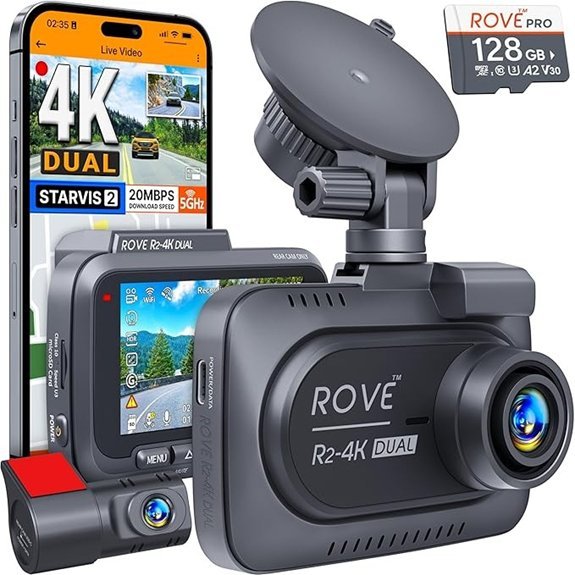 | Best Image Quality | Upload Method: Wi-Fi to smartphone app | Resolution: Front 4K / Rear 1080P | Included Storage: 128GB microSD card | CHECK PRICE ON AMAZON | Read Full Review |
| K600 4K Dash Cam with Front and Rear Cameras | 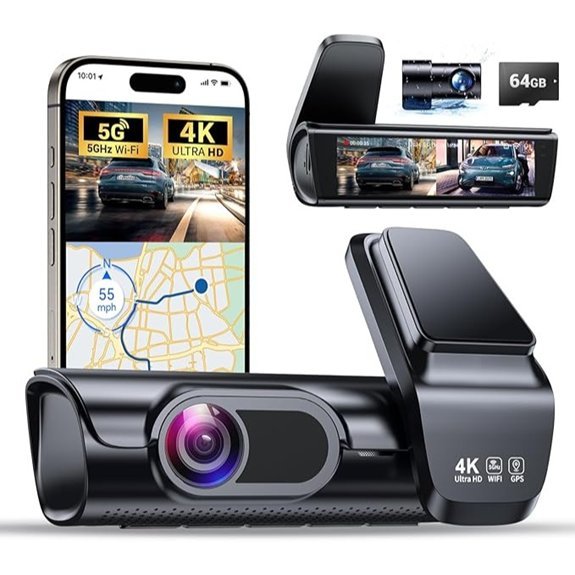 | Best for Night Driving | Upload Method: 5G Wi-Fi to companion app | Resolution: Front 4K / Rear 1080P | Included Storage: 64GB SD card | CHECK PRICE ON AMAZON | Read Full Review |
| LAMTTO 4G LTE Dual Dash Cam & GPS Tracker | 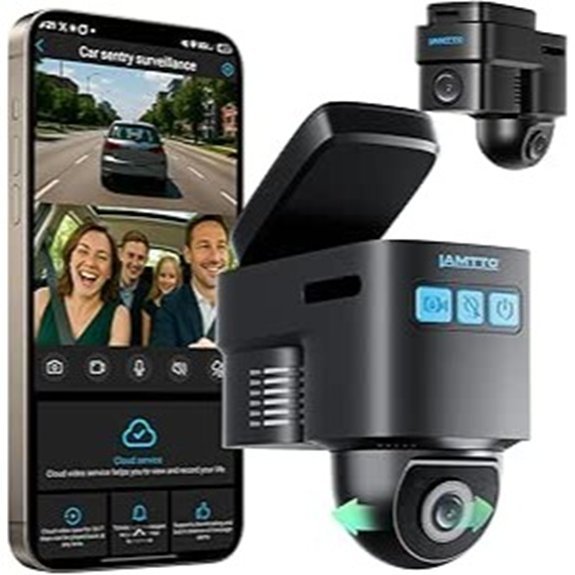 | Best for Remote Monitoring | Upload Method: 4G LTE cellular — no Wi-Fi needed | Recording: Front + Interior cabin | Included Storage: Cloud storage trial included | CHECK PRICE ON AMAZON | Read Full Review |
Full Reviews — Our Top 3 Picks
-
ROVE R2-4K Dual Dash Cam with 128GB Card
Who it’s for: Daily commuters and everyday drivers who want the sharpest possible footage and reliable Wi-Fi cloud backup — without paying for a cellular data plan.
The ROVE R2-4K earns the “best image quality” spot mainly because of one component: the Sony IMX675 STARVIS 2 sensor. Most dual dash cams at this price point use a generic CMOS sensor that turns distant license plates into an unreadable blur, especially at night. The STARVIS 2 holds detail significantly better in low-light conditions — the scenario that matters most when you actually need the footage for an insurance claim or incident report.
The front camera shoots at a genuine 4K resolution with a 150° field of view, wide enough to capture adjacent lanes without significant edge distortion. The rear 1080P camera has a narrower field of view than the K600’s rear lens, so you’re mainly covering the vehicle directly behind you rather than full-width rear coverage. That is a reasonable trade-off for the price tier.
Auto-upload works over Wi-Fi via the ROVE app — clips sync when the car is parked near your home network. This is not live remote access while driving; it is overnight backup. For most private car owners that is perfectly adequate. If you need live monitoring away from home, the LAMTTO is the better fit. The included 128GB microSD card is a genuine advantage over competing models that bundle 32GB or 64GB — it gives you roughly 10–12 hours of continuous 4K front footage before loop recording kicks in.
The built-in supercapacitor rather than a lithium battery is worth noting for anyone in a hot climate: supercapacitors handle temperature extremes far better and do not degrade with heat cycles the way batteries do. Setup and app pairing take around 20 minutes.
✅ Pros- Sony IMX675 STARVIS 2 sensor — best low-light detail of the three picks
- 128GB card included — double what most competing models offer
- Supercapacitor power source — reliable in extreme heat, no battery degradation
- 150° front field of view covers adjacent lanes clearly
- Built-in GPS logs speed and route alongside footage
- No ongoing subscription required for core Wi-Fi upload features
❌ Cons- Wi-Fi upload only — no live remote monitoring without home network
- Rear camera field of view is narrower than K600’s rear lens
- App account registration required to access cloud storage features
- Dual Recording:Front 4K, Rear 1080P
- Night Vision:Yes, Sony IMX675 STARVIS 2 enhanced low-light sensor
- GPS Functionality:Built-in GPS for speed and location logging
- Parking Mode:24/7 parking mode with multiple trigger options
- App Connectivity:ROVE app — Wi-Fi upload and video management
- Loop Recording:Yes, seamless automatic loop recording
- Front Field of View:150° ultra-wide angle
- Voice Guidance:Yes, audio alerts included
- Power Source:Built-in supercapacitor (no lithium battery)
-
K600 4K Dash Cam with Front and Rear Cameras
Who it’s for: Drivers who do significant night or low-light driving — evening commutes, rural roads, rideshare work — and want the widest possible field of view front and rear.
The K600’s standout specification is its lens geometry: 170° front and 160° rear. That extra coverage compared to the ROVE’s 150° front angle makes a practical difference in accident documentation, particularly at intersections where a vehicle approaching from the side might otherwise clip the edge of frame. The wider rear angle also means more lane coverage behind you, which matters for motorway incidents.
Night performance is the K600’s headline claim. The combination of a large-aperture lens and the advanced night vision processing keeps headlight glare under control — a common failure point on cheaper sensors that produce blown-out white halos around oncoming lights. License plate readability at night, which is the real-world test that matters after a hit-and-run, is solid at moderate distances.
The 3.59-inch built-in screen is the largest display of the three models reviewed here. If you need to review footage in the car without pulling out your phone, this makes the process noticeably faster. The 5G Wi-Fi connection to the companion app transfers large 4K clips faster than standard 2.4GHz single-band cameras — a real improvement when you are moving several gigabytes of footage.
The included 64GB SD card fills faster than you might expect at 4K resolution — around 4–6 hours of continuous footage. Loop recording overwrites the oldest clips automatically, but if you leave the car overnight with parking surveillance active, a 128GB upgrade is worth considering to avoid recording over your own incident footage.
✅ Pros- 170° front / 160° rear — widest coverage angles of the three picks
- Strong night vision with controlled headlight glare
- 3.59-inch screen — easiest in-car footage review without a phone
- 5G Wi-Fi for faster clip transfers than 2.4GHz models
- 64GB SD card included out of the box
- No ongoing subscription required for core features
❌ Cons- 64GB card fills quickly at 4K — a 128GB upgrade is recommended
- Wi-Fi upload only — no cellular remote monitoring option
- K600 is a newer brand with a shorter support and firmware update track record
- Dual Recording:Front 4K, Rear 1080P
- Night Vision:Yes, advanced night vision with wide-aperture lens
- GPS Functionality:Built-in GPS for route, speed, and location
- Parking Mode:24/7 parking surveillance
- App Connectivity:5G Wi-Fi app for wireless video management and upload
- Loop Recording:Yes, automatically overwrites oldest files
- Display Screen:3.59-inch built-in screen
- Wi-Fi Band:5G (faster transfers than 2.4GHz models)
- Included Storage:64GB SD card
-
LAMTTO 4G LTE Dual Dash Cam & GPS Tracker
Who it’s for: Fleet owners, rideshare drivers, parents monitoring teen drivers, or anyone whose car is regularly parked away from home Wi-Fi and who needs real-time visibility from anywhere.
The LAMTTO operates on a fundamentally different model than the other two cameras in this roundup. Where the ROVE and K600 rely on your home Wi-Fi for uploads, the LAMTTO uses a built-in 4G SIM card to stay connected regardless of location. That means you can pull up a live feed of the car park outside work, receive an instant alert when someone bumps your parked vehicle, and watch the interior camera from your phone — anywhere, any time there is cell coverage.
The dual recording setup records the front exterior and interior cabin rather than front-plus-rear exterior. This makes it particularly well-suited for rideshare, taxi, or commercial vehicle use where interior passenger monitoring is a safety and liability priority. If you specifically need rear exterior coverage, check this carefully — this camera does not provide it.
The Sentry Mode G-sensor detection pushes a notification and triggers a recording the moment it registers an impact, even with the ignition off. Because the clip immediately uploads to cloud storage over 4G, the evidence is off the device before anyone has a chance to remove or damage the camera. The two-way voice communication lets a fleet manager or parent speak directly to whoever is in the vehicle through the app — a feature with no equivalent on the Wi-Fi models.
The trade-off is straightforward: the 4G connection requires an active SIM plan, and the included cloud storage trial has a limited duration. Budget for both ongoing costs before purchasing. Without a subscription, the device records locally to SD card as a standard dash cam — but that removes the remote monitoring and auto-upload features that justify the price over the ROVE or K600.
✅ Pros- 4G LTE connectivity — live remote monitoring with no Wi-Fi dependency
- Real-time GPS tracking with push alerts for impacts and motion
- Cloud storage uploads footage immediately after an event — off-device evidence
- Two-way voice communication via companion app
- Sentry Mode detects suspicious activity before physical contact
- Works as a standalone local-recording dash cam without subscription
❌ Cons- Records front + interior (not front + rear exterior) — verify this matches your needs
- Ongoing SIM plan cost required for 4G features
- Cloud storage subscription required after trial period ends
- Higher total cost of ownership than Wi-Fi-only models
- Dual Recording:Front exterior + Interior cabin
- Night Vision:Yes, low-light support on both cameras
- GPS Functionality:Real-time GPS tracking with location alerts
- Parking Mode:24/7 all-weather parking surveillance with Sentry Mode
- App Connectivity:Mobile app — live monitoring, alerts, and two-way audio
- Loop Recording:Yes, functions as standalone dash cam without subscription
- Remote Monitoring:Yes, live view from anywhere via 4G LTE
- Two-Way Audio:Yes, voice communication through companion app
- Cloud Storage:Trial included; ongoing plan required for continued access
Side-by-Side Comparison: All 3 Models
| Feature | ROVE R2-4K | K600 4K | LAMTTO 4G LTE |
|---|---|---|---|
| Auto-Upload Method | Wi-Fi | 5G Wi-Fi | 4G LTE cellular |
| Front Resolution | 4K | 4K | |
| Second Camera Coverage | Rear exterior (1080P) | Rear exterior (1080P) | Interior cabin |
| Front Field of View | 150° | 170° | |
| Included Storage | 128GB microSD | 64GB SD | Cloud trial |
| GPS Tracking | ✅ | ✅ | ✅ Real-time |
| Parking Mode | ✅ 24/7 | ✅ 24/7 | ✅ 24/7 + Sentry |
| Live Remote Access | ❌ | ❌ | ✅ |
| Two-Way Audio | ❌ | ❌ | ✅ |
| Ongoing Subscription | No | No | Yes (SIM + cloud) |
| Best For | Image quality, everyday drivers | Night driving, wide coverage | Fleet, rideshare, remote monitoring |
What to Look for in a Dash Cam With Auto Upload
Auto-upload covers several distinct use cases, and the right choice depends entirely on where your car parks, how often you need to access footage remotely, and whether you can tolerate an ongoing subscription cost. The five areas below are the ones that actually differentiate these products from each other.
Recording Resolution: What Do You Actually Need?
The real-world benefit of 4K over 1080P comes down to two scenarios: reading license plates at a distance and identifying fine details like road signs or faces. For rear cameras, 1080P is generally sufficient — the car behind you is close enough for a 1080P sensor to capture a plate clearly. Where 4K earns its place is the front camera, picking up details 30–40 metres ahead of you.
Both the ROVE and K600 use a 4K front / 1080P rear split, which is the most practical configuration for the price. Higher resolution produces larger file sizes — at 4K, a 64GB card holds roughly 4–6 hours of continuous footage compared to around 10–12 hours at 1080P. Loop recording handles this by automatically overwriting the oldest files first, so you always have the most recent footage available without any manual management.
One practical note: for loop recording to actually protect you, the card write speed matters. Cards rated A2 Speed Class (or at minimum Class 10 / U3) are recommended for 4K recording to prevent dropped frames during continuous write cycles.
Wi-Fi vs. 4G LTE: Choosing the Right Auto-Upload Method
This is the most consequential decision in this product category. Wi-Fi auto-upload — used by both the ROVE and K600 — connects to a known network when the car is parked nearby and syncs clips to the companion app or cloud storage. No SIM card, no ongoing data cost. For a car that parks at home each night, this handles backup reliably and at no extra cost beyond the device itself.
4G LTE connectivity, as used by the LAMTTO, means the camera maintains a persistent cellular connection independent of any fixed network. It can push footage and alerts in real time from any location with cell coverage. For commercial vehicles, cars that travel and park in different locations, rideshare use, or any scenario where you need to monitor a vehicle you are not physically near, this changes what is possible. Budget for the SIM plan and cloud storage subscription as part of the total cost when comparing prices.
One important distinction: dual-band 5G Wi-Fi (as used by the K600) transfers large video files faster than standard 2.4GHz single-band connections. If you regularly pull off multiple gigabytes of 4K footage, this is a genuine speed improvement, not a marketing spec.
Storage Capacity: How Much Is Enough?
A rough guide for continuous recording: 64GB holds approximately 4–6 hours at 4K, or around 8–10 hours at 1080P. 128GB doubles those figures. For most daily commuters, even 64GB with loop recording covers sufficient recent footage — typically the last full day of driving. Where higher capacity matters most is overnight parking mode: if the camera records continuously while parked, a 64GB card may overwrite a morning incident before you even drive to work. In that scenario, the ROVE’s 128GB card is a real operational advantage.
All three models support standard microSD cards, so upgrading storage after purchase is straightforward. Look for cards from reputable manufacturers (Samsung, SanDisk, Lexar) with a write speed guarantee — budget cards will work until they fail, usually at the worst possible moment.
Night Vision: What Separates Good from Mediocre
Sensor quality and aperture size determine night performance far more reliably than the marketing term “advanced night vision.” The ROVE’s Sony IMX675 STARVIS 2 sensor captures more light per pixel than generic CMOS sensors, producing cleaner and less grainy footage in unlit conditions. The K600’s wide-aperture lens compensates for a less-specified sensor by letting in more light physically — both approaches work, and both outperform the budget tier significantly.
Aperture is expressed as an f-number on the Amazon listing (lower f-number = wider aperture = more light). A camera with f/1.8 will consistently outperform a higher-resolution camera at f/2.8 in real low-light conditions. Check these figures on the product listing before buying, particularly if you drive frequently after dark.
Parking Mode and Alerts: What Happens When You Leave the Car
All three models offer 24/7 parking surveillance, but the mechanisms differ. The ROVE and K600 use G-sensor impact detection — the camera triggers a recording when it registers a knock or collision. The LAMTTO’s Sentry Mode adds motion-based radar detection that can register suspicious activity before physical contact occurs, then immediately pushes an alert to your phone over 4G.
A practical note most reviews omit: for parking mode to work with the engine off, the camera needs continuous power, either from a hardwire kit (sold separately for most models) connected to an always-on accessory circuit, or from a parking mode power bank. Without hardwiring, parking surveillance only runs for a short period on the camera’s internal capacitor. Confirm hardwire compatibility and kit availability for your specific vehicle before relying on this feature.
Frequently Asked Questions
How Does Auto Upload Work on Dash Cams?
Dash cams with auto upload connect to Wi-Fi or a 4G LTE mobile network and transfer recorded footage — typically event clips triggered by G-sensor impacts — to a cloud storage account automatically. Wi-Fi models sync when the car is parked near a known network, usually at home overnight. The LAMTTO’s 4G LTE connection uploads footage in real time from anywhere with cell signal. In both cases, the camera also records locally to a microSD card — cloud upload is a secondary backup layer, not the only copy of the footage.
Can Dash Cams With Auto Upload Save Videos Offline?
Yes — all three models store footage directly to a microSD card regardless of network connectivity. Auto-upload sends an additional copy to the cloud on top of local storage. If the internet goes down or you drive through an area with no signal, nothing is lost: all footage stays on the card until loop recording overwrites it. The auto-upload will complete once connectivity is restored.
Are There Subscription Fees for Cloud Storage Services?
For the ROVE and K600, the companion apps may offer free cloud storage with limited capacity — confirm the current terms on each manufacturer’s website, as these change. For the LAMTTO, two separate ongoing costs apply: an active SIM data plan for the 4G LTE connection, and a cloud storage subscription after the included trial expires. Factor both into your total cost before comparing prices against the Wi-Fi-only alternatives.
What Happens if My Internet Connection Is Unstable?
Nothing critical happens to your footage. The local microSD recording is completely independent of network connectivity. The auto-upload will pause when the connection drops and resume automatically once it stabilises. For the LAMTTO, the 4G connection will attempt to upload event clips and retry if the signal is intermittent. No footage is deleted as a result of a failed upload attempt.
How Can I Access Uploaded Videos From My Dash Cam?
Each model uses a dedicated companion app: the ROVE app for the R2-4K, the K600 5G Wi-Fi app for the K600, and the LAMTTO mobile app for the 4G LTE model. Log in with your account credentials, navigate to the video library or cloud storage section, and stream or download individual clips. The LAMTTO app additionally provides a live view option for real-time monitoring when the 4G connection is active — neither of the Wi-Fi models offer this.
Which Dash Cam With Auto Upload Should You Buy?
For most private car owners who park at home each night, the ROVE R2-4K is the right call. The Sony IMX675 STARVIS 2 sensor delivers the cleanest footage in this comparison, the 128GB card means you are not constantly running out of storage, and Wi-Fi upload via the ROVE app handles automatic cloud backups without any ongoing subscription cost. It is the most complete package for everyday use.
If night driving is your primary concern — long evening commutes, rural roads, or rideshare shifts — the K600 4K edges ahead on lens coverage and low-light processing. The 170° front angle and the 3.59-inch screen also make incident review easier without needing your phone.
The LAMTTO 4G LTE is the right choice specifically if you need live remote monitoring — fleet vehicles, commercial use, teen driver oversight, or cars regularly parked away from home. The ongoing SIM and cloud subscription costs are not justified for a personal vehicle that parks on your driveway each night. But for those specific use cases, no Wi-Fi model comes close.
→ ROVE R2-4K on Amazon → K600 4K on Amazon → LAMTTO 4G LTE on Amazon